LightPaint for iOS

LightPaint · Android

Move the light.
Keep the motion.

LightPaint Android: Camera timelapse recording, with an illustrated camera scene beneath the captured controls

Live light painting, music and camera choreography. Build your next performance in Light Painting Studio.

LightPaint for Android

Awaiting Google’s review

We’re awaiting Google’s review. Check back soon, or apply for the beta test by sending us the email address you use on Google Play. We’ll be adding testers every few days.

Apply for the beta test
Explore Android Features See the Screenshots

Android is awaiting Google’s review. Apply for the beta through Contact.
English + 11 more languages.

Inside the Android App

The controls. The view. The next step.

Browse the marketing screenshots, then open a feature below to see its captured screens and workflow. Tap any image for a closer look.

Move the light. See it stay.
Make the trail your own.
Build the scene. Play the movement.
Follow the music. Capture the motion.
Put the changes on the timeline.
Find a track. Set the mood.
Keep the move. Use it in the scene.
Choose the light. Shape the scene.

Move the light. See it stay.

LightPaint Android camera with an illustrated light-painting performance

What you can do with LightPaint.

Follow the camera workflow from preparation to the finished take. Each feature has its own page, with the Android controls shown in detail.

Live Light Painting

Move the light. Watch the picture grow.

Mount the phone, frame the space and move the light through it. LightPaint shows the developing picture in the camera, so you can judge the path while the performance is happening. The camera keeps the capture settings beside the view instead of sending you away to a separate setup screen.

Explore Live Light Painting
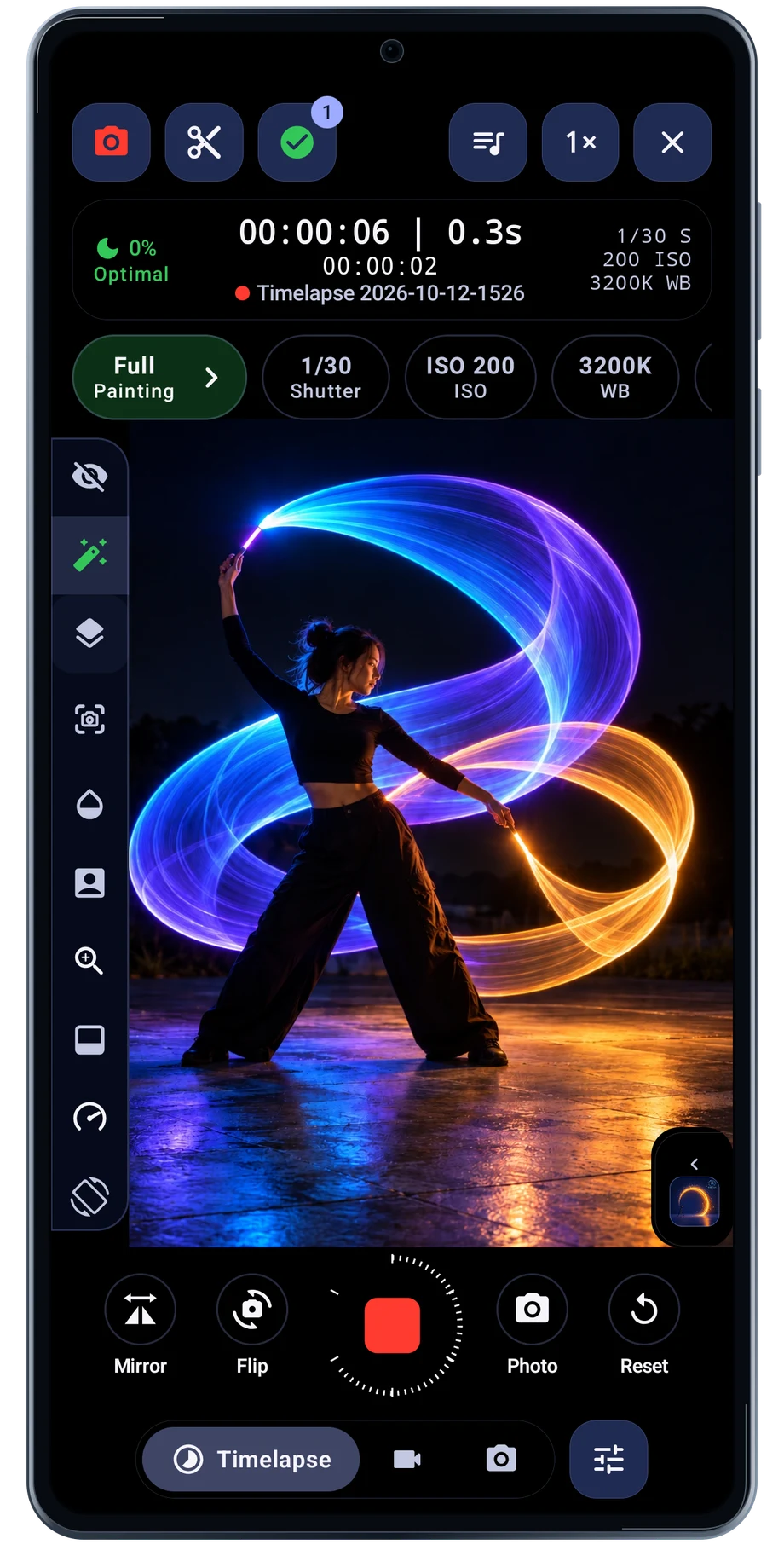
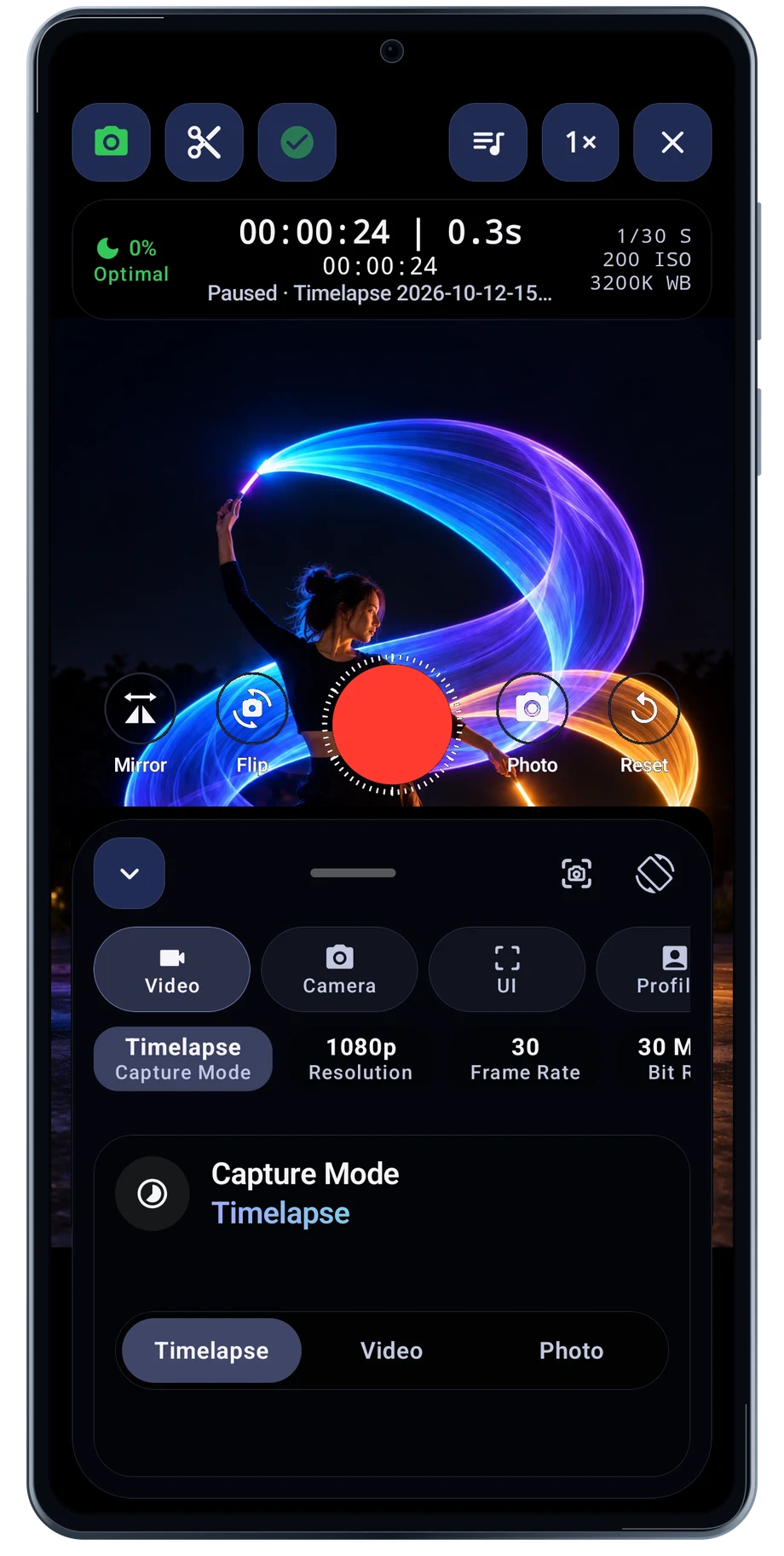
LightPaint Android: Camera timelapse recording, with an illustrated camera scene beneath the captured controls

Camera Controls

Put the camera settings where you need them.

Light painting asks the camera to handle bright moving lights in a dark scene. Open the controls and set the exposure around the brightest part of the movement. Shutter, ISO and white balance affect the source image before trail processing shapes it.

Explore Camera Controls
LightPaint Android: Camera controls sheet, with an illustrated camera scene beneath the captured controls

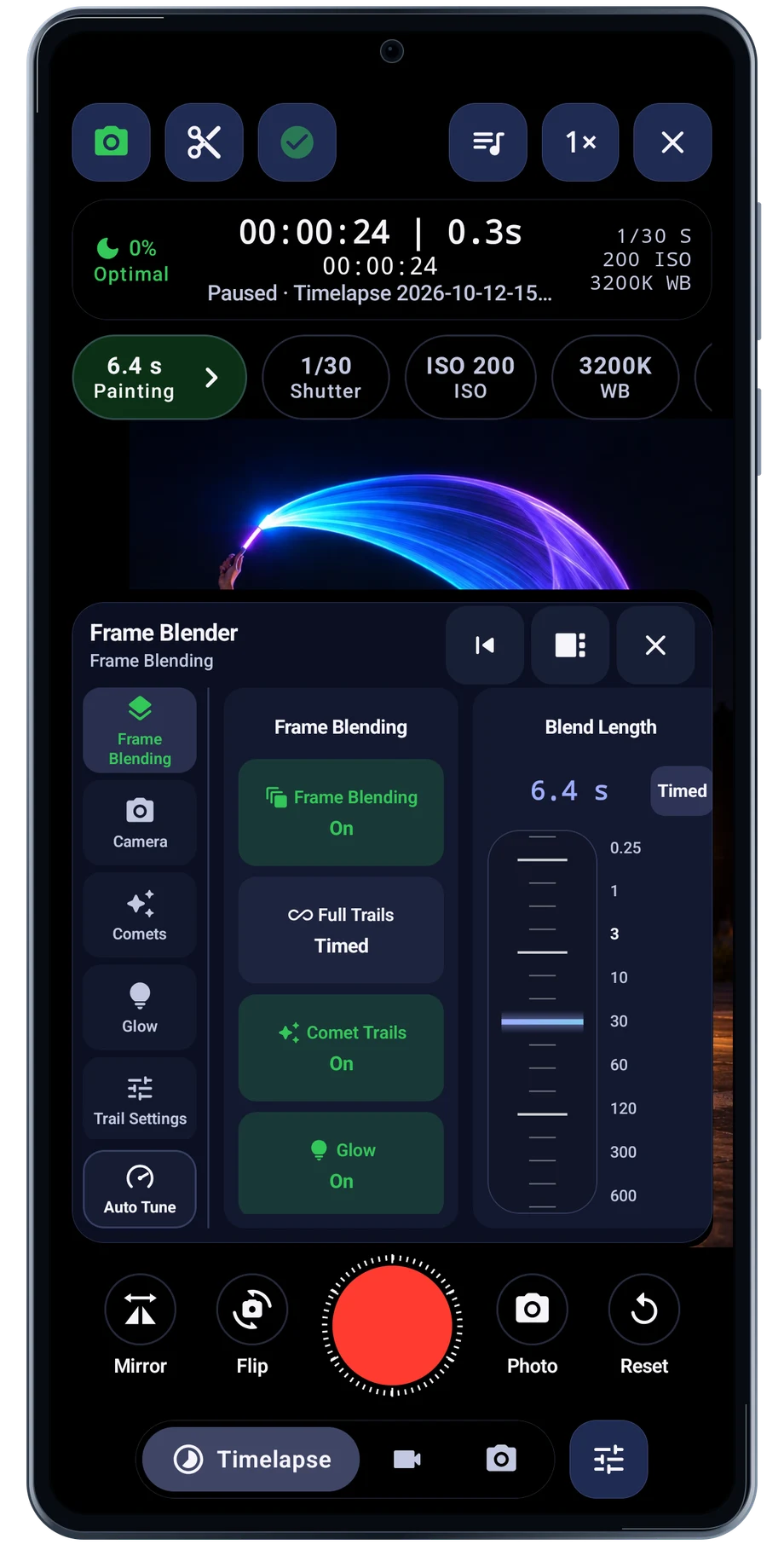
Frame Blender & Trails

Choose how the light stays in the frame.

Frame Blender brings the trail settings together while the camera is open. Use blend behavior and trail length to decide how much earlier movement remains in the developing picture.

Explore Frame Blender & Trails
LightPaint Android: Camera frame blender, with an illustrated camera scene beneath the captured controls

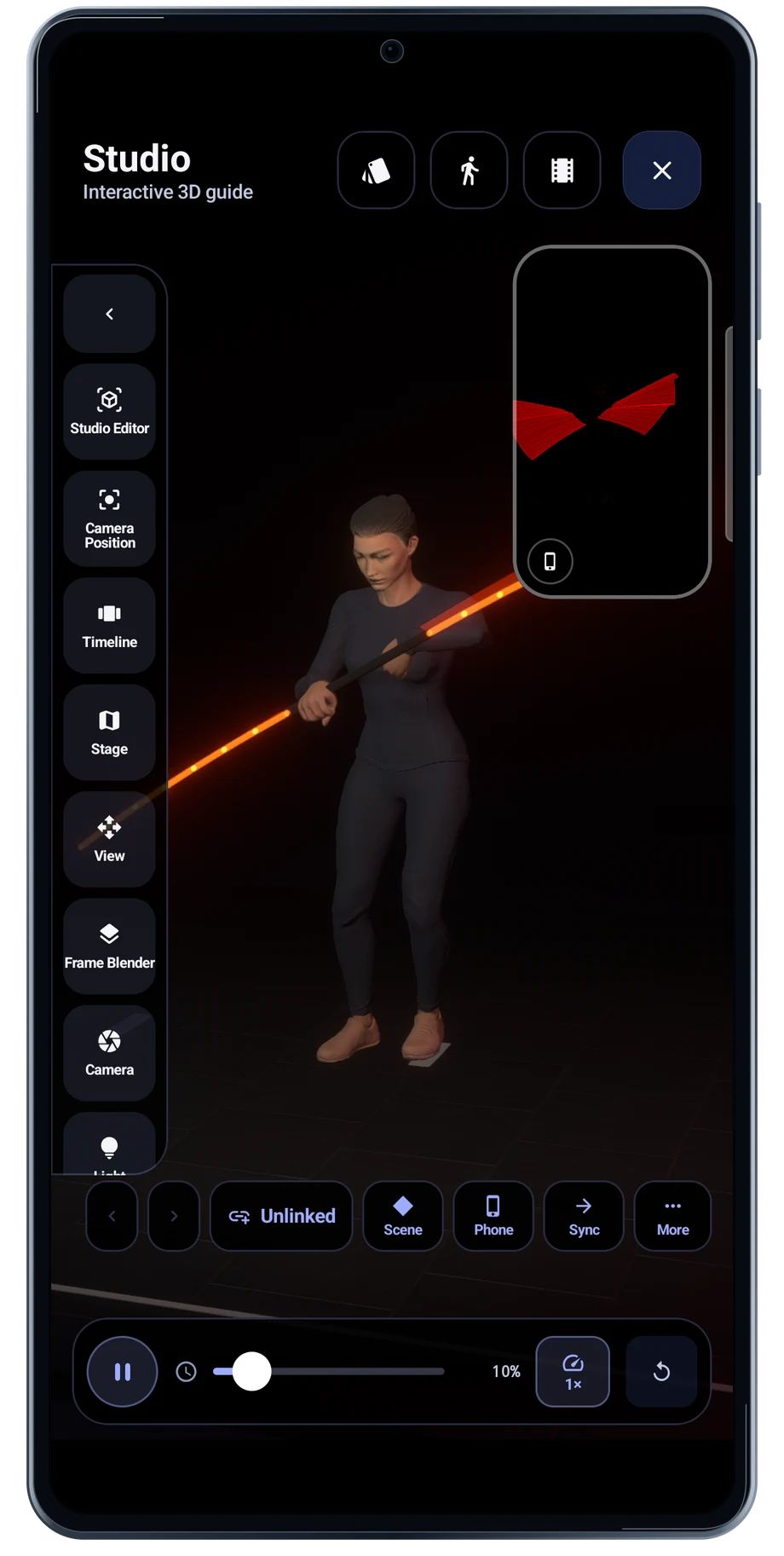
Light Painting Studio

Build a performance before setting up the camera.

Studio gives light painting a separate workspace. Open a scene and play the movement to see how the performer and light behave together. The scene view and phone-view inset help you judge the performance from more than one viewpoint.

Explore Light Painting Studio
LightPaint Android: Studio scene playing

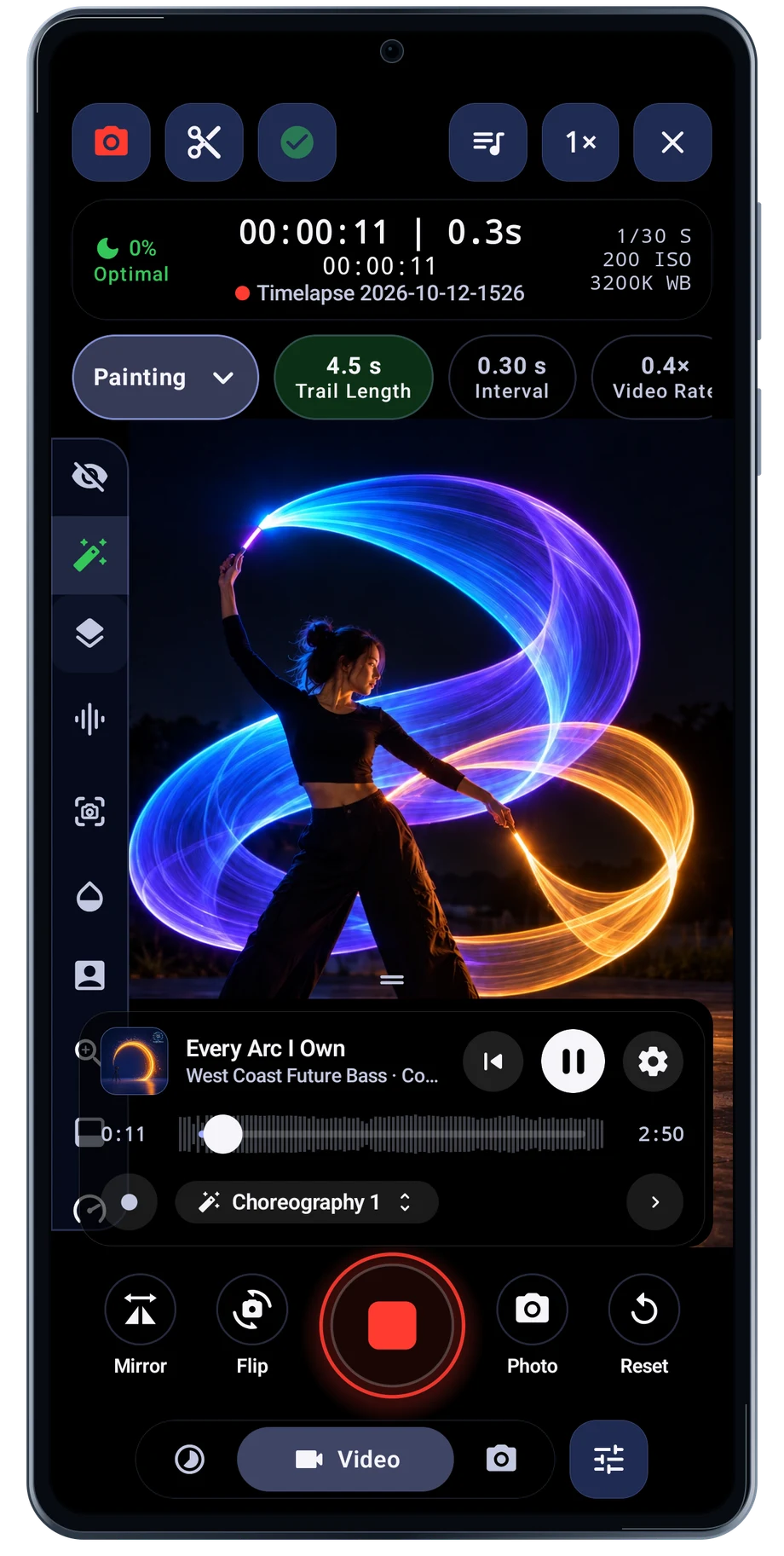
Perform to a Track

Keep the music beside the camera.

Perform to a Track begins with the music and the kind of take you want. The setup screen keeps the song, camera choice and look together before opening the camera.

Explore Perform to a Track
LightPaint Android: Perform recording, with an illustrated camera scene beneath the captured controls

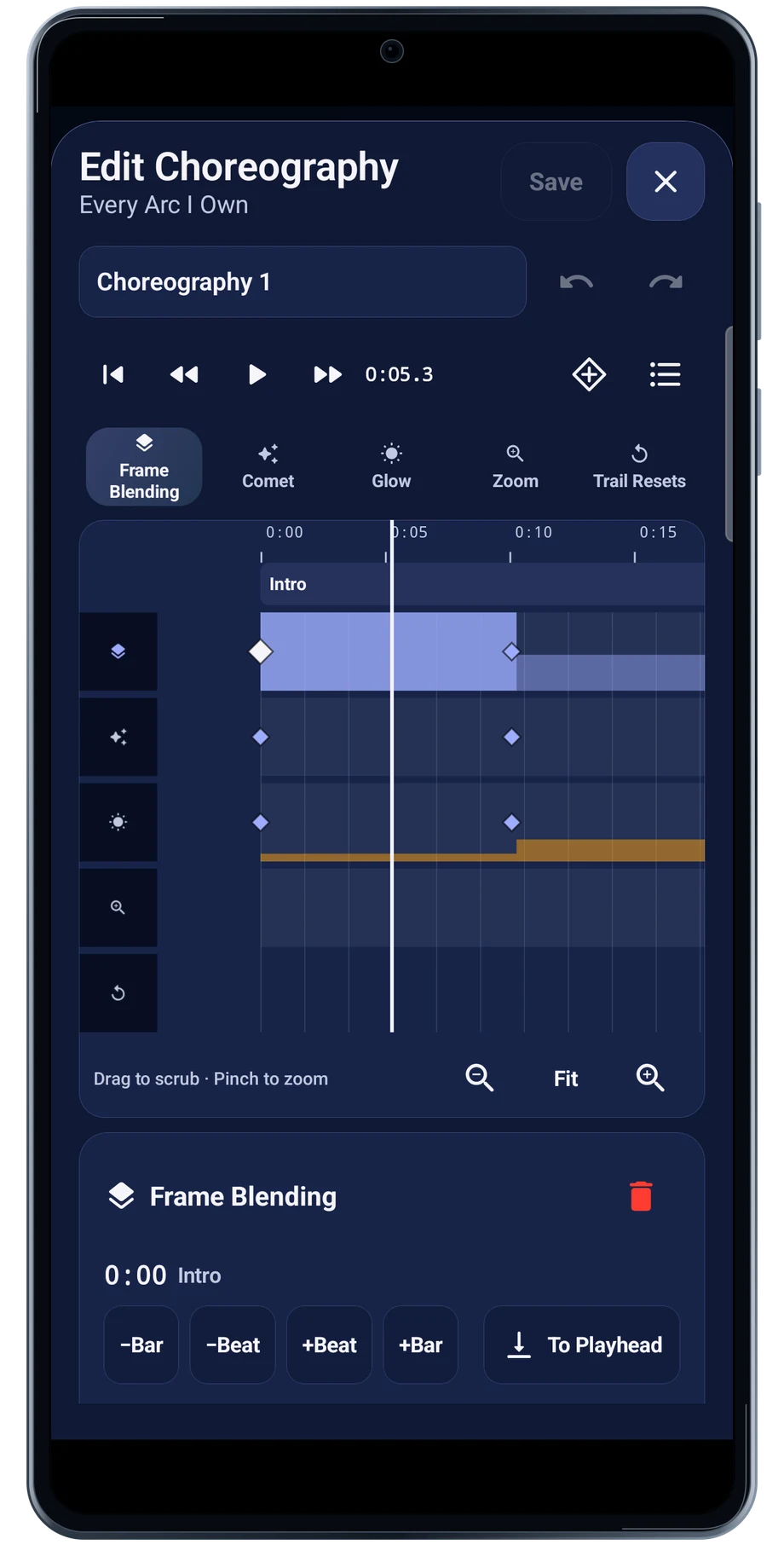
Camera Choreography

Write the camera changes into the music.

The choreography editor puts camera changes on lanes beside the track. Choose the lane you want to work with, then inspect where each change belongs in the performance.

Explore Camera Choreography
LightPaint Android: Choreography lanes

Motion Takes

Keep a movement you want to use again.

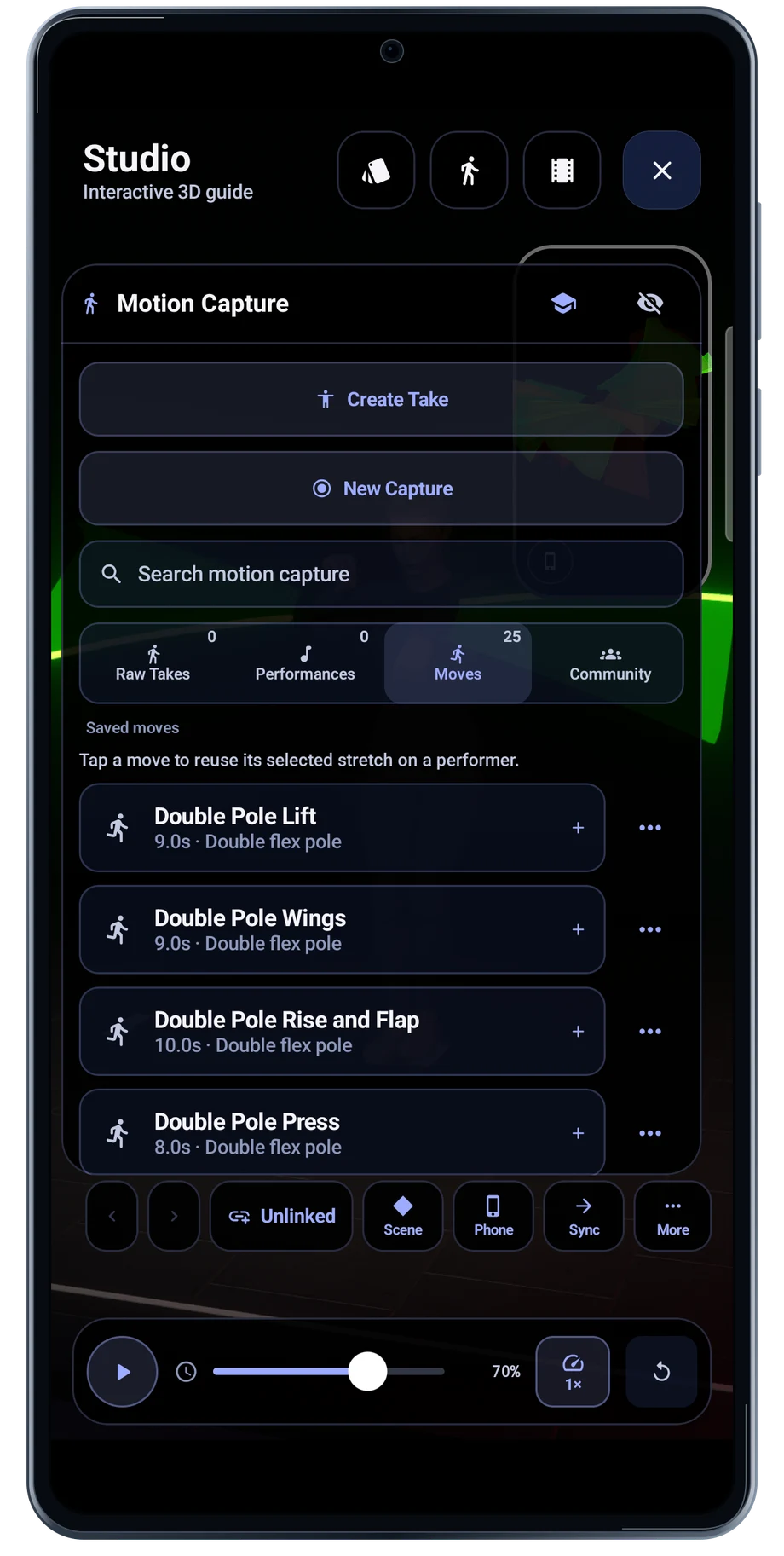
A useful movement can become part of another scene. Studio’s Motion Capture screen keeps saved moves together and offers controls for creating or capturing a take.

Explore Motion Takes
LightPaint Android: Studio motion capture moves

Music

Find a track that fits the movement.

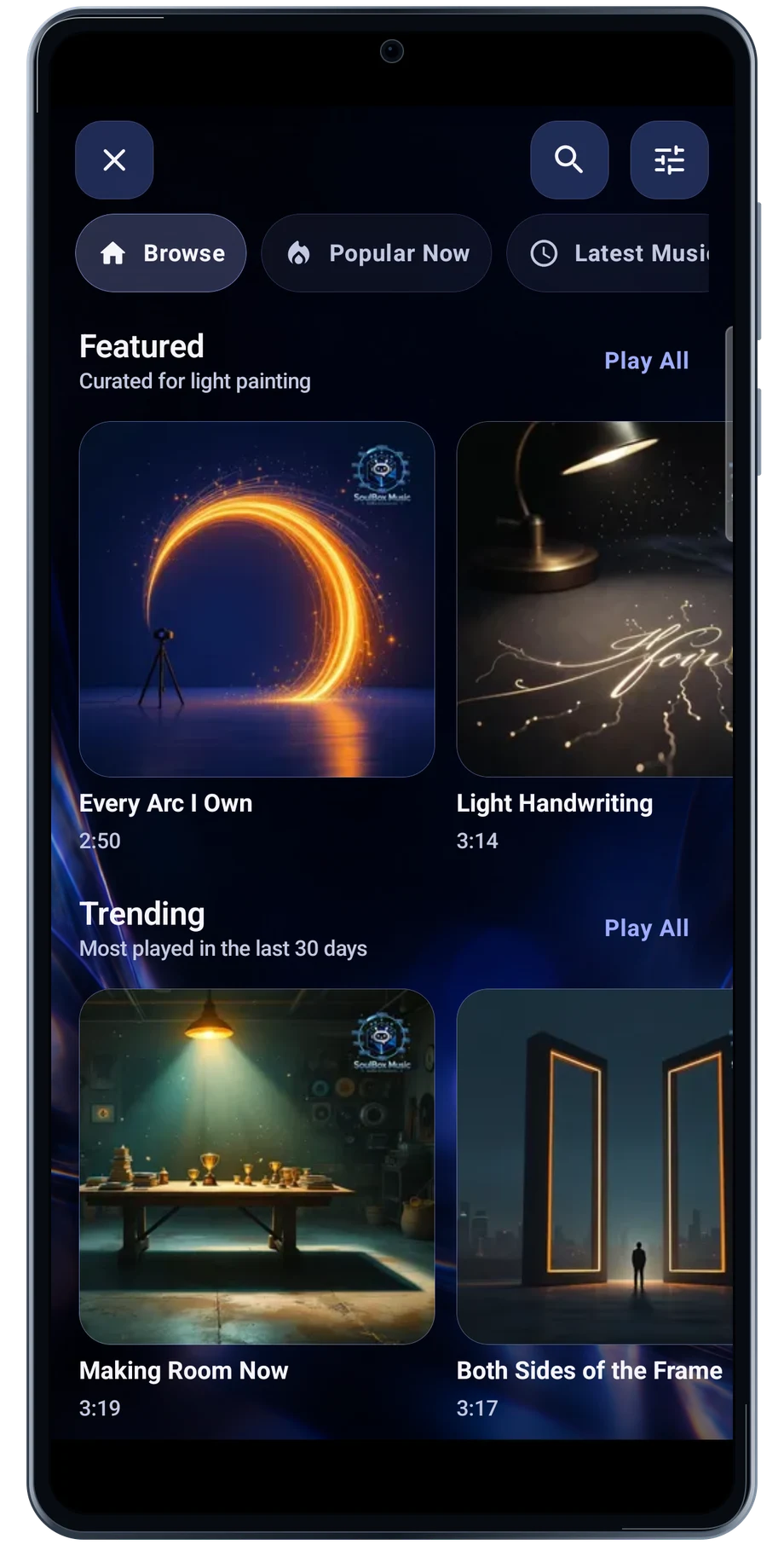
Browse featured music and genres to find the pace and mood for a performance. Open a track to keep its player and performance actions together.

Explore Music
LightPaint Android: Music

Camera Profiles

Start with a setup that suits the subject.

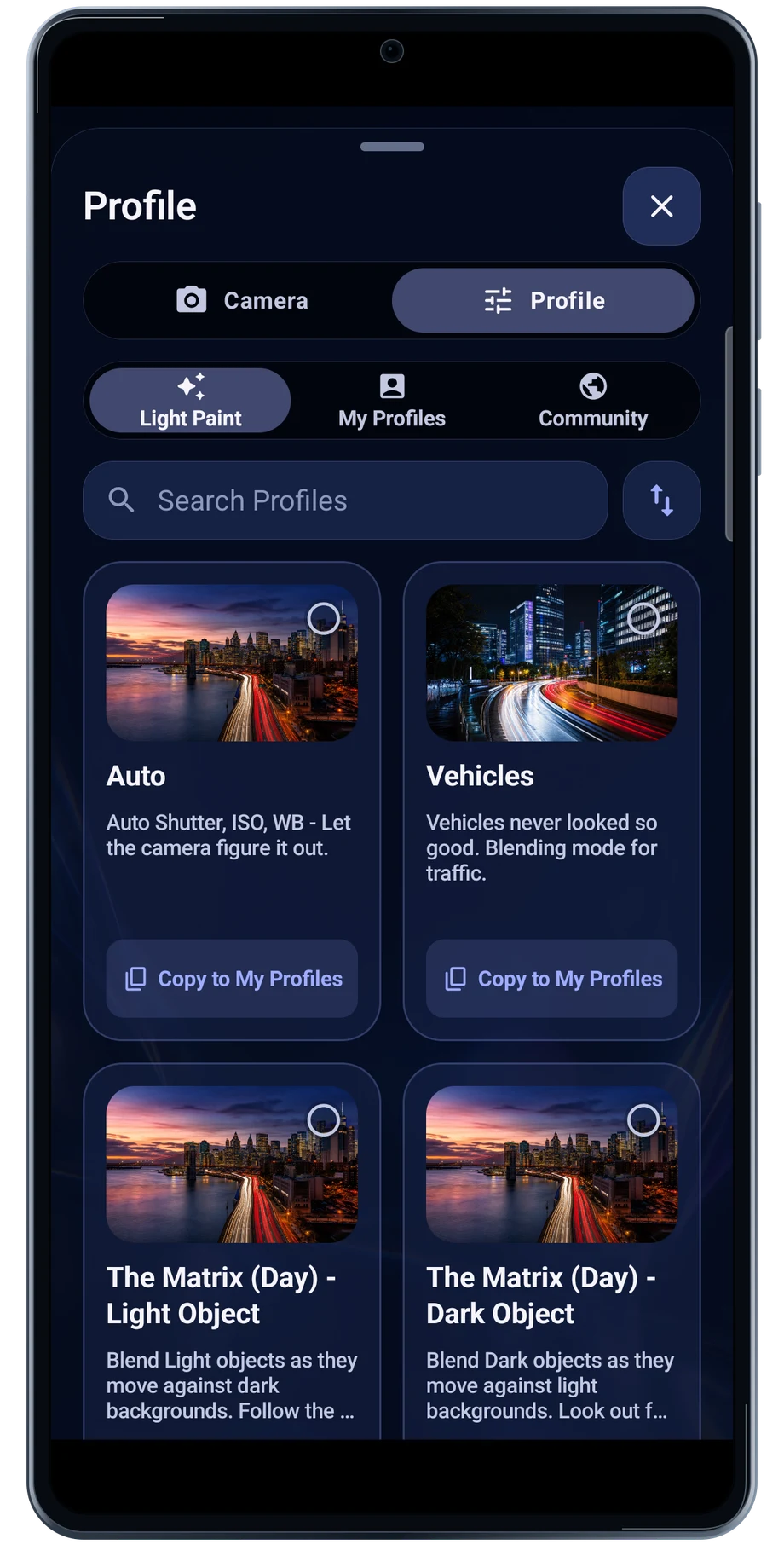
The profile picker gives you a starting point for different subjects and ways of blending light. Choose the nearest setup, then test it with the camera and light you are actually using.

Explore Camera Profiles
LightPaint Android: Profile picker

External Storage

Give the next take somewhere to go.

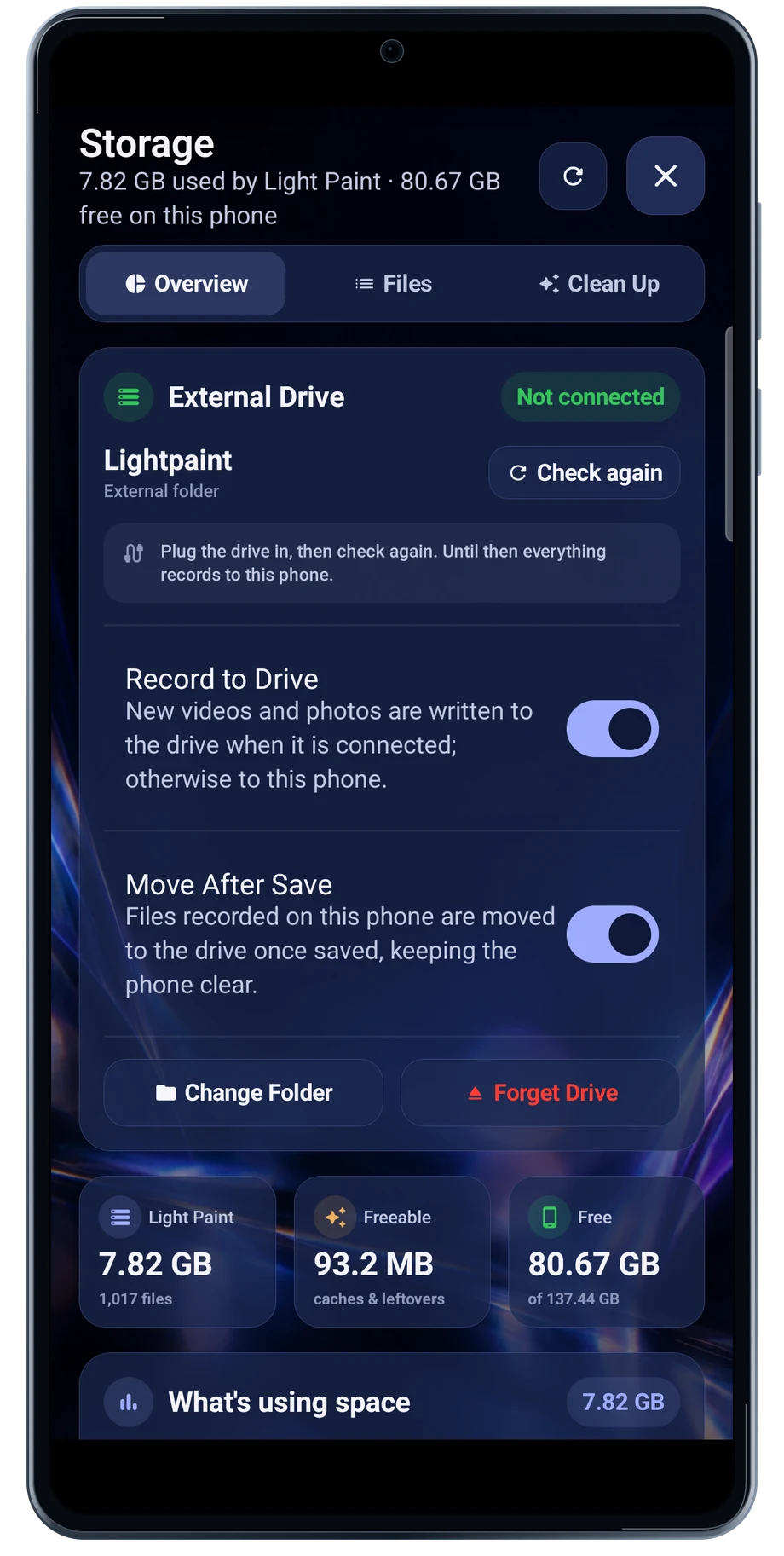
The Storage screen shows app usage and the external-drive controls. Connect the drive and select the destination before a recording, so you can check whether the app can see it.

Explore External Storage
LightPaint Android: Storage

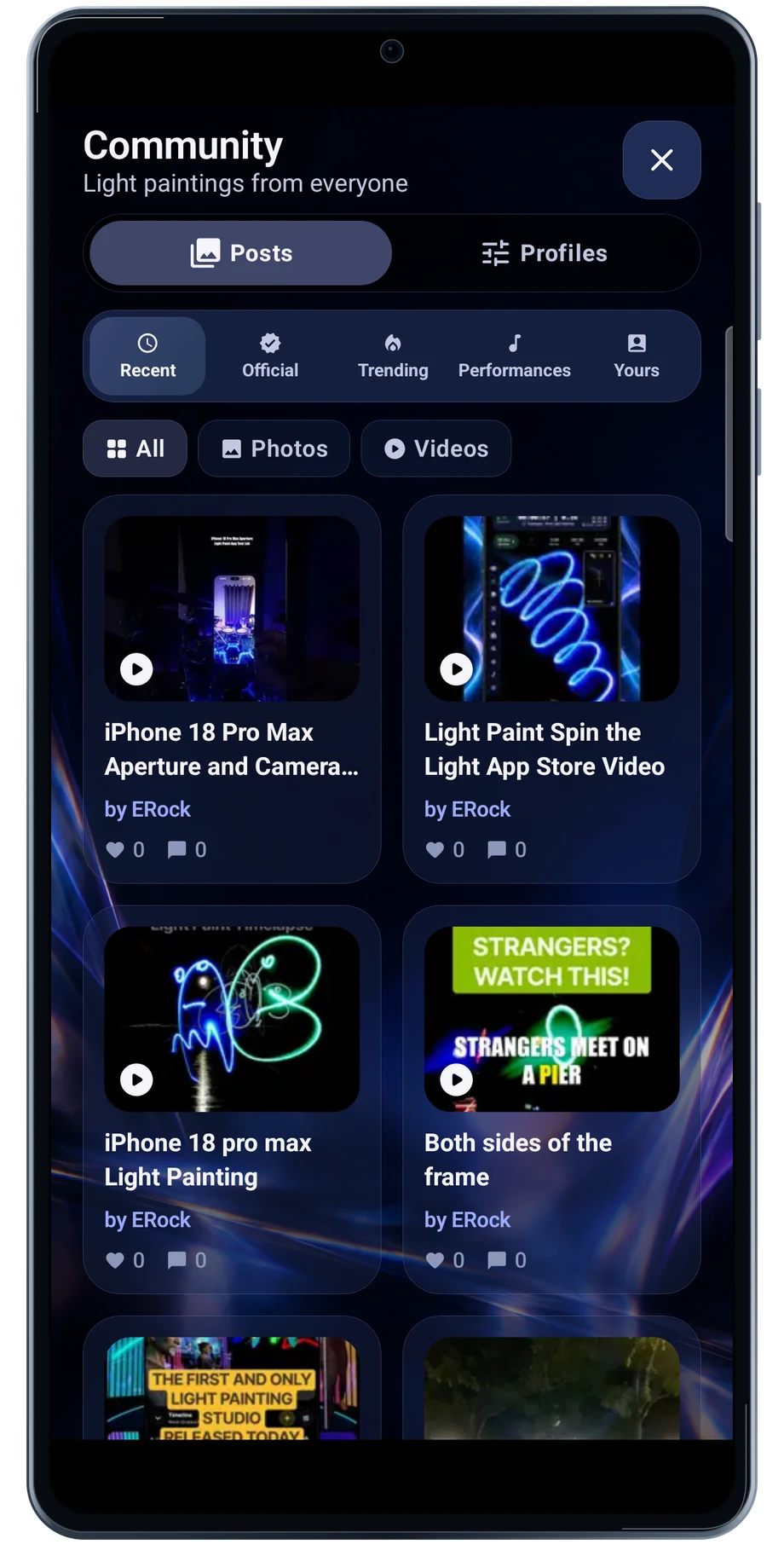
Community

Look for an idea worth trying.

The community feed puts shared light paintings and videos near the camera workflow. Open a post to watch the result and read how it was made.

Explore Community
LightPaint Android: Community

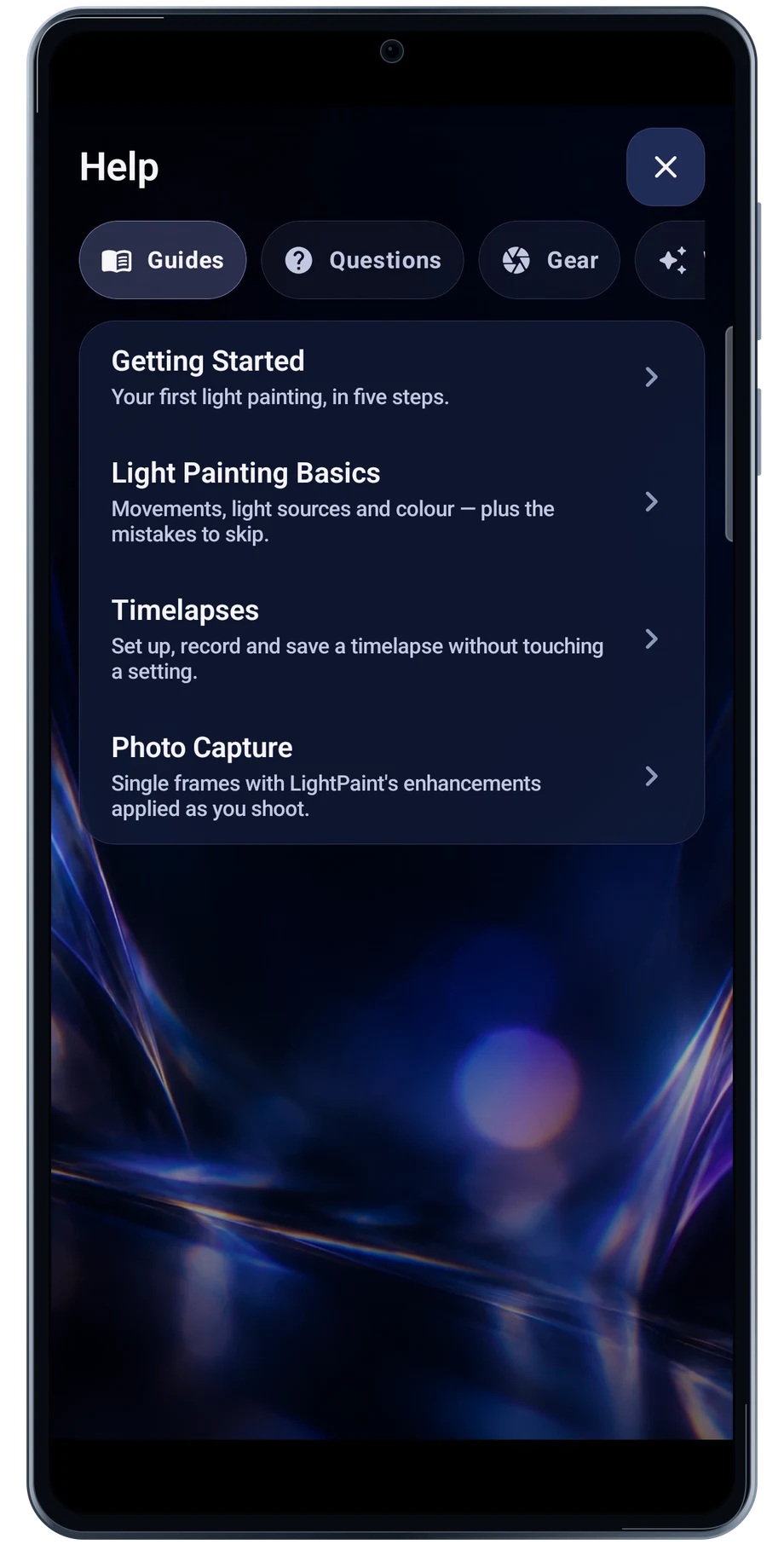
Guides & Learning

Keep the guide beside the next attempt.

The guides begin with the camera and the first capture. Choose the subject closest to the work you are trying, then bring the instructions beside a short test.

Explore Guides & Learning
LightPaint Android: Guides

Android is awaiting Google’s review. Apply for the beta through Contact.

LightPaint is built for Android phones that expose manual camera settings and have the GPU and processor capacity for sustained live image processing. Available controls vary by phone and lens. Available controls and performance depend on your device.

English + 11 more languages. Camera scenes are illustrated beneath the captured Android interface.

LightPaint for Android.

We’re awaiting Google’s review. Apply for the beta test through Contact.

LightPaint for Android

Awaiting Google’s review

We’re awaiting Google’s review. Check back soon, or apply for the beta test by sending us the email address you use on Google Play. We’ll be adding testers every few days.

Apply for the beta test