LightPaint · Android · Live Light Painting
Live Light Painting
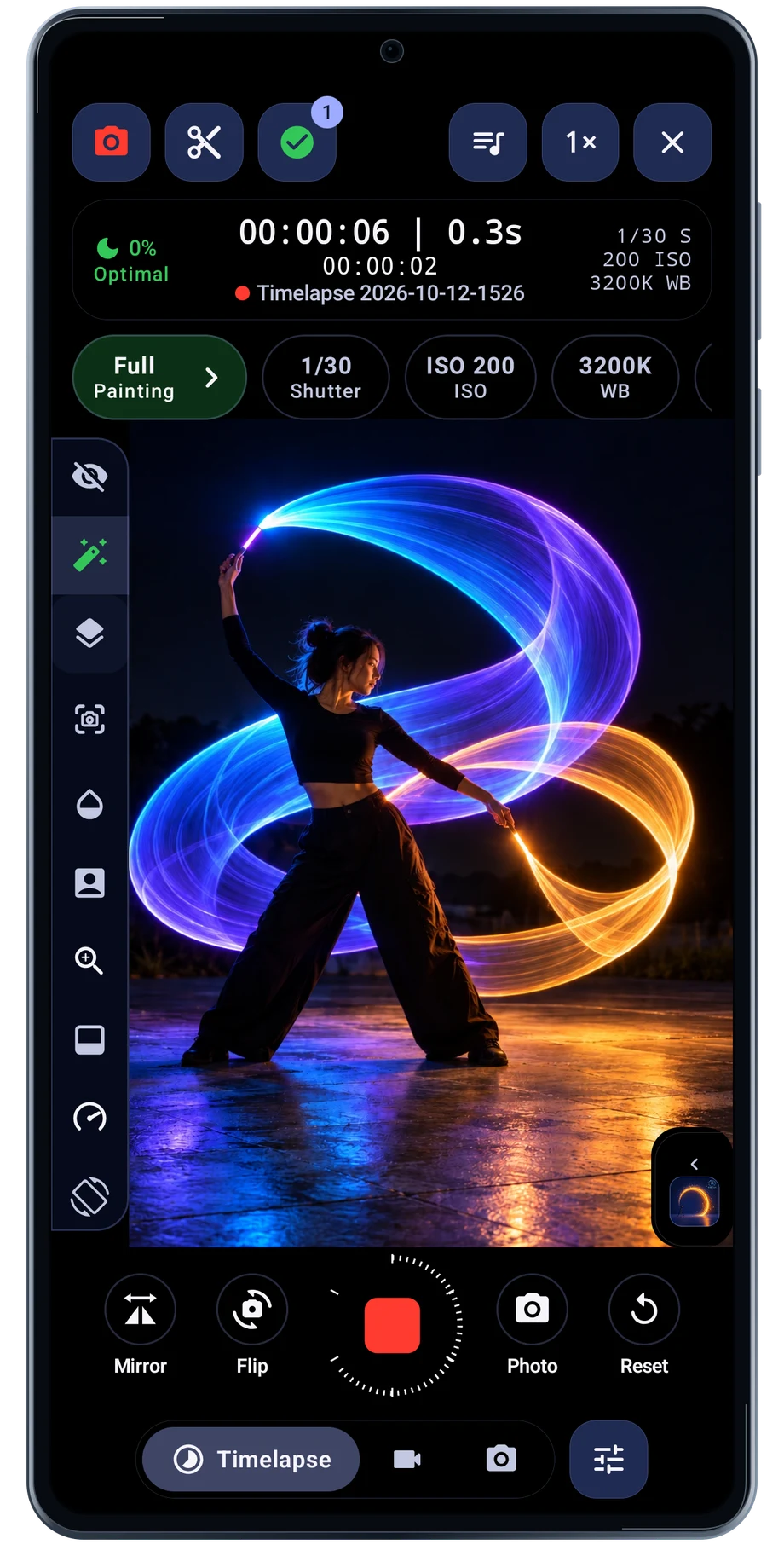
Mount the phone, frame the space and move the light through it. LightPaint shows the developing picture in the camera, so you can judge the path while the performance is happening. The camera keeps the capture settings beside the view instead of sending you away to a separate setup screen.
Captured Android interface. Illustrated scenes in camera views.
Live Light Painting, on Android
Move the light. Watch the picture grow.
Start with one light and a short movement. Check the brightest parts of the trail, then adjust exposure and trail length around the pace of the movement. A clear line or loop makes those changes easier to understand than a busy first attempt.
The camera scenes on this page are illustrated beneath the captured Android interface. They show where the picture and controls meet. Actual results depend on the light, exposure, motion and camera hardware you use.
Before the full take
- Mount the phone and frame the movement.
- Set the exposure and trail behavior.
- Make a short pass and review the live picture.
Questions about the Android app
Is LightPaint available for Android?
Android is awaiting Google’s review. Apply for the beta through Contact. We’ll be adding beta testers every few days.
Will my Android phone expose every camera setting?
Manual camera controls depend on the phone and lens. Live frame processing also needs a capable GPU and processor. Available controls and performance depend on your device.
Are these captured Android screens?
Yes. The interface comes from the Android app running on a Galaxy S23 FE. Blank camera views have illustrated scenes beneath the original controls; other screens show the captured app content.
Android is awaiting Google’s review. Apply for the beta through Contact.
LightPaint is built for Android phones that expose manual camera settings and have the GPU and processor capacity for sustained live image processing. Available controls vary by phone and lens. Available controls and performance depend on your device.
English + 11 more languages. Camera scenes are illustrated beneath the captured Android interface.
LightPaint for Android.
We’re awaiting Google’s review. Apply for the beta test through Contact.