TimeLapsed for iOS

TimeLapsed · Android

Time, trails
and the sky.

TimeLapsed Android: Camera timelapse recording, with an illustrated camera scene beneath the captured controls

Manual camera controls, live trails, sky planning and weather. Set up the shot, then watch it develop.

TimeLapsed for Android

Awaiting Google’s review

We’re awaiting Google’s review. Check back soon, or apply for the beta test by sending us the email address you use on Google Play. We’ll be adding testers every few days.

Apply for the beta test
Watch the Android Capture Explore Android Features See the Screenshots

Android is awaiting Google’s review. Apply for the beta through Contact.
English + 11 more languages.

Captured With TimeLapsed on Android

Star trails and air traffic.

A landscape capture recorded over 1.5 hours, about 30 miles from Orlando International Airport. See the star trails and passing aircraft lights in footage from TimeLapsed on Android.

Watch on YouTube

Inside the Android App

The controls. The view. The next step.

Browse the marketing screenshots, then open a feature below to see its captured screens and workflow. Tap any image for a closer look.

Time, in motion. Trails, in view.
Set the shot. Keep control.
Plan the sky. Before you shoot.
Find your dark hours.
Check the clouds. Choose your night.
Save the setup. Use it again.
Give the camera a plan to follow.
See what changed. Learn from the take.

Time, in motion. Trails, in view.

TimeLapsed Android recording illustrated star and aircraft trails

What you can do with TimeLapsed.

Follow the camera workflow from preparation to the finished take. Each feature has its own page, with the Android controls shown in detail.

Timelapse Camera

Let the scene run. Keep the controls close.

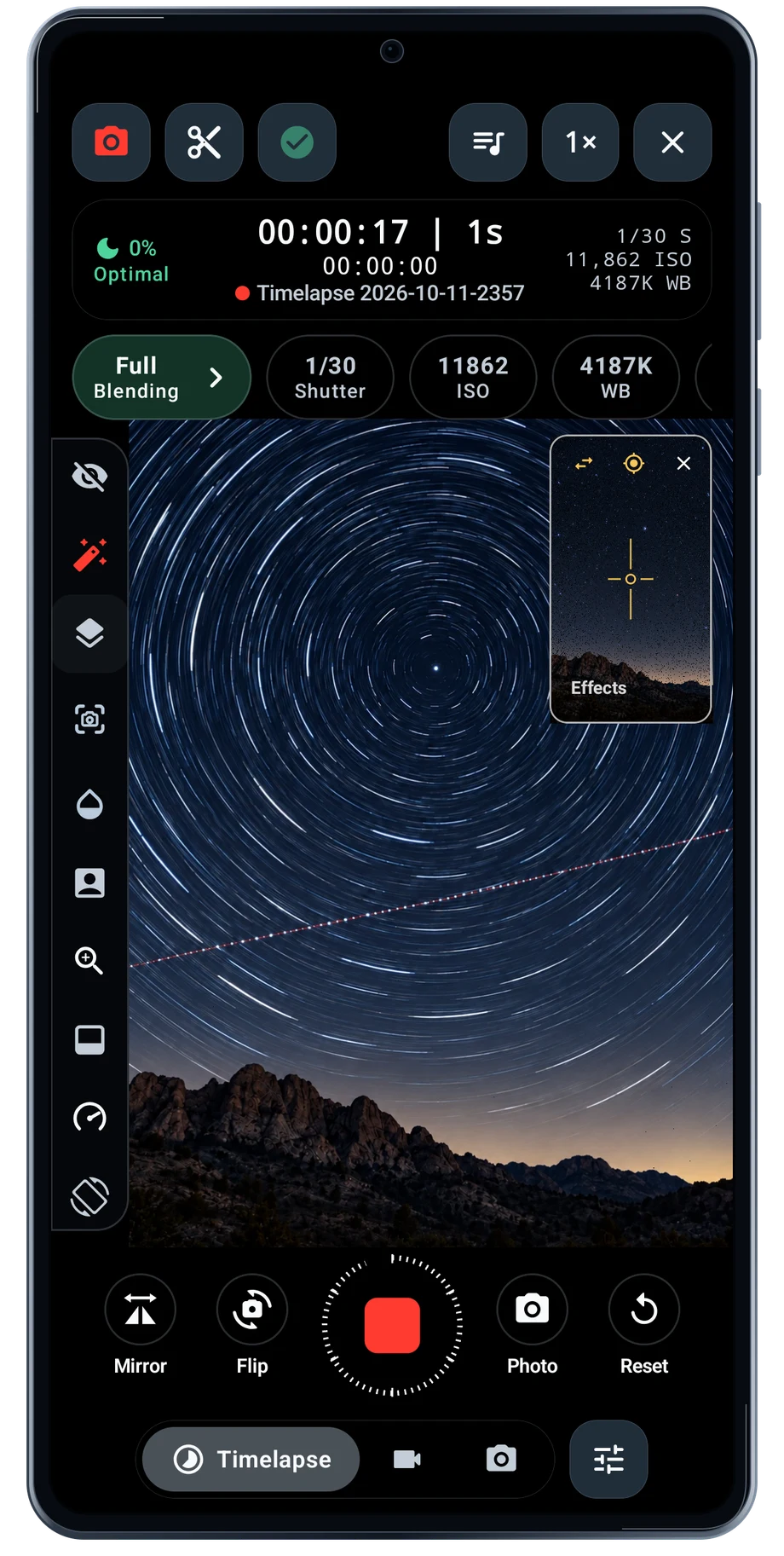
Set up the phone before the light starts changing. Choose a lens, settle the framing and set the capture interval for the subject. A slow-moving sky and a busy street need different pacing. The camera keeps the interval and elapsed recording time beside the view, so you can check the take without opening another screen.

Explore Timelapse Camera
TimeLapsed Android: Camera timelapse recording, with an illustrated camera scene beneath the captured controls

Manual Camera Controls

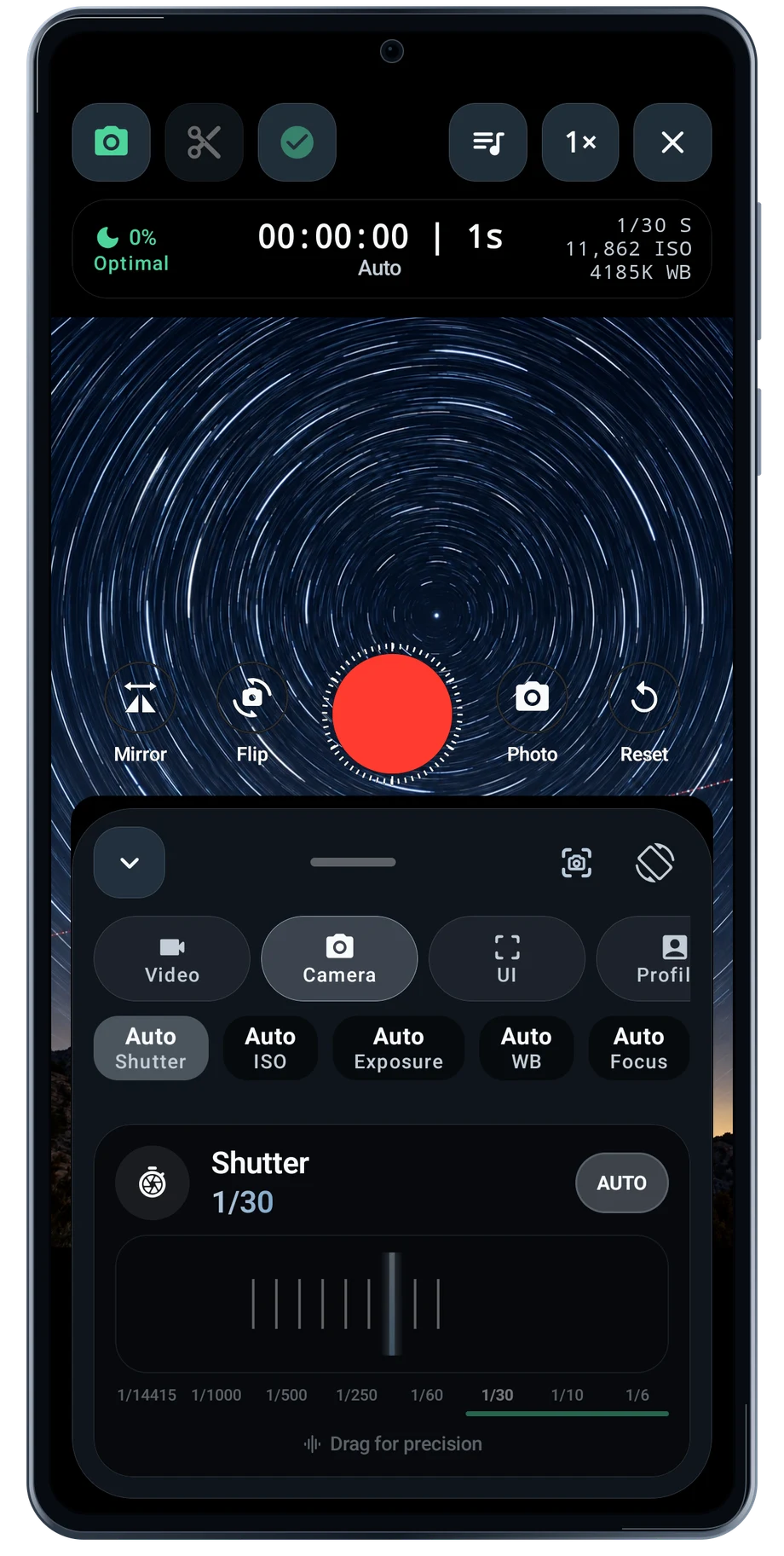
Set the exposure for the light in front of you.

Open the camera controls when an automatic exposure is not giving you the shot you want. Shutter speed changes how much movement each frame records. ISO changes sensitivity. White balance changes how the light reads. Set one control at a time and watch the scene instead of chasing a number.

Explore Manual Camera Controls
TimeLapsed Android: Camera shutter, with an illustrated camera scene beneath the captured controls

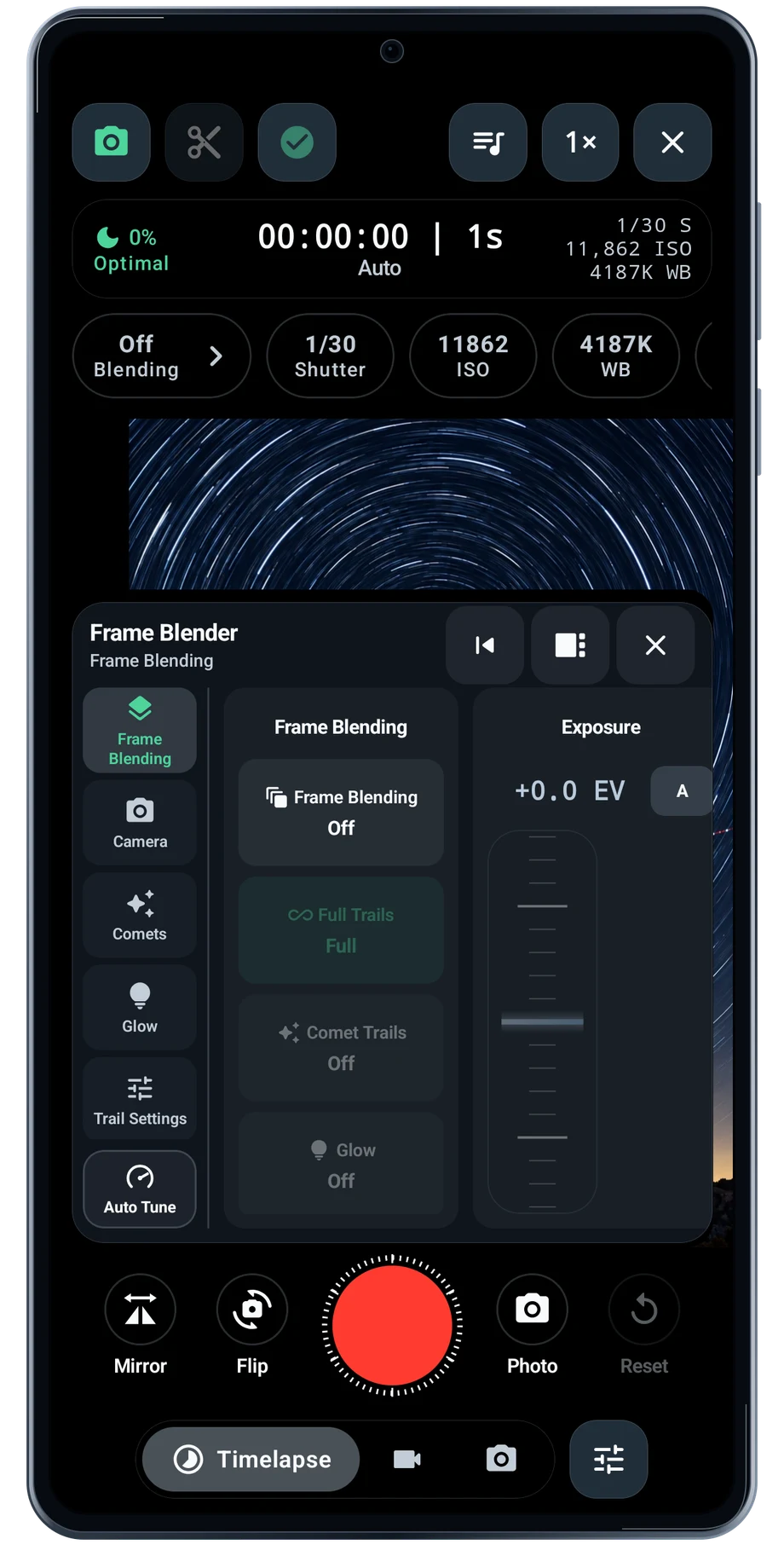
Live Frame Blending

See each new frame become part of the picture.

Frame blending keeps selected parts of earlier frames as the camera adds new ones. That is how a moving bright point can become a path. In the camera, you can watch the picture grow instead of waiting for the entire recording to finish.

Explore Live Frame Blending
TimeLapsed Android: Camera frame blender, with an illustrated camera scene beneath the captured controls

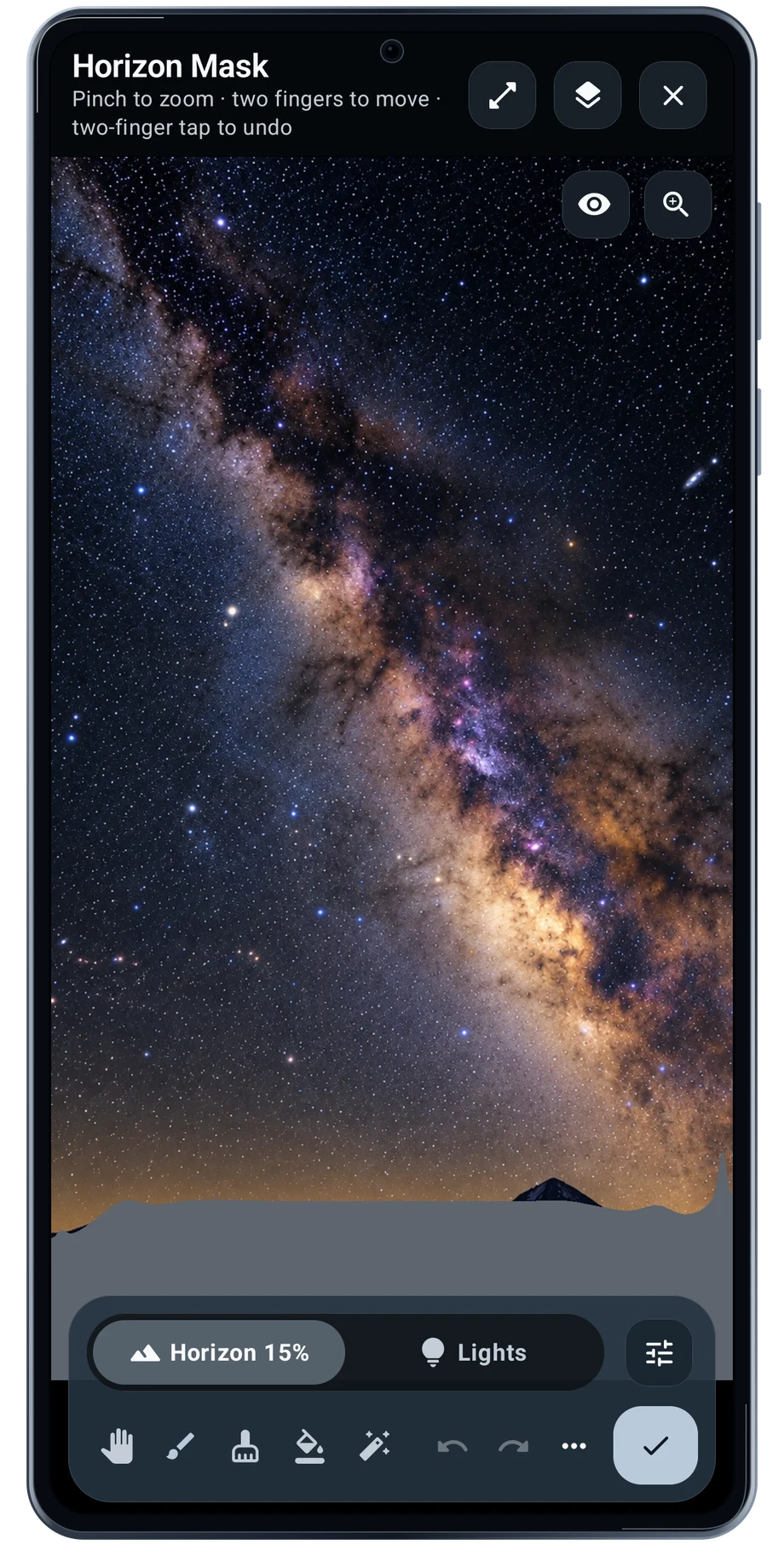
Horizon Mask

Keep the sky treatment away from the ground.

The horizon is rarely a straight line. Trees, rooftops and a mountain ridge all change where the sky begins. Horizon Mask gives that boundary a place in the processing, so a sky treatment can be kept separate from the foreground.

Explore Horizon Mask
TimeLapsed Android: Horizon mask editor, with an illustrated camera scene beneath the captured controls

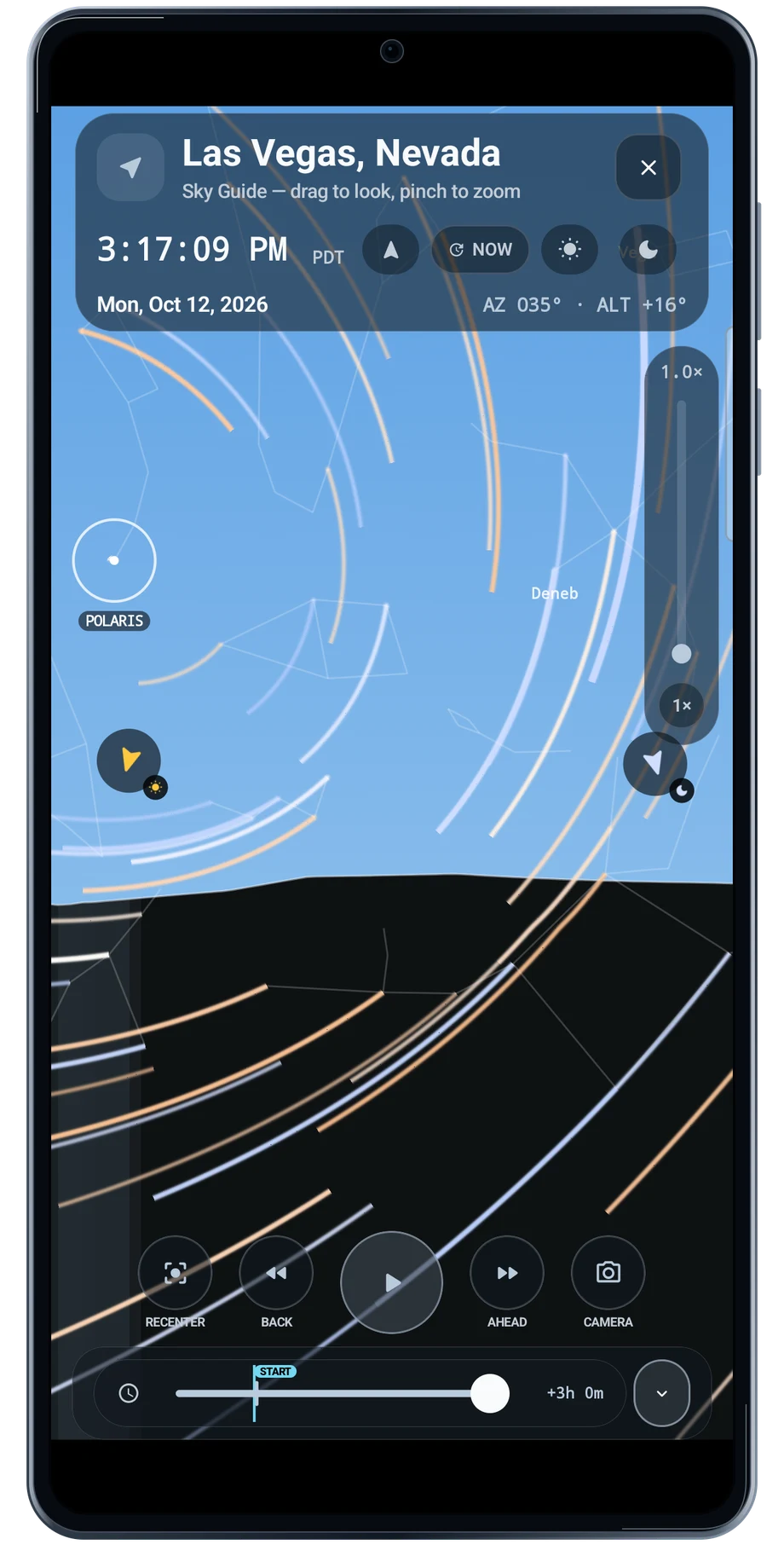
Sky Guide & Planning

Choose the time before you choose the shot.

The sky changes while your camera stays in one place. Sky Guide lets you move through time and look around the planned view before setting the tripod. Sun and Moon positions, star paths and the horizon help you decide where the subject will be during the session.

Explore Sky Guide & Planning
TimeLapsed Android: Sky guide time scrub trails

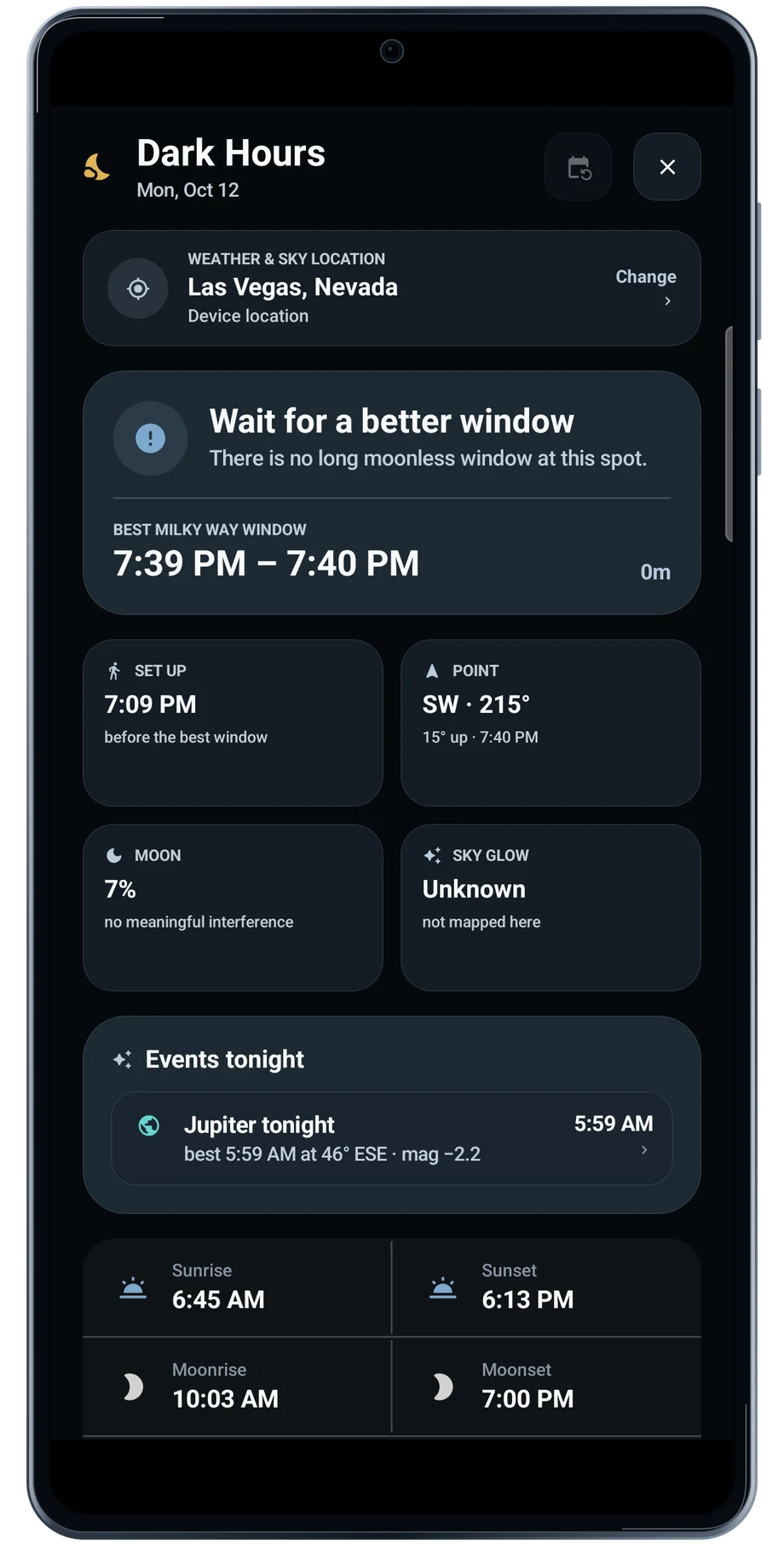
Dark Hours

Find the useful part of the night.

Dark Hours brings the night window into one place. Review the setup time, pointing guidance, Moon information and the night timeline before leaving. A useful window can be much shorter than the hours between sunset and sunrise.

Explore Dark Hours
TimeLapsed Android: Dark hours

Weather & Clouds

Look at the forecast beside the plan.

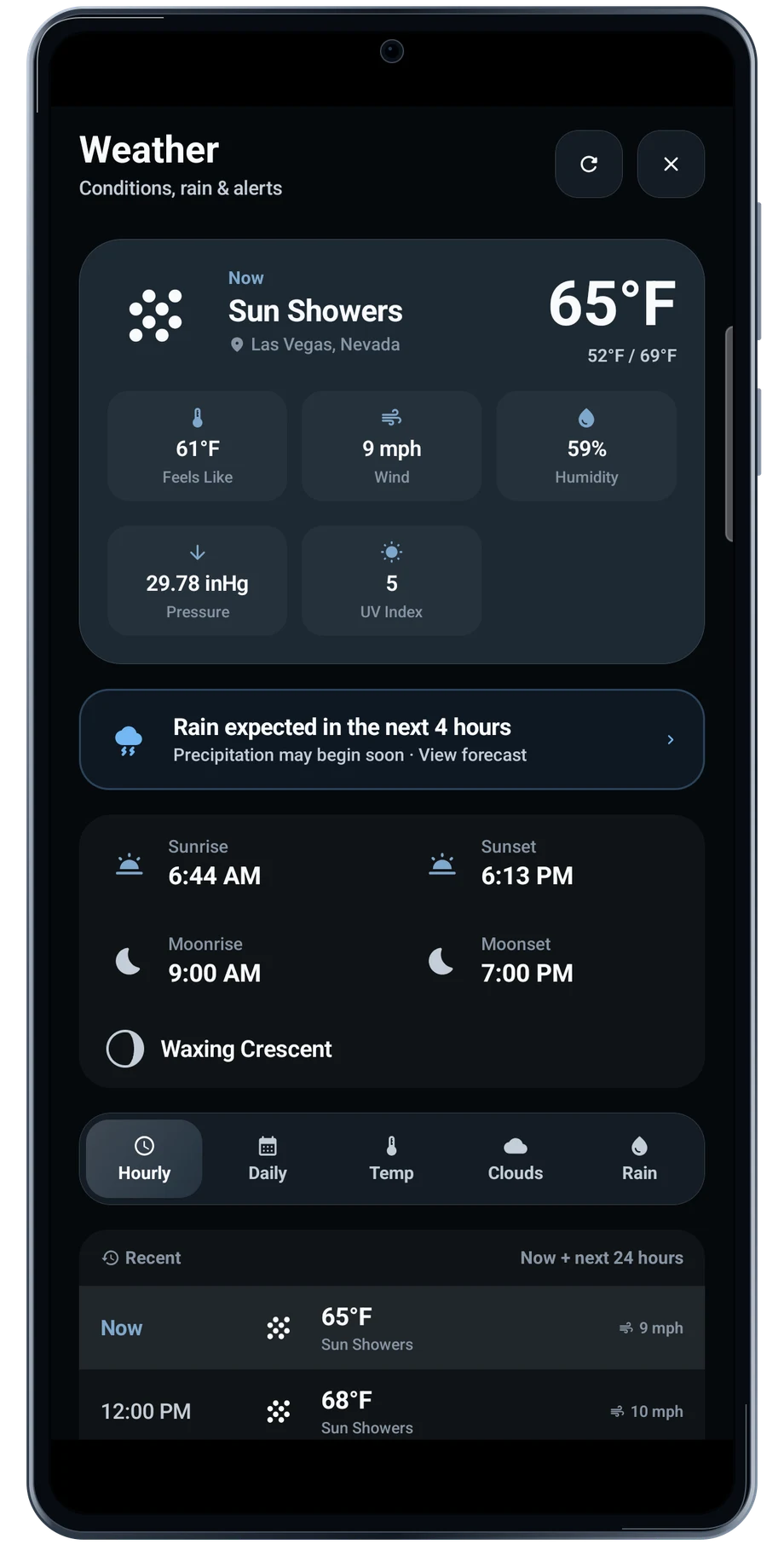
A clear plan needs a forecast for the same place and time. The weather panel keeps current conditions, Sun and Moon times, and the hourly outlook near the camera workflow. Use the daily view when the shoot is still several days away.

Explore Weather & Clouds
TimeLapsed Android: Weather panel

Timed Camera Actions

Put the changes on a timeline.

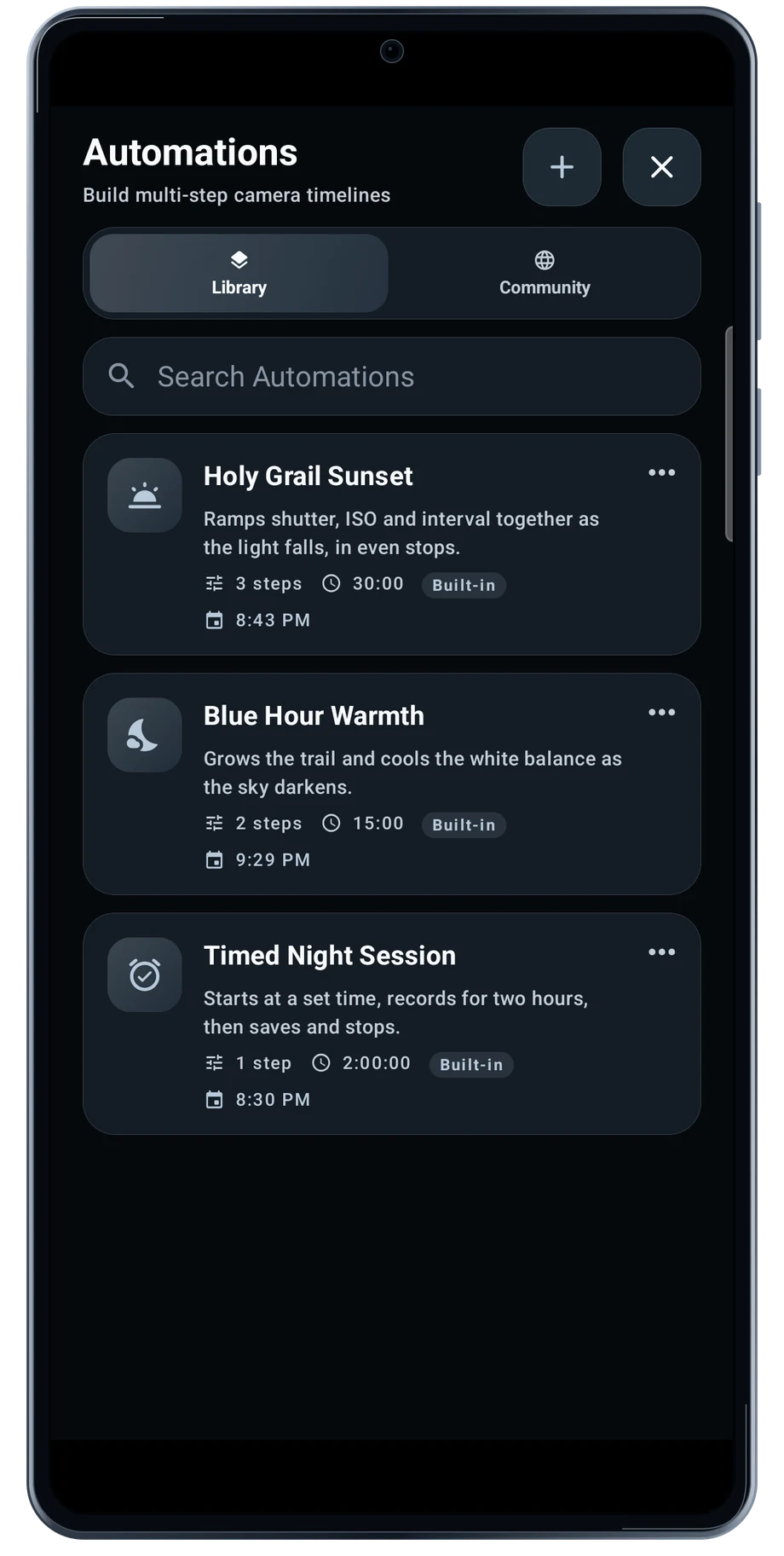
A changing scene may need more than one fixed setting. Camera Actions put the changes in an automation you can prepare before recording. The library includes built-in starting points, and the editor shows when the planned changes happen.

Explore Timed Camera Actions
TimeLapsed Android: Automations library

Camera Profiles

Keep the settings that worked.

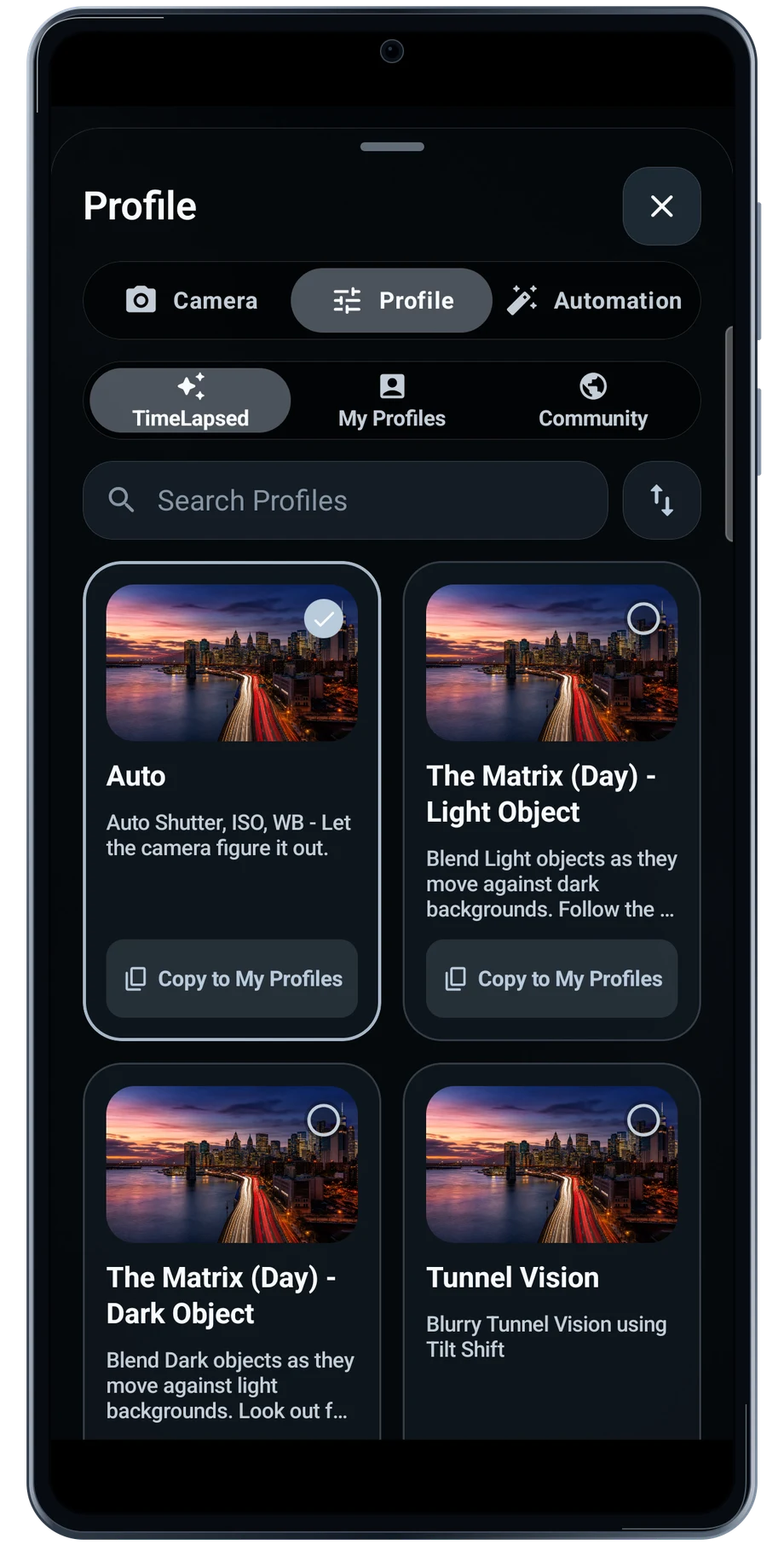
A profile is a useful starting point when the same kind of scene comes around again. Browse the built-in choices, then copy the one nearest to the shot you want. A traffic scene and a night sky usually need different exposure and trail behavior.

Explore Camera Profiles
TimeLapsed Android: Profiles

Video Editor

Bring the take onto a timeline.

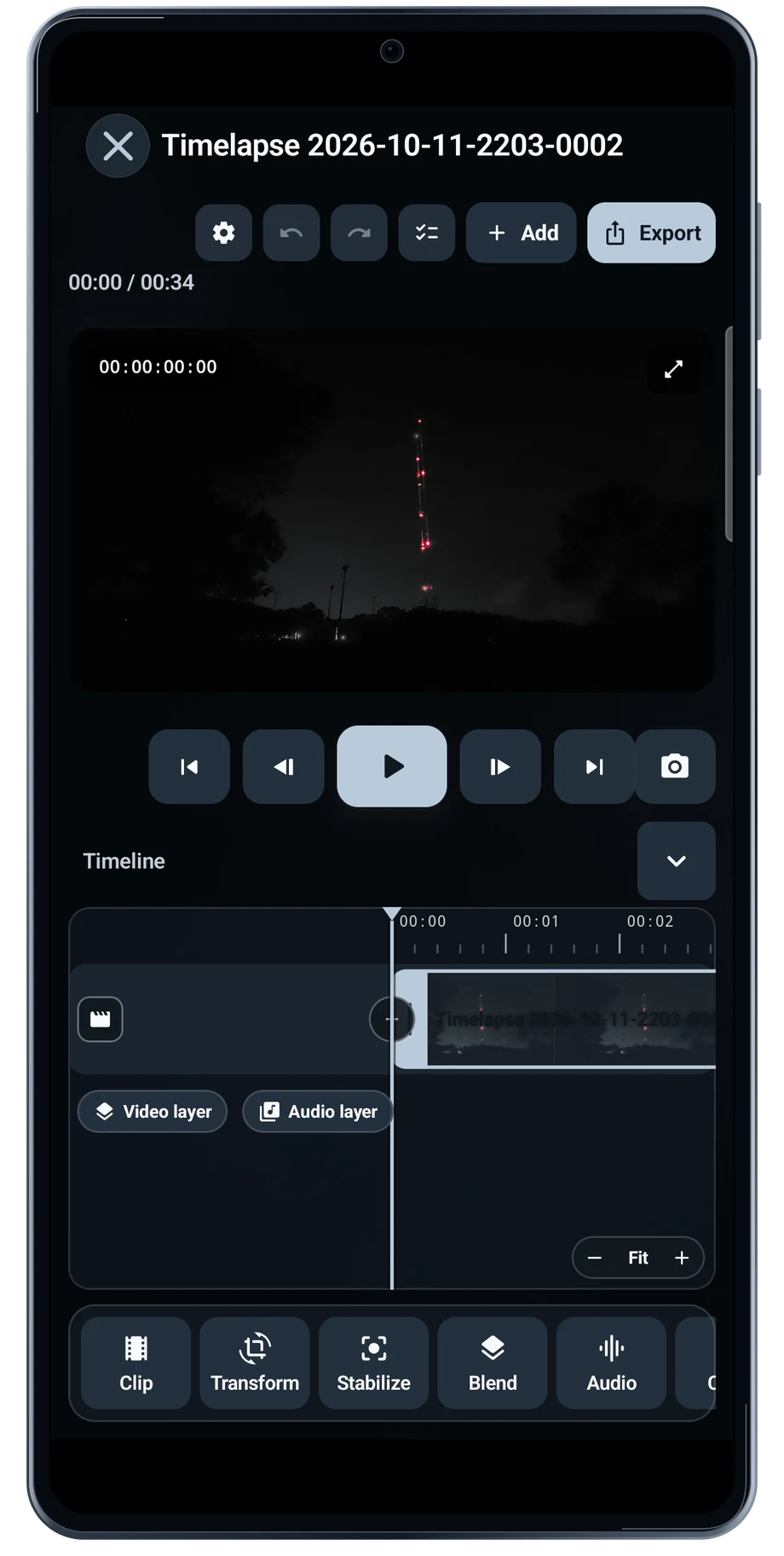
Open a recording in the editor to bring the preview and timeline together. Scrub through the take before changing the treatment. The opening, the main transition and the ending all need to work as one film.

Explore Video Editor
TimeLapsed Android: Video editor

Capture Statistics

See what the camera did during the take.

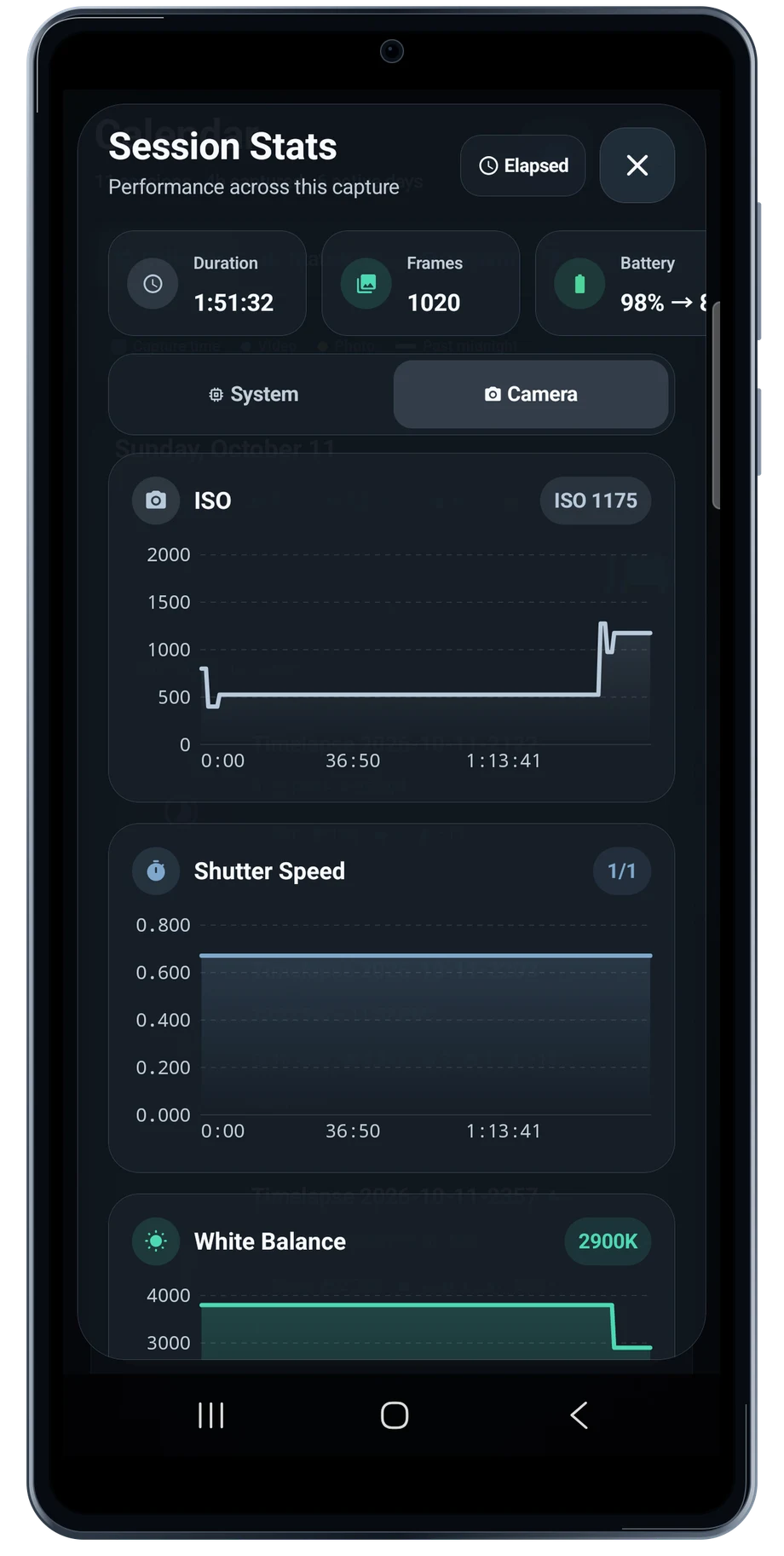
A finished film tells you what the scene looked like. Session statistics help explain how the camera got there. Open the session to review the camera values and system information collected during the take.

Explore Capture Statistics
TimeLapsed Android: Session camera stats

Community

See what other people are making.

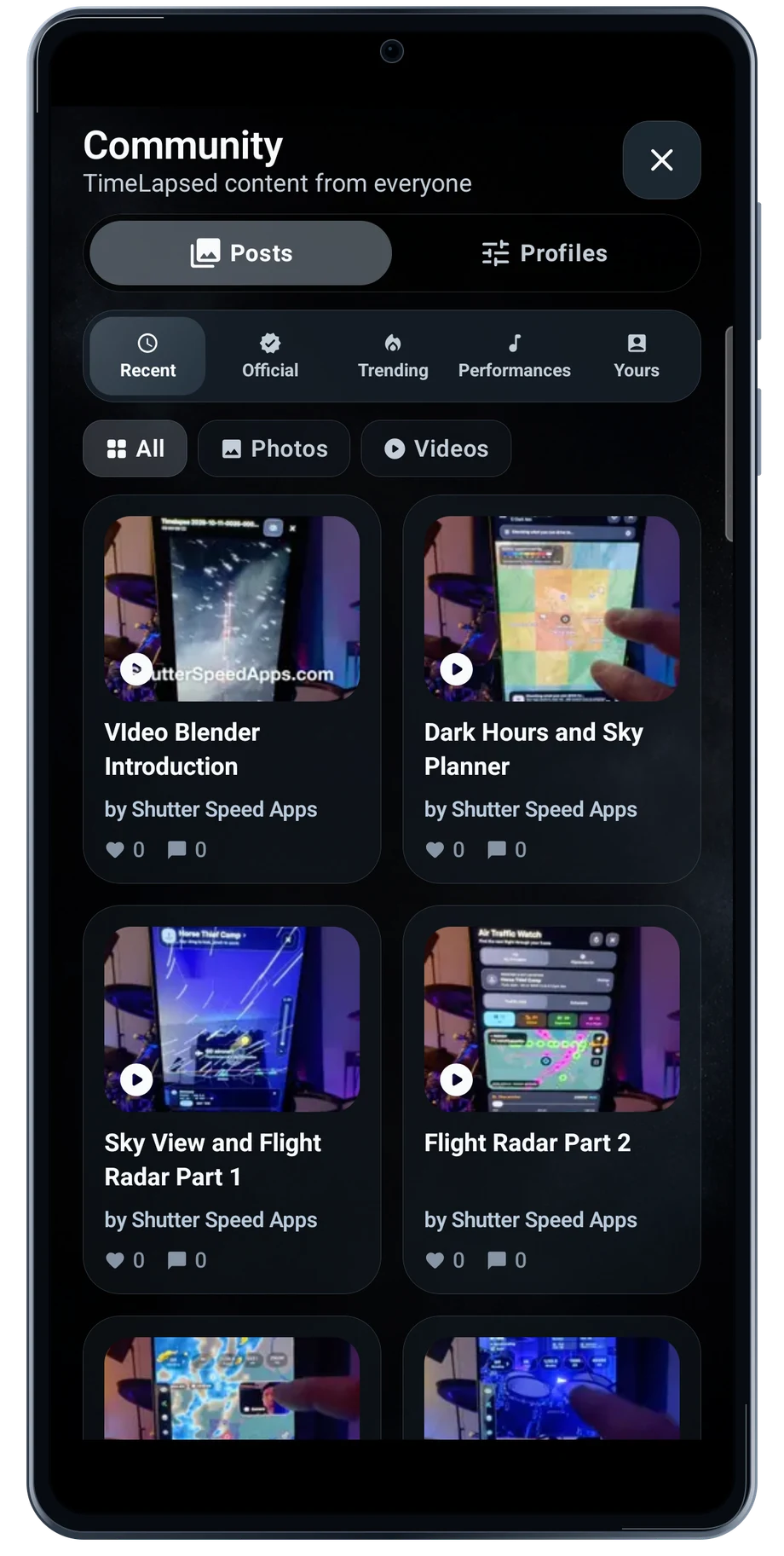
The community feed gives you a place to look for an idea before opening the camera. Browse posts, open a video and read the description for the technique behind the result.

Explore Community
TimeLapsed Android: Community

Android is awaiting Google’s review. Apply for the beta through Contact.

TimeLapsed is built for Android phones that expose manual camera settings and have the GPU and processor capacity for sustained live image processing. Available controls vary by phone and lens. Available controls and performance depend on your device.

English + 11 more languages. Camera scenes are illustrated beneath the captured Android interface.

TimeLapsed for Android.

We’re awaiting Google’s review. Apply for the beta test through Contact.

TimeLapsed for Android

Awaiting Google’s review

We’re awaiting Google’s review. Check back soon, or apply for the beta test by sending us the email address you use on Google Play. We’ll be adding testers every few days.

Apply for the beta test