LightPaint · Android · Themes & Colors
Themes & Colors
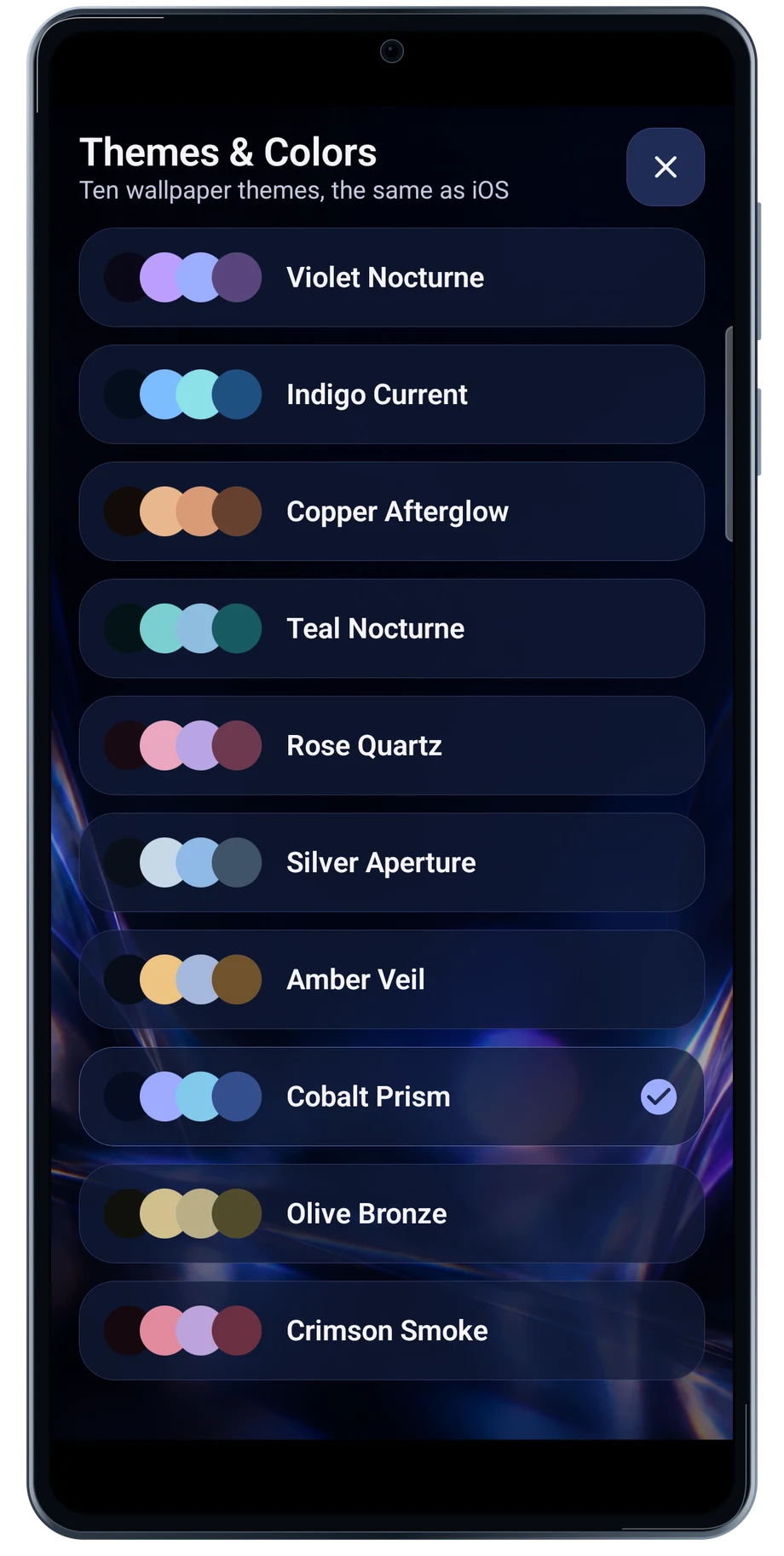
Themes & Colors changes the workspace around the camera and Studio. Choose the palette that is easiest for you to read in the conditions where you work.
Captured Android interface. Illustrated scenes in camera views.
Themes & Colors, on Android
Make the workspace comfortable to use.
Settings also exposes control-surface opacity and capture-experience choices. Keep the controls visible enough to read without letting the interface distract from the developing picture.
The preview captures use the Cobalt Prism theme. Other theme choices are shown in the theme list. Changing the interface palette is separate from changing the color of the photographed light.
Before the full take
- Open Themes & Colors.
- Choose a readable palette.
- Review surface opacity in Settings.
Questions about the Android app
Is LightPaint available for Android?
Android is awaiting Google’s review. Apply for the beta through Contact. We’ll be adding beta testers every few days.
Will my Android phone expose every camera setting?
Manual camera controls depend on the phone and lens. Live frame processing also needs a capable GPU and processor. Available controls and performance depend on your device.
Are these captured Android screens?
Yes. The interface comes from the Android app running on a Galaxy S23 FE. Blank camera views have illustrated scenes beneath the original controls; other screens show the captured app content.
Android is awaiting Google’s review. Apply for the beta through Contact.
LightPaint is built for Android phones that expose manual camera settings and have the GPU and processor capacity for sustained live image processing. Available controls vary by phone and lens. Available controls and performance depend on your device.
English + 11 more languages. Camera scenes are illustrated beneath the captured Android interface.
LightPaint for Android.
We’re awaiting Google’s review. Apply for the beta test through Contact.