LightPaint · Android · Music
Music
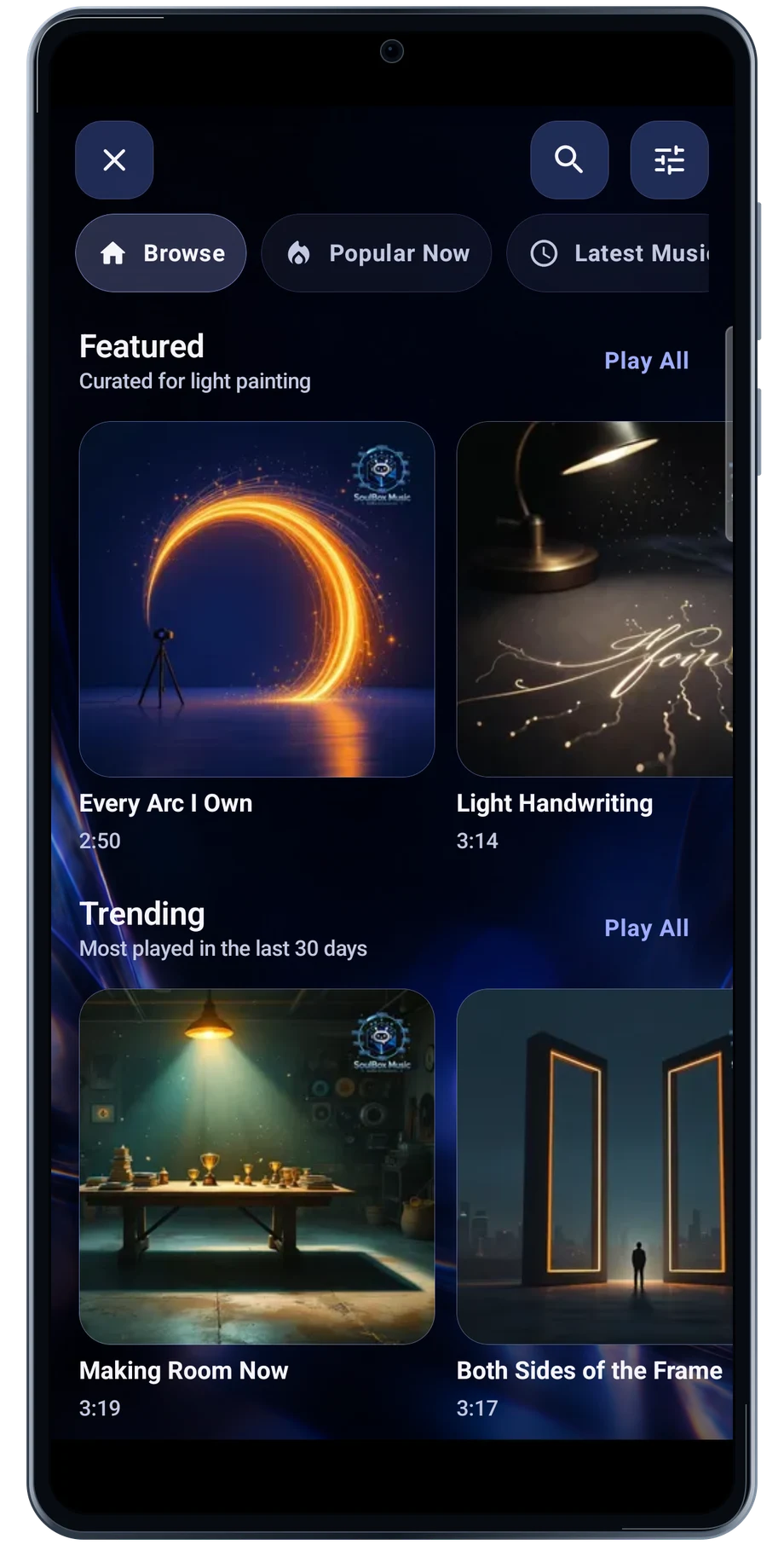
Browse featured music and genres to find the pace and mood for a performance. Open a track to keep its player and performance actions together.
Captured Android interface. Illustrated scenes in camera views.
Music, on Android
Find a track that fits the movement.
Now Playing includes the song’s information and, when available, synchronized lyrics. The feature bar offers routes into Perform to a Track, Blend Choreography and motion work, so the music can lead directly into the next step.
Listen through the section you want to use before building the choreography. A clear change in the music can be a useful place to change the light or reset the trail. Check the track’s terms for the finished video you intend to make.
Before the full take
- Browse the catalog or a genre.
- Open the track in Now Playing.
- Choose a performance action from the player.
Questions about the Android app
Is LightPaint available for Android?
Android is awaiting Google’s review. Apply for the beta through Contact. We’ll be adding beta testers every few days.
Will my Android phone expose every camera setting?
Manual camera controls depend on the phone and lens. Live frame processing also needs a capable GPU and processor. Available controls and performance depend on your device.
Are these captured Android screens?
Yes. The interface comes from the Android app running on a Galaxy S23 FE. Blank camera views have illustrated scenes beneath the original controls; other screens show the captured app content.
Android is awaiting Google’s review. Apply for the beta through Contact.
LightPaint is built for Android phones that expose manual camera settings and have the GPU and processor capacity for sustained live image processing. Available controls vary by phone and lens. Available controls and performance depend on your device.
English + 11 more languages. Camera scenes are illustrated beneath the captured Android interface.
LightPaint for Android.
We’re awaiting Google’s review. Apply for the beta test through Contact.