TimeLapsed · Android · Music
Music
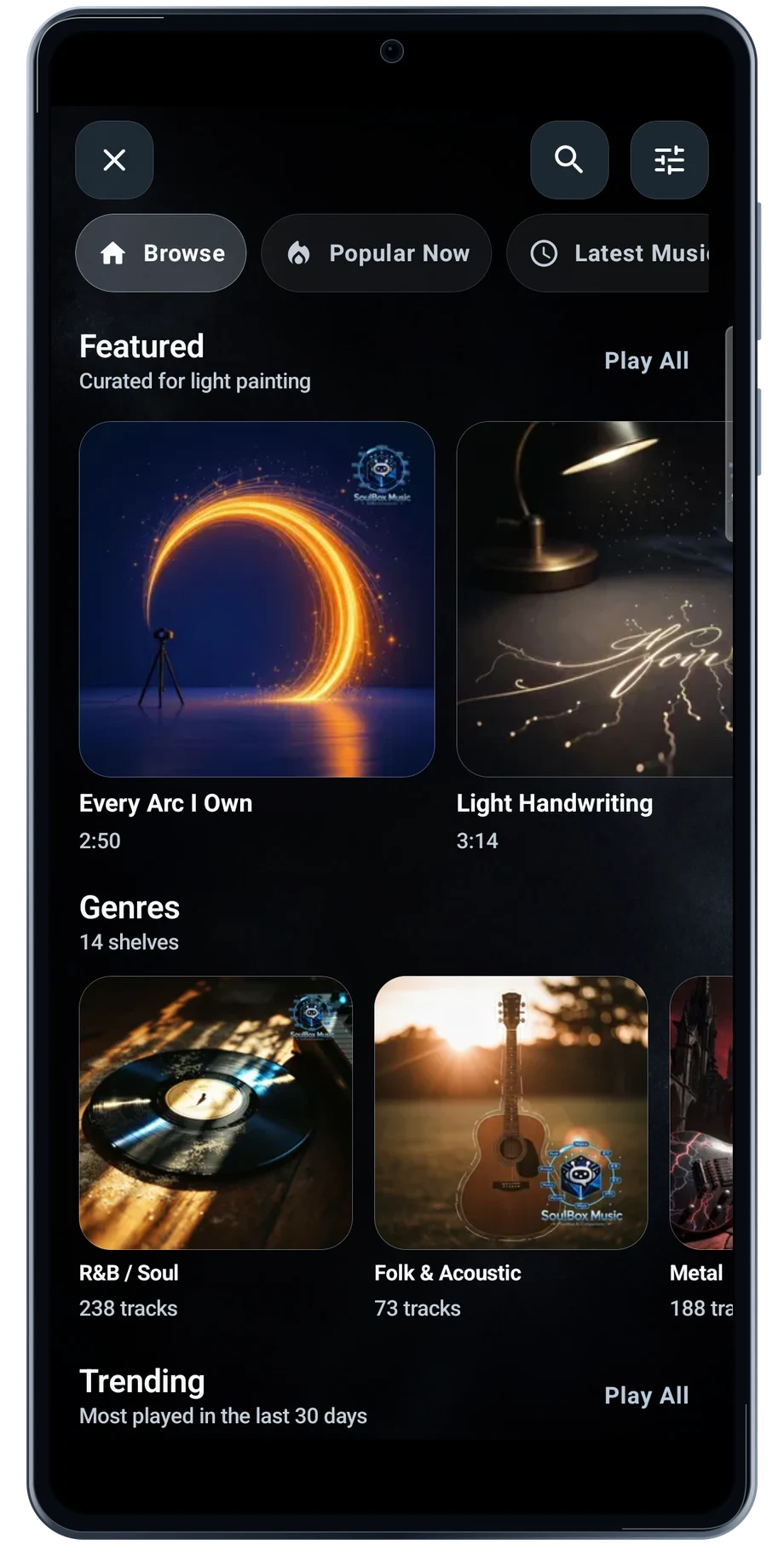
Open Music to browse the featured catalog, then choose a genre when you have a particular pace or mood in mind. A long sky take and a quick city sequence may need very different soundtracks.
Captured Android interface. Illustrated scenes in camera views.
Music, on Android
Bring a track into the workflow.
Listen before choosing the track for a film. Look for a section that fits the length of the recording and leaves room for its strongest change. The genre view helps narrow the catalog without leaving the app.
Music in the catalog is separate from camera exposure and blending. Choose the camera treatment for the picture, then choose the track for the edit. Review the track’s terms before using it in a video you intend to publish.
Before the full take
- Browse the featured tracks or choose a genre.
- Listen for a section that fits the film.
- Check the track’s terms before publishing.
Questions about the Android app
Is TimeLapsed available for Android?
Android is awaiting Google’s review. Apply for the beta through Contact. We’ll be adding beta testers every few days.
Will my Android phone expose every camera setting?
Manual camera controls depend on the phone and lens. Live frame processing also needs a capable GPU and processor. Available controls and performance depend on your device.
Are these captured Android screens?
Yes. The interface comes from the Android app running on a Galaxy S23 FE. Blank camera views have illustrated scenes beneath the original controls; other screens show the captured app content.
Android is awaiting Google’s review. Apply for the beta through Contact.
TimeLapsed is built for Android phones that expose manual camera settings and have the GPU and processor capacity for sustained live image processing. Available controls vary by phone and lens. Available controls and performance depend on your device.
English + 11 more languages. Camera scenes are illustrated beneath the captured Android interface.
TimeLapsed for Android.
We’re awaiting Google’s review. Apply for the beta test through Contact.