TimeLapsed · Android · Comet & Rolling Trails
Comet & Rolling Trails
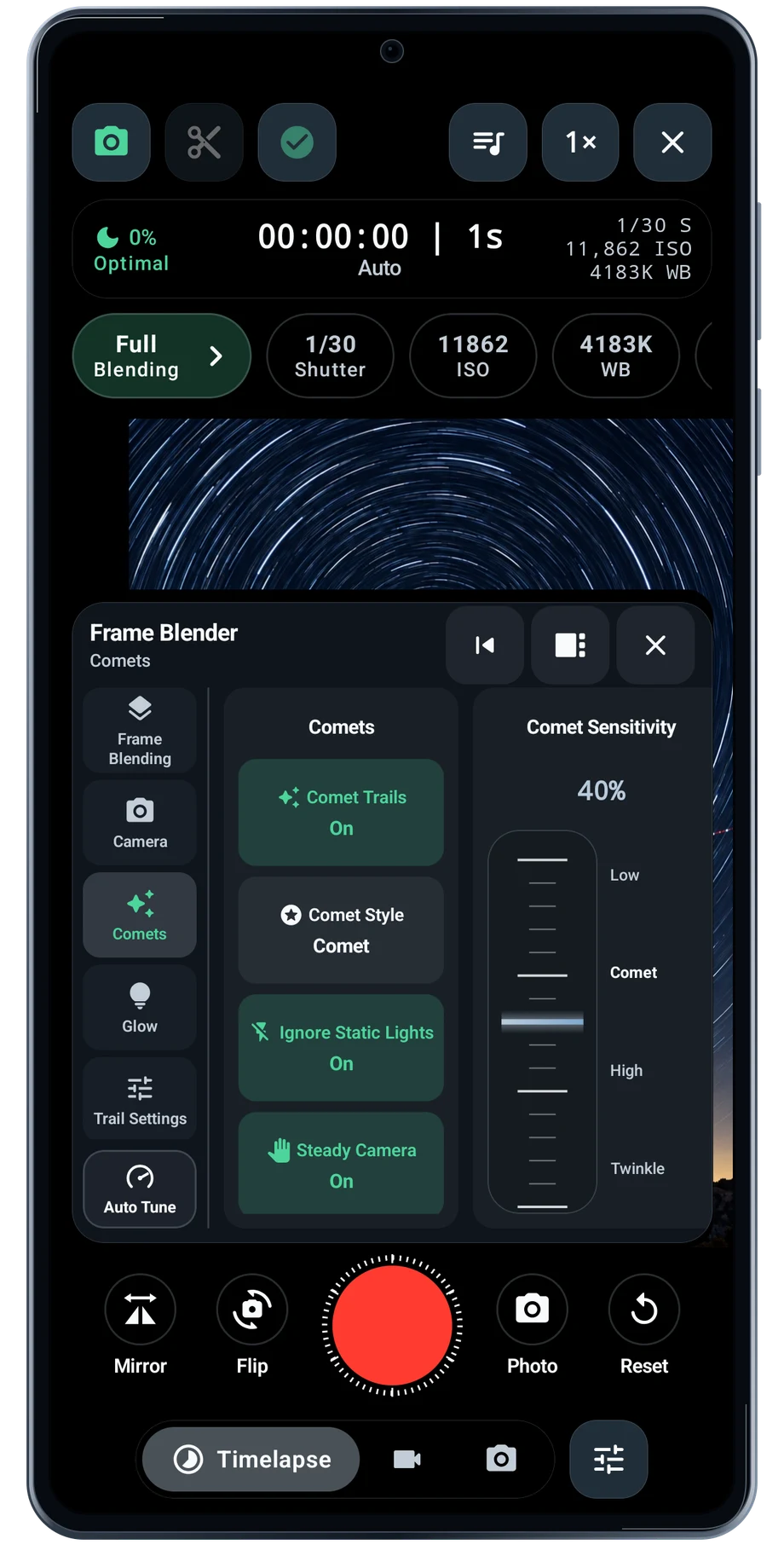
A full trail keeps the path. A fading trail gives the newest movement more room. The Comets controls are part of Frame Blender, alongside the settings that determine how long earlier light remains visible.
Captured Android interface. Illustrated scenes in camera views.
Comet & Rolling Trails, on Android
Decide how much of the path should remain.
Open the comet controls before choosing a style. These captures show the available controls, including the off state; they do not claim that every illustrated camera scene is using a comet effect. Check the enabled state in the app before judging the treatment.
Use the trail length and glow controls to keep the subject readable. A fast-moving light often needs a different history from a slowly moving star. Test a short pass before committing to a long take.
Before the full take
- Open Frame Blender and Comets.
- Enable the treatment you want.
- Tune the length and glow with a short test.
Questions about the Android app
Is TimeLapsed available for Android?
Android is awaiting Google’s review. Apply for the beta through Contact. We’ll be adding beta testers every few days.
Will my Android phone expose every camera setting?
Manual camera controls depend on the phone and lens. Live frame processing also needs a capable GPU and processor. Available controls and performance depend on your device.
Are these captured Android screens?
Yes. The interface comes from the Android app running on a Galaxy S23 FE. Blank camera views have illustrated scenes beneath the original controls; other screens show the captured app content.
Android is awaiting Google’s review. Apply for the beta through Contact.
TimeLapsed is built for Android phones that expose manual camera settings and have the GPU and processor capacity for sustained live image processing. Available controls vary by phone and lens. Available controls and performance depend on your device.
English + 11 more languages. Camera scenes are illustrated beneath the captured Android interface.
TimeLapsed for Android.
We’re awaiting Google’s review. Apply for the beta test through Contact.