TimeLapsed · Android · Community
Community
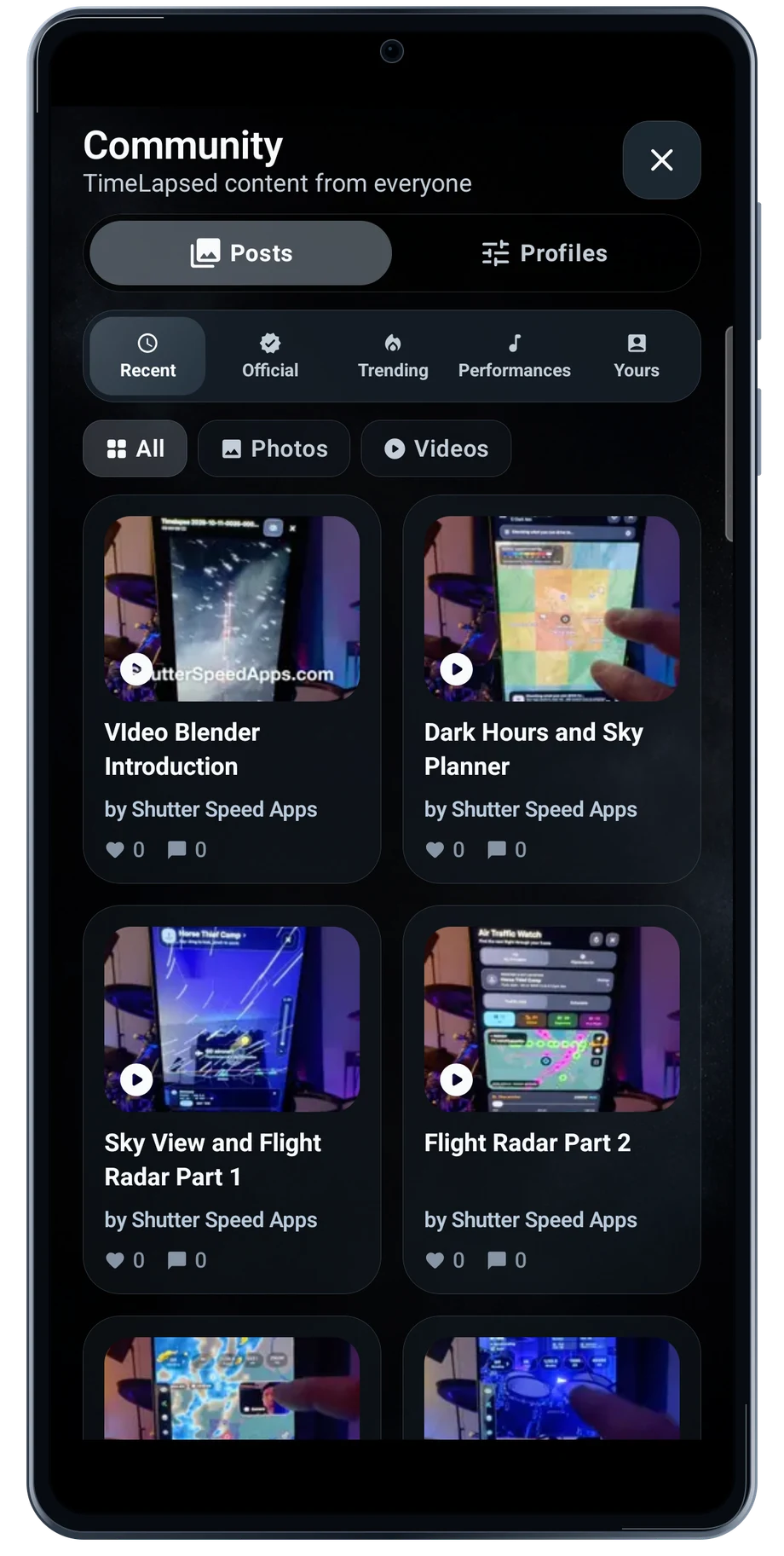
The community feed gives you a place to look for an idea before opening the camera. Browse posts, open a video and read the description for the technique behind the result.
Captured Android interface. Illustrated scenes in camera views.
Community, on Android
See what other people are making.
A shared post can show a different device or app version from the one in your hand. The feed includes official videos and other shared work. Use those posts for ideas, then check the controls available on your Android phone.
Keep a useful technique simple when trying it yourself. Start with one subject, one camera setup and a short test. A post is a starting point for a shoot, not a guarantee that another phone will expose the same controls.
Before the full take
- Browse the recent posts.
- Open the video and its description.
- Try the technique with your own camera setup.
Questions about the Android app
Is TimeLapsed available for Android?
Android is awaiting Google’s review. Apply for the beta through Contact. We’ll be adding beta testers every few days.
Will my Android phone expose every camera setting?
Manual camera controls depend on the phone and lens. Live frame processing also needs a capable GPU and processor. Available controls and performance depend on your device.
Are these captured Android screens?
Yes. The interface comes from the Android app running on a Galaxy S23 FE. Blank camera views have illustrated scenes beneath the original controls; other screens show the captured app content.
Android is awaiting Google’s review. Apply for the beta through Contact.
TimeLapsed is built for Android phones that expose manual camera settings and have the GPU and processor capacity for sustained live image processing. Available controls vary by phone and lens. Available controls and performance depend on your device.
English + 11 more languages. Camera scenes are illustrated beneath the captured Android interface.
TimeLapsed for Android.
We’re awaiting Google’s review. Apply for the beta test through Contact.