TimeLapsed · Android · Capture Statistics
Capture Statistics
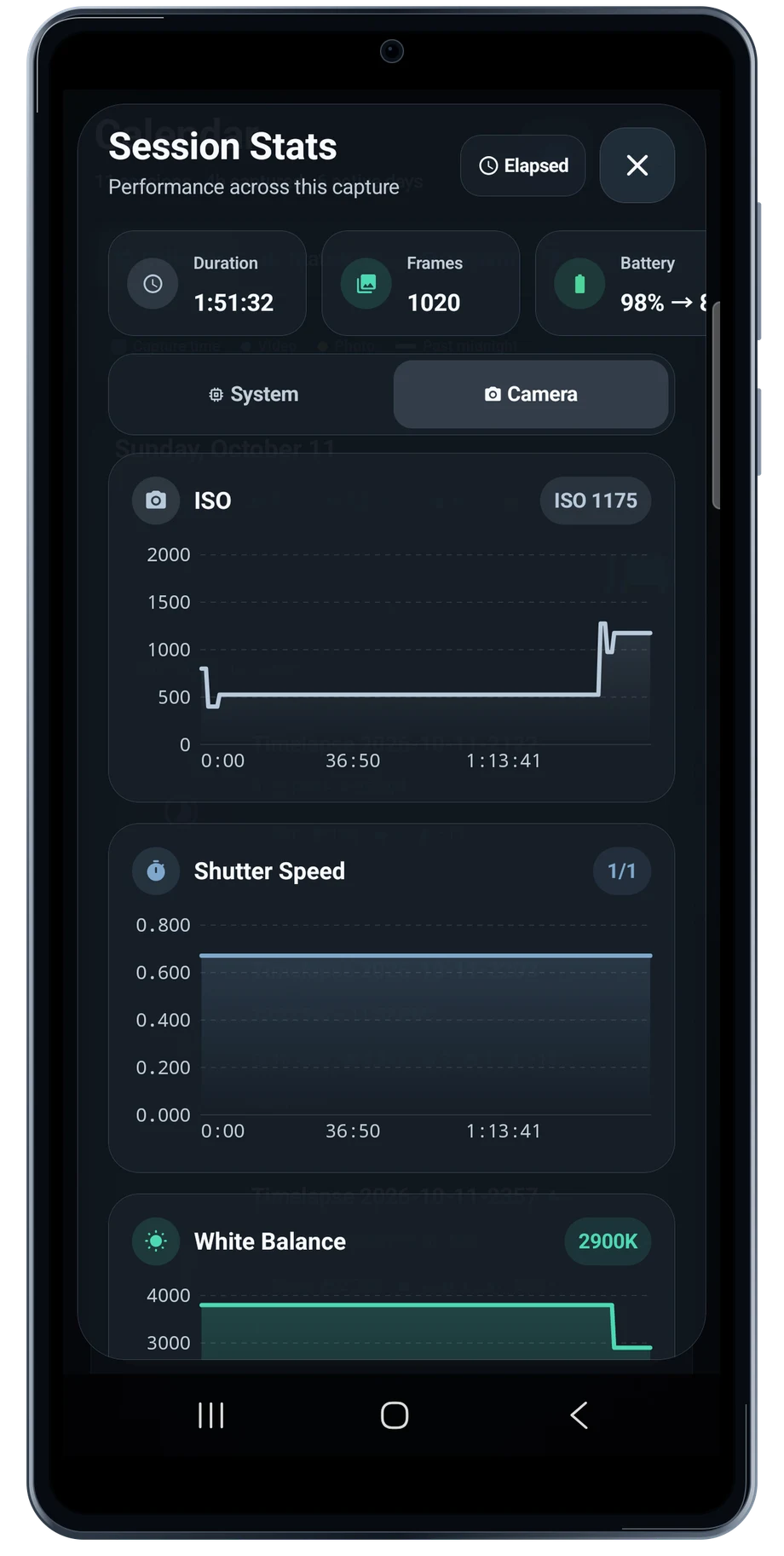
A finished film tells you what the scene looked like. Session statistics help explain how the camera got there. Open the session to review the camera values and system information collected during the take.
Captured Android interface. Illustrated scenes in camera views.
Capture Statistics, on Android
See what the camera did during the take.
The camera graphs put ISO, shutter and white balance changes on a timeline. Use them to spot a setting that changed during a transition or stayed fixed longer than expected. A gradual scene change is easier to understand when you can see the camera settings beside it.
The calendar and history views keep the sessions together. Review storage, battery and thermal information when planning a longer repeat. The numbers describe that phone and that session, so use them as experience rather than as a promise for every device.
Before the full take
- Open a session from the calendar.
- Inspect the camera-setting graphs.
- Use the history to prepare the next take.
Questions about the Android app
Is TimeLapsed available for Android?
Android is awaiting Google’s review. Apply for the beta through Contact. We’ll be adding beta testers every few days.
Will my Android phone expose every camera setting?
Manual camera controls depend on the phone and lens. Live frame processing also needs a capable GPU and processor. Available controls and performance depend on your device.
Are these captured Android screens?
Yes. The interface comes from the Android app running on a Galaxy S23 FE. Blank camera views have illustrated scenes beneath the original controls; other screens show the captured app content.
Android is awaiting Google’s review. Apply for the beta through Contact.
TimeLapsed is built for Android phones that expose manual camera settings and have the GPU and processor capacity for sustained live image processing. Available controls vary by phone and lens. Available controls and performance depend on your device.
English + 11 more languages. Camera scenes are illustrated beneath the captured Android interface.
TimeLapsed for Android.
We’re awaiting Google’s review. Apply for the beta test through Contact.