TimeLapsed · Android · External Storage
External Storage
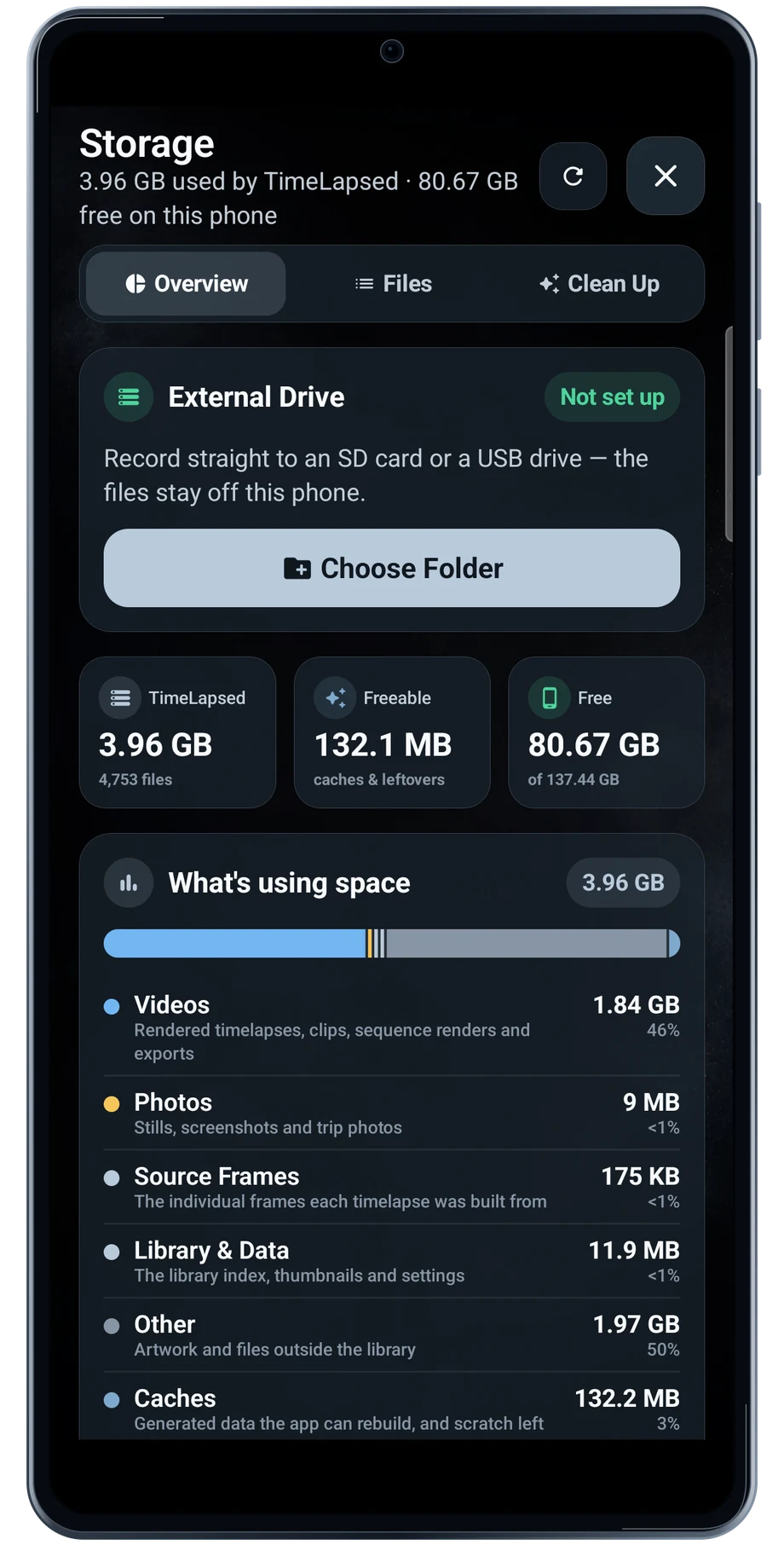
Open Storage before a long session to see how much space the app is using. Connect the drive you intend to use, choose its folder and check that Android grants access to the destination.
Captured Android interface. Illustrated scenes in camera views.
External Storage, on Android
Keep room for the whole take.
The storage workflow separates recording to a drive from moving media after it is saved. Review the option you are using, then make a short recording and open the saved result. A connected cable is not enough to verify that the entire workflow is ready.
Cleanup lists temporary files and unfinished work separately from your finished media. Read each choice before removing anything. Drive speed, power, cable quality and the phone’s USB support all matter when the session runs for a long time.
Before the full take
- Connect the drive and grant folder access.
- Record a short test and open its saved result.
- Review available space before the long session.
Questions about the Android app
Is TimeLapsed available for Android?
Android is awaiting Google’s review. Apply for the beta through Contact. We’ll be adding beta testers every few days.
Will my Android phone expose every camera setting?
Manual camera controls depend on the phone and lens. Live frame processing also needs a capable GPU and processor. Available controls and performance depend on your device.
Are these captured Android screens?
Yes. The interface comes from the Android app running on a Galaxy S23 FE. Blank camera views have illustrated scenes beneath the original controls; other screens show the captured app content.
Android is awaiting Google’s review. Apply for the beta through Contact.
TimeLapsed is built for Android phones that expose manual camera settings and have the GPU and processor capacity for sustained live image processing. Available controls vary by phone and lens. Available controls and performance depend on your device.
English + 11 more languages. Camera scenes are illustrated beneath the captured Android interface.
TimeLapsed for Android.
We’re awaiting Google’s review. Apply for the beta test through Contact.