TimeLapsed · Android · Camera Profiles
Camera Profiles
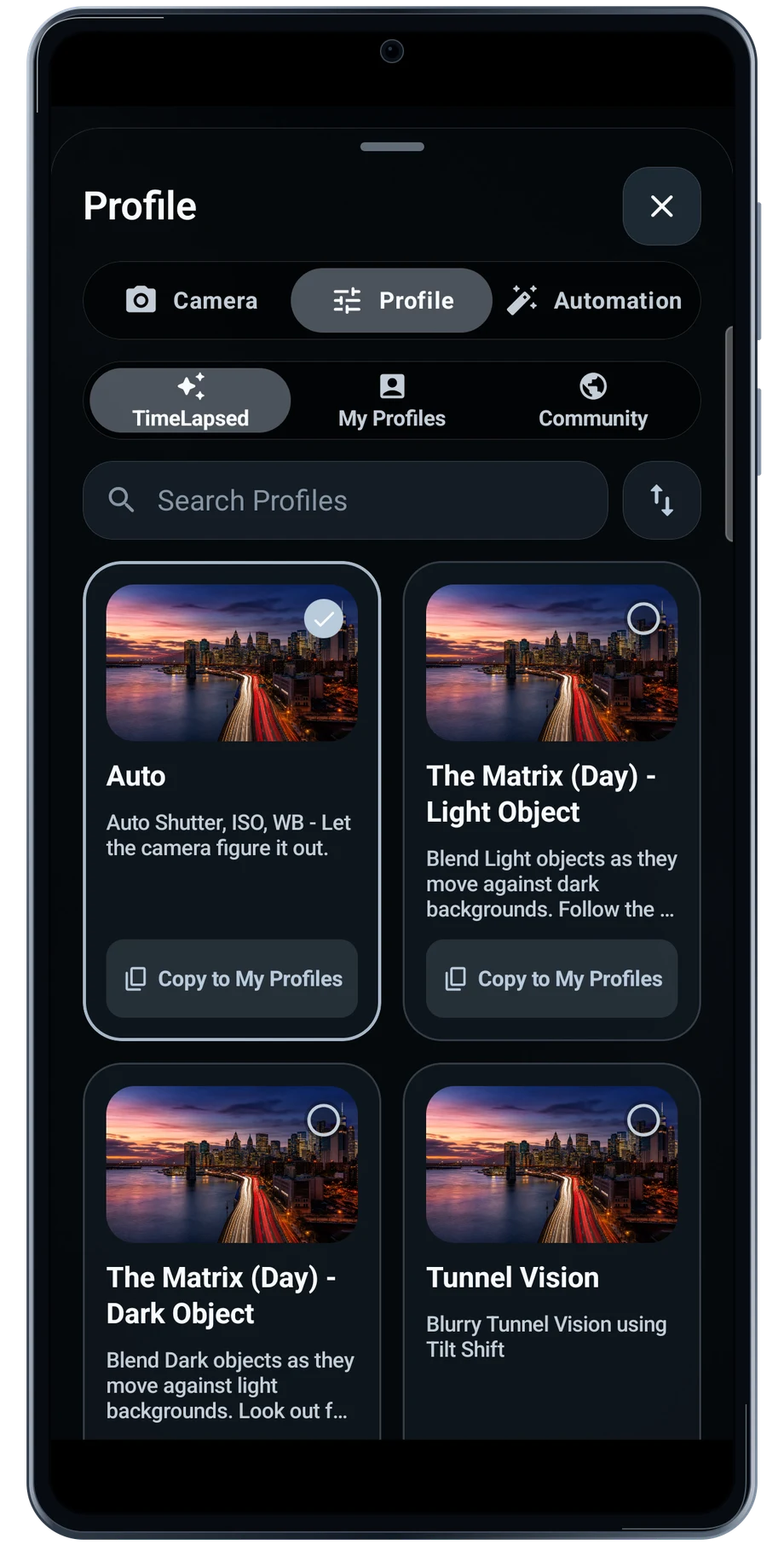
A profile is a useful starting point when the same kind of scene comes around again. Browse the built-in choices, then copy the one nearest to the shot you want. A traffic scene and a night sky usually need different exposure and trail behavior.
Captured Android interface. Illustrated scenes in camera views.
Camera Profiles, on Android
Keep the settings that worked.
The profile editor keeps exposure and capture settings together. Set the values you want the profile to own, then leave the others automatic when that is the better choice. The camera setting can also be left alone so the profile does not force a lens change.
Save a profile after testing it on your own phone. Camera capabilities vary, and a setting that fits one scene may not suit the next. Give the profile a name that describes the subject or conditions, so it remains useful when the library grows.
Before the full take
- Choose and copy a built-in profile.
- Edit exposure and capture settings.
- Test the setup before saving it for reuse.
Questions about the Android app
Is TimeLapsed available for Android?
Android is awaiting Google’s review. Apply for the beta through Contact. We’ll be adding beta testers every few days.
Will my Android phone expose every camera setting?
Manual camera controls depend on the phone and lens. Live frame processing also needs a capable GPU and processor. Available controls and performance depend on your device.
Are these captured Android screens?
Yes. The interface comes from the Android app running on a Galaxy S23 FE. Blank camera views have illustrated scenes beneath the original controls; other screens show the captured app content.
Android is awaiting Google’s review. Apply for the beta through Contact.
TimeLapsed is built for Android phones that expose manual camera settings and have the GPU and processor capacity for sustained live image processing. Available controls vary by phone and lens. Available controls and performance depend on your device.
English + 11 more languages. Camera scenes are illustrated beneath the captured Android interface.
TimeLapsed for Android.
We’re awaiting Google’s review. Apply for the beta test through Contact.