TimeLapsed · Android · Horizon Mask
Horizon Mask
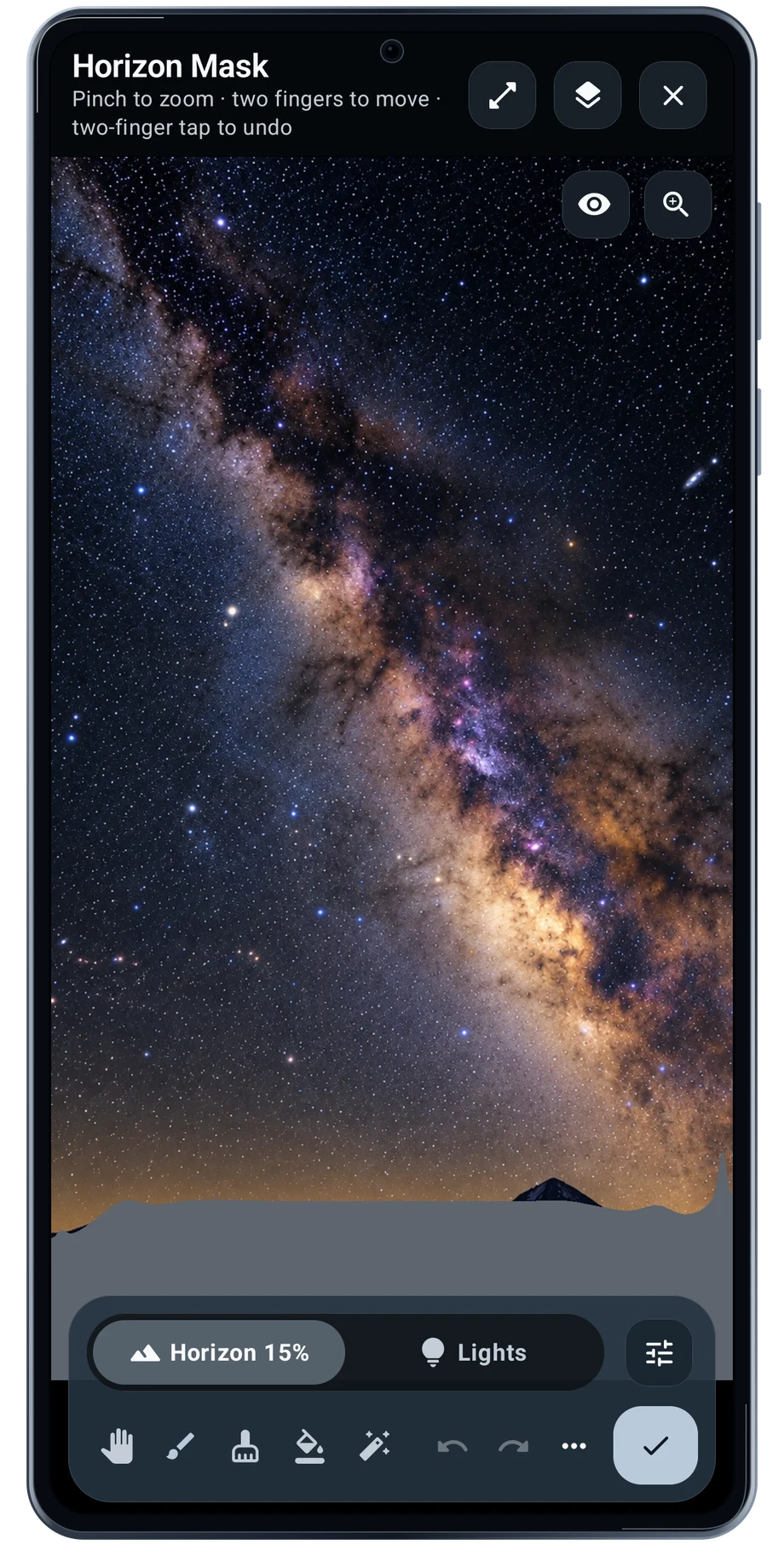
The horizon is rarely a straight line. Trees, rooftops and a mountain ridge all change where the sky begins. Horizon Mask gives that boundary a place in the processing, so a sky treatment can be kept separate from the foreground.
Captured Android interface. Illustrated scenes in camera views.
Horizon Mask, on Android
Keep the sky treatment away from the ground.
Open the editor and work along the actual skyline. Zoom when the edge needs a closer look, move around the image, then use the brush and undo tools to refine the mask. The gray overlay shows the masked region while the photograph remains visible for reference.
Brush and feather settings change how the transition behaves around the edge. Check the boundary at the scale you will use for the finished picture. A mask that looks neat when zoomed in can still leave a visible edge when the whole frame is shown.
Before the full take
- Open the Horizon Mask editor.
- Follow the skyline with the brush.
- Adjust feathering and review the whole frame.
Questions about the Android app
Is TimeLapsed available for Android?
Android is awaiting Google’s review. Apply for the beta through Contact. We’ll be adding beta testers every few days.
Will my Android phone expose every camera setting?
Manual camera controls depend on the phone and lens. Live frame processing also needs a capable GPU and processor. Available controls and performance depend on your device.
Are these captured Android screens?
Yes. The interface comes from the Android app running on a Galaxy S23 FE. Blank camera views have illustrated scenes beneath the original controls; other screens show the captured app content.
Android is awaiting Google’s review. Apply for the beta through Contact.
TimeLapsed is built for Android phones that expose manual camera settings and have the GPU and processor capacity for sustained live image processing. Available controls vary by phone and lens. Available controls and performance depend on your device.
English + 11 more languages. Camera scenes are illustrated beneath the captured Android interface.
TimeLapsed for Android.
We’re awaiting Google’s review. Apply for the beta test through Contact.