TimeLapsed · Android · Live Frame Blending
Live Frame Blending
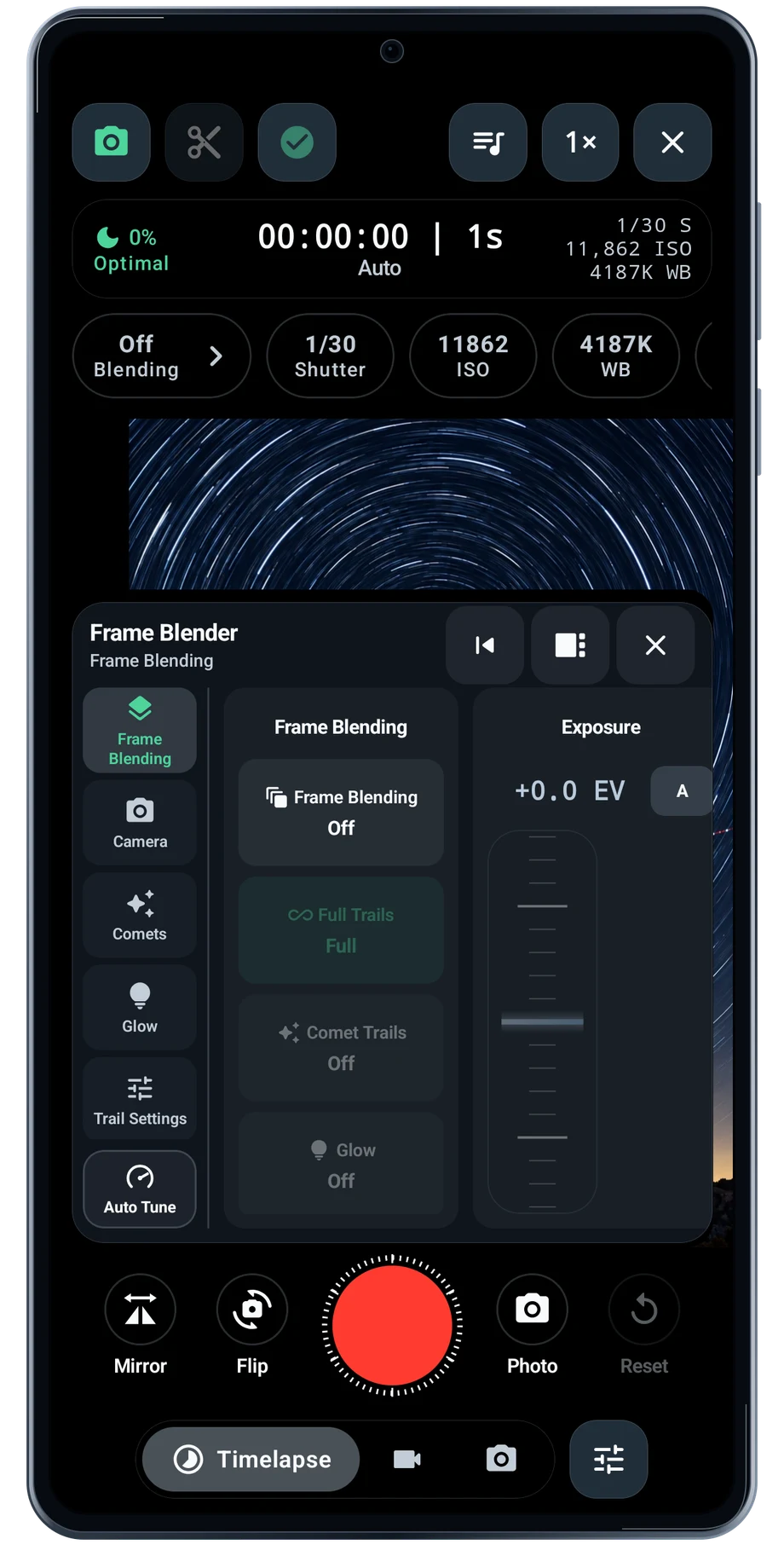
Frame blending keeps selected parts of earlier frames as the camera adds new ones. That is how a moving bright point can become a path. In the camera, you can watch the picture grow instead of waiting for the entire recording to finish.
Captured Android interface. Illustrated scenes in camera views.
Live Frame Blending, on Android
See each new frame become part of the picture.
Open Frame Blender to set the blend behavior and length. A short history keeps recent movement prominent. A longer history leaves more of the path in the frame. Start with a readable amount of movement, then add glow or other processing only when the shape needs it.
The processing runs on the phone while capture continues. Use a device with enough graphics and processor capacity for sustained work. A long night take also needs a stable mount, available storage and a sensible power setup.
Before the full take
- Expose the scene first.
- Choose the blend length and trail behavior.
- Watch the composite and adjust as it develops.
Questions about the Android app
Is TimeLapsed available for Android?
Android is awaiting Google’s review. Apply for the beta through Contact. We’ll be adding beta testers every few days.
Will my Android phone expose every camera setting?
Manual camera controls depend on the phone and lens. Live frame processing also needs a capable GPU and processor. Available controls and performance depend on your device.
Are these captured Android screens?
Yes. The interface comes from the Android app running on a Galaxy S23 FE. Blank camera views have illustrated scenes beneath the original controls; other screens show the captured app content.
Android is awaiting Google’s review. Apply for the beta through Contact.
TimeLapsed is built for Android phones that expose manual camera settings and have the GPU and processor capacity for sustained live image processing. Available controls vary by phone and lens. Available controls and performance depend on your device.
English + 11 more languages. Camera scenes are illustrated beneath the captured Android interface.
TimeLapsed for Android.
We’re awaiting Google’s review. Apply for the beta test through Contact.