TimeLapsed 2.0 · The Camera

Program the changes before the light starts changing.

A sunset does not keep the same exposure from the first frame to the last. Camera Actions let you plan how the camera responds. Put timed changes and smooth ramps on a timeline for exposure, interval, color and trail effects, then rehearse the sequence before the recording begins.

iPhone · iPad · Apple Watch · English + 11 Languages

Camera Actions & Automation

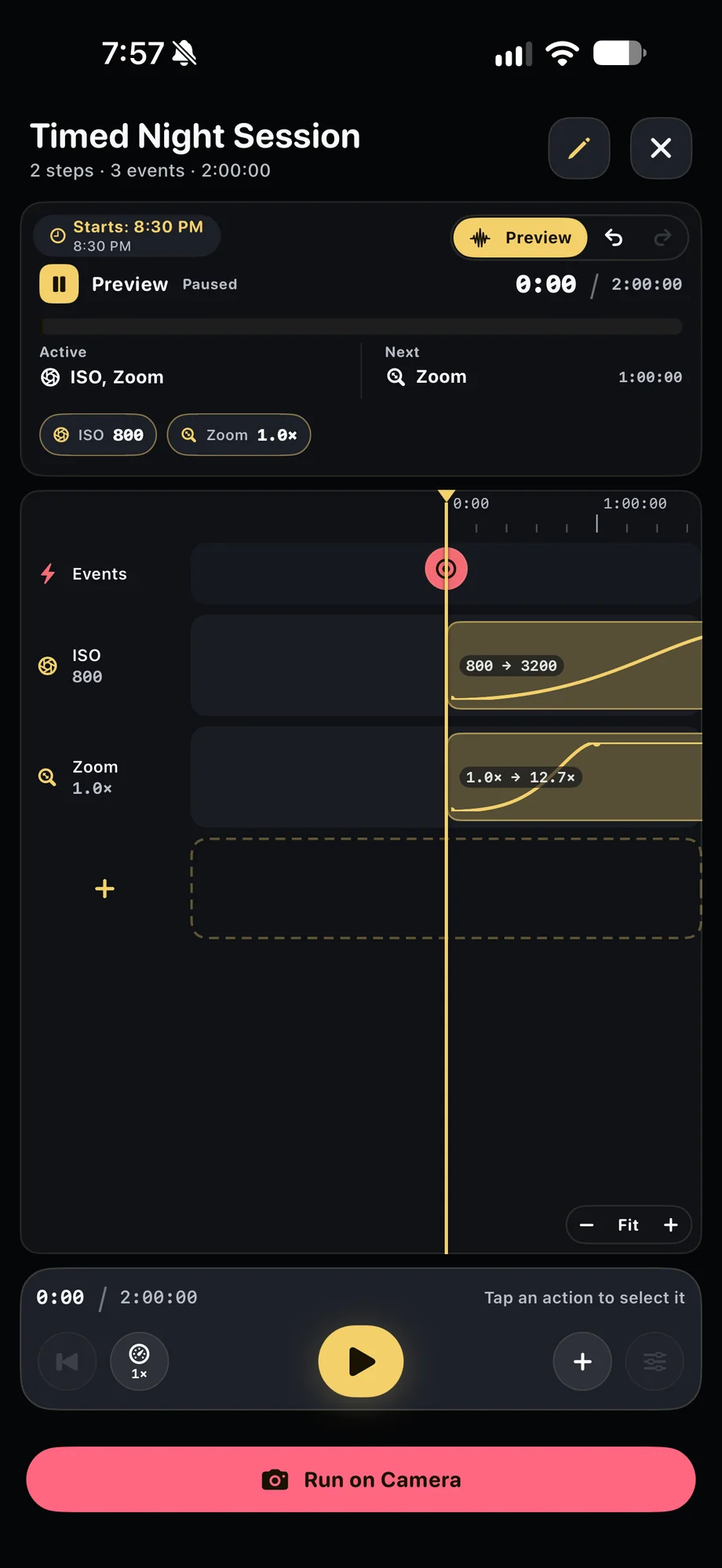
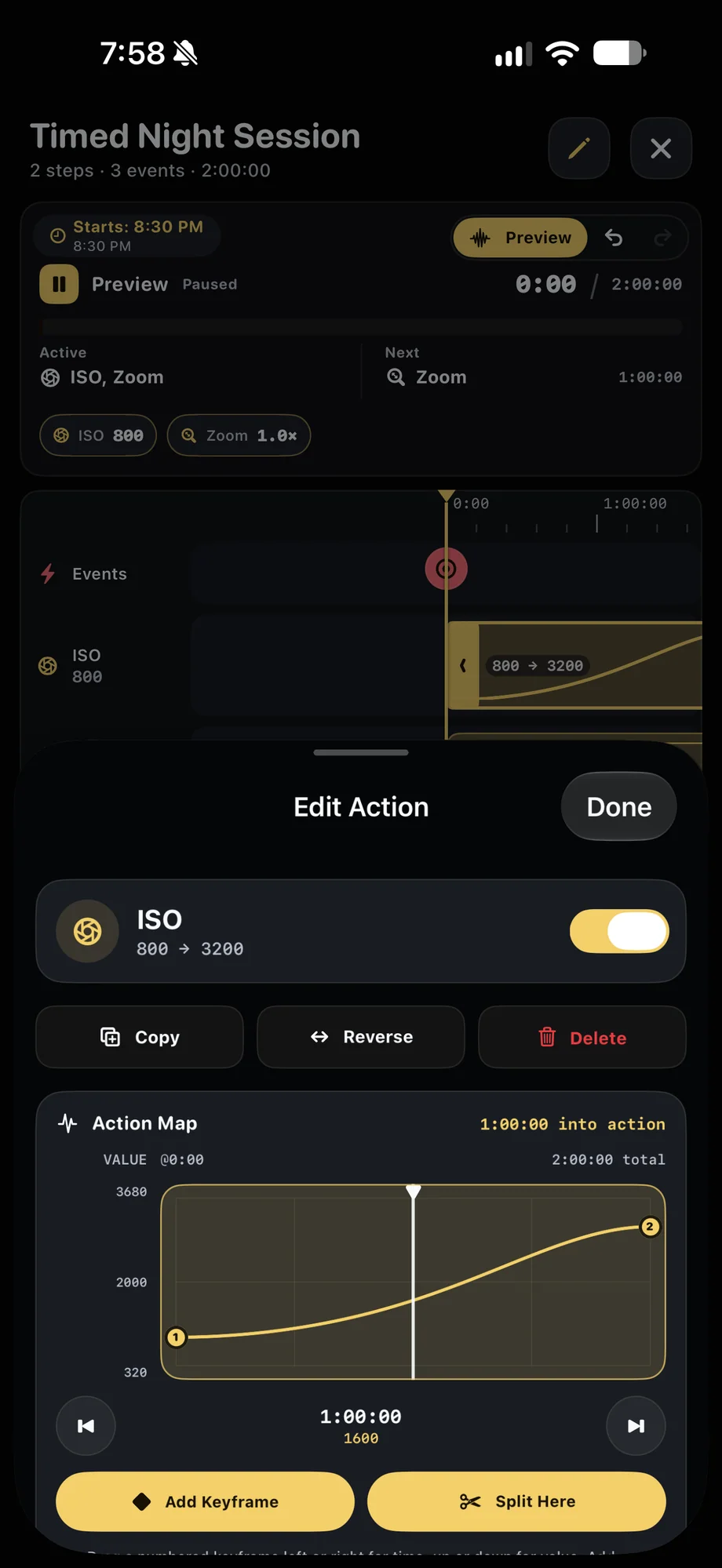
TimeLapsed Timed Night Session on the Camera Actions timeline
TimeLapsed Edit an ISO ramp and its action map
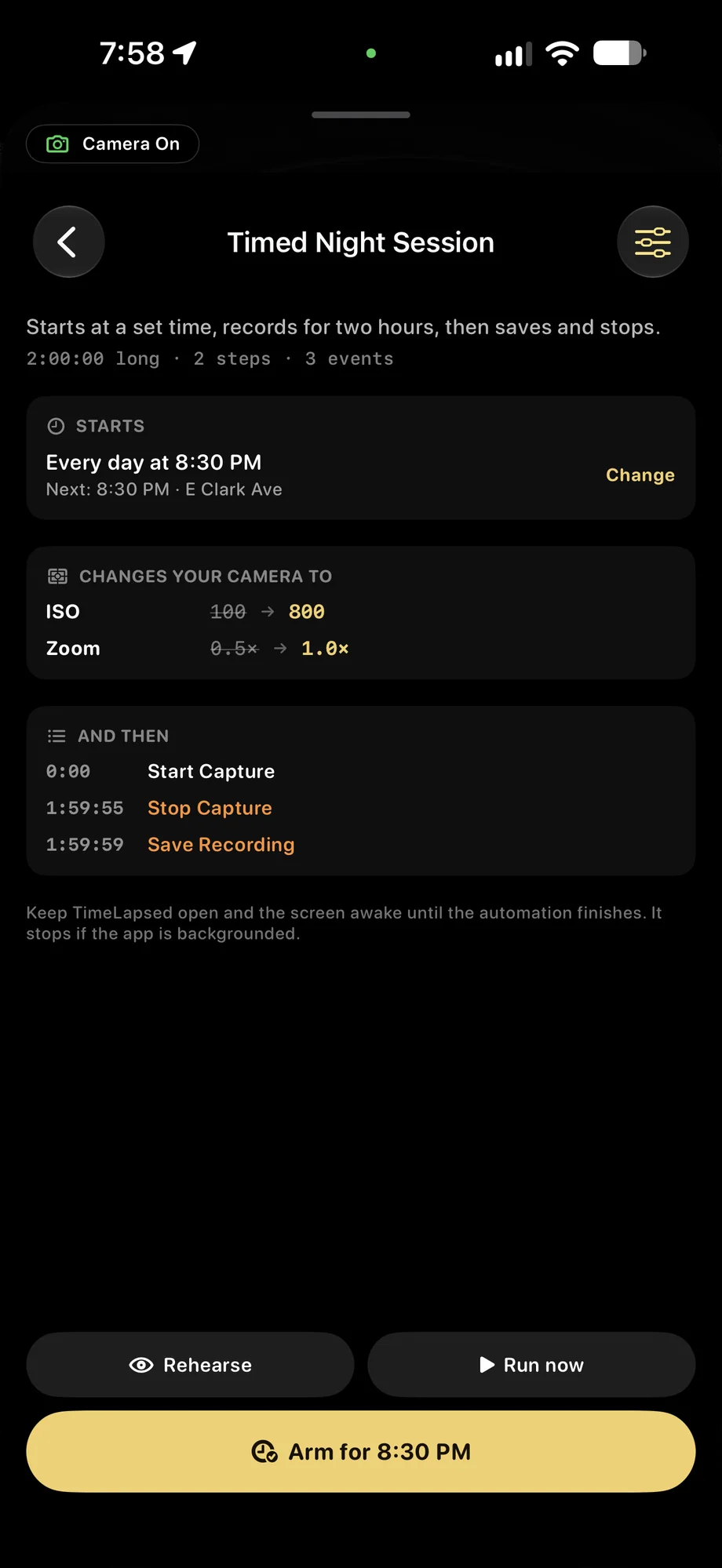
TimeLapsed Rehearse, run or arm a scheduled session
Timed Night Session on the Camera Actions timelineEdit an ISO ramp and its action map

01 · Camera Actions & Automation

Choose between a ramp, a set and an event.

A ramp moves a supported control between two values over a defined period. A set changes it to an exact value at a chosen moment. An event triggers a capture action on the timeline. Combine the choices around the scene: ease into a longer exposure as light falls, change the capture interval or introduce a different trail treatment later in the take.

Choose between a ramp, a set and an event.
TimeLapsed Rehearse, run or arm a scheduled session
TimeLapsed Built-in and saved camera automations
Rehearse, run or arm a scheduled sessionBuilt-in and saved camera automations

02 · Camera Actions & Automation

Inspect the camera state along the timeline.

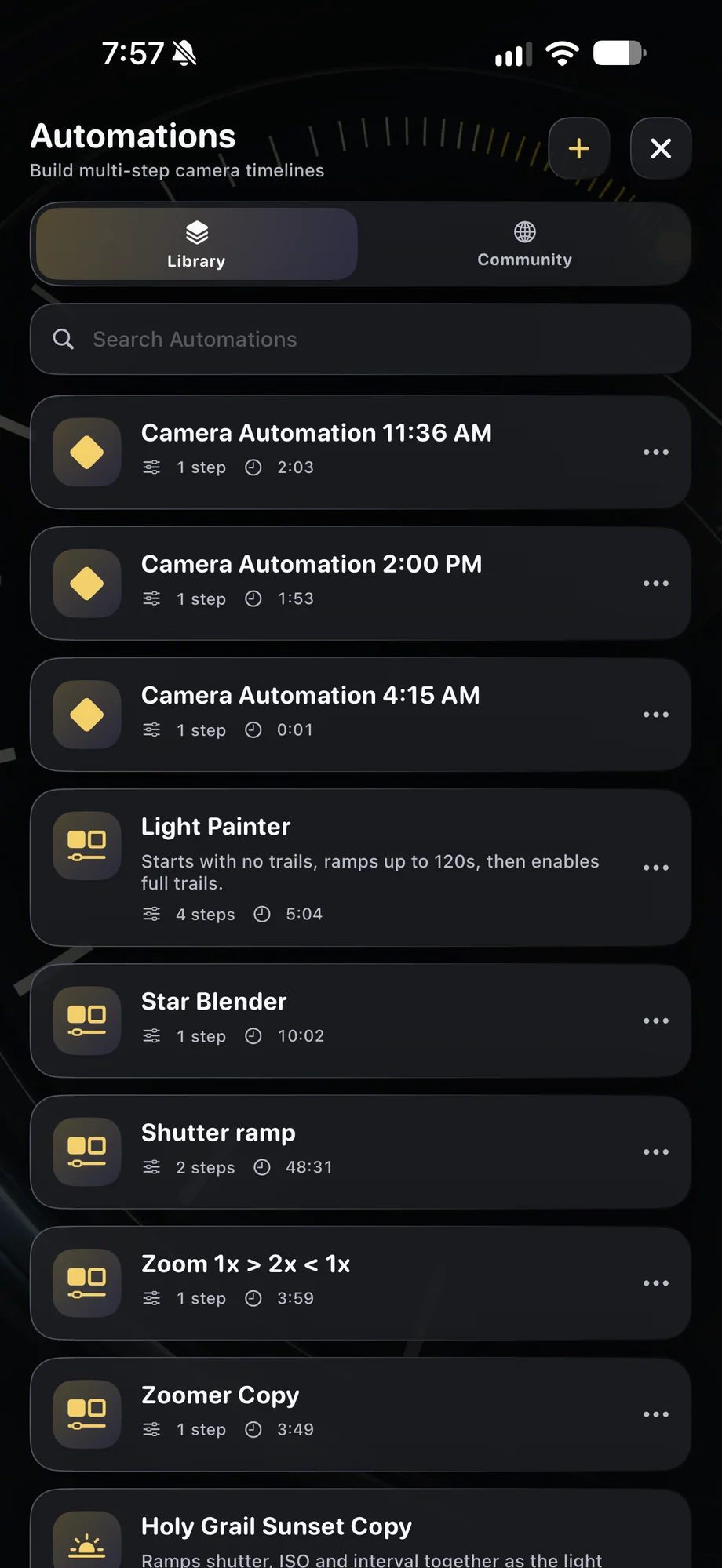
Move through the timeline to review the resolved settings before arming the recording. Check how exposure and cadence interact instead of judging each action in isolation. Built-in automations can be duplicated and edited, giving you a starting point for a sunset or another repeatable transition. Save a version that matches the lens, scene and duration you intend to use.

Inspect the camera state along the timeline.
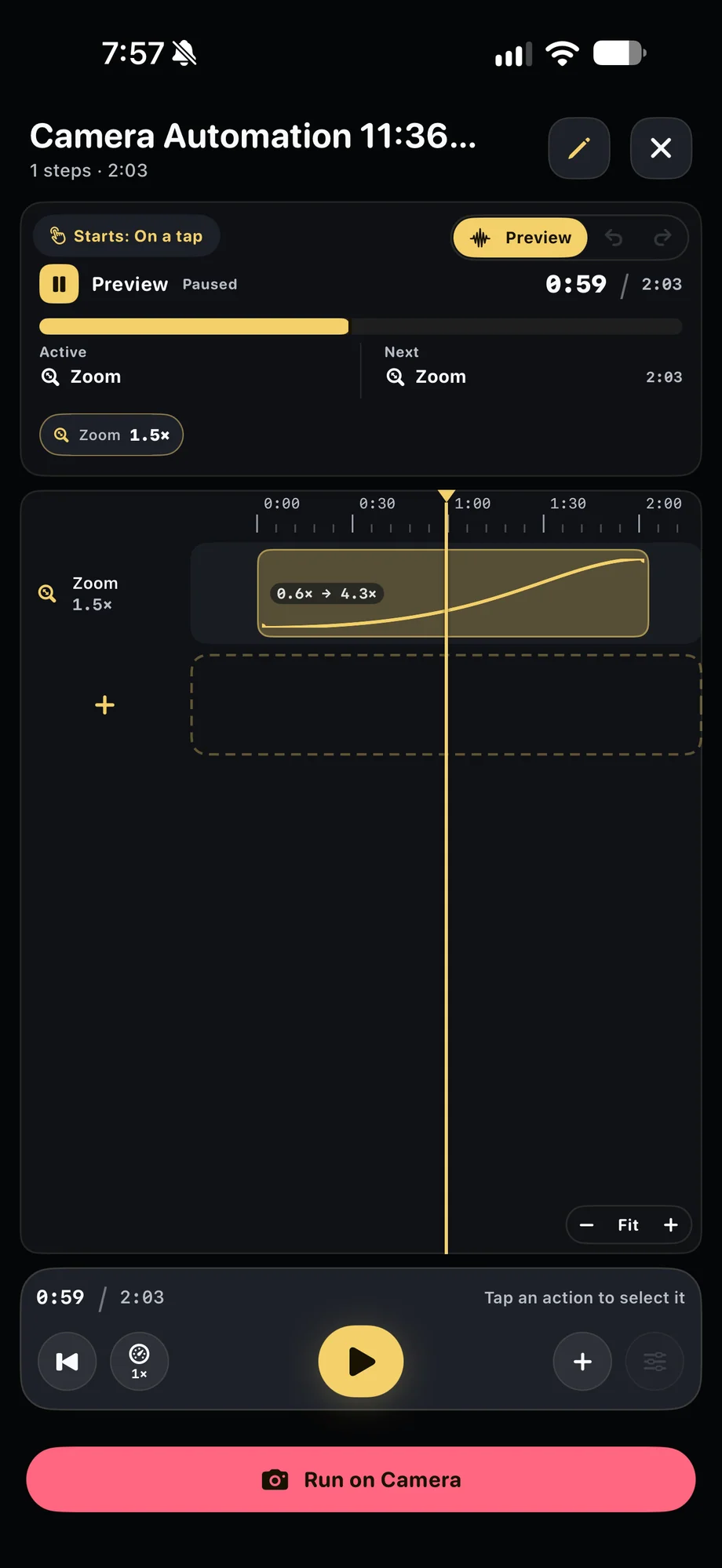
TimeLapsed A timed zoom ramp
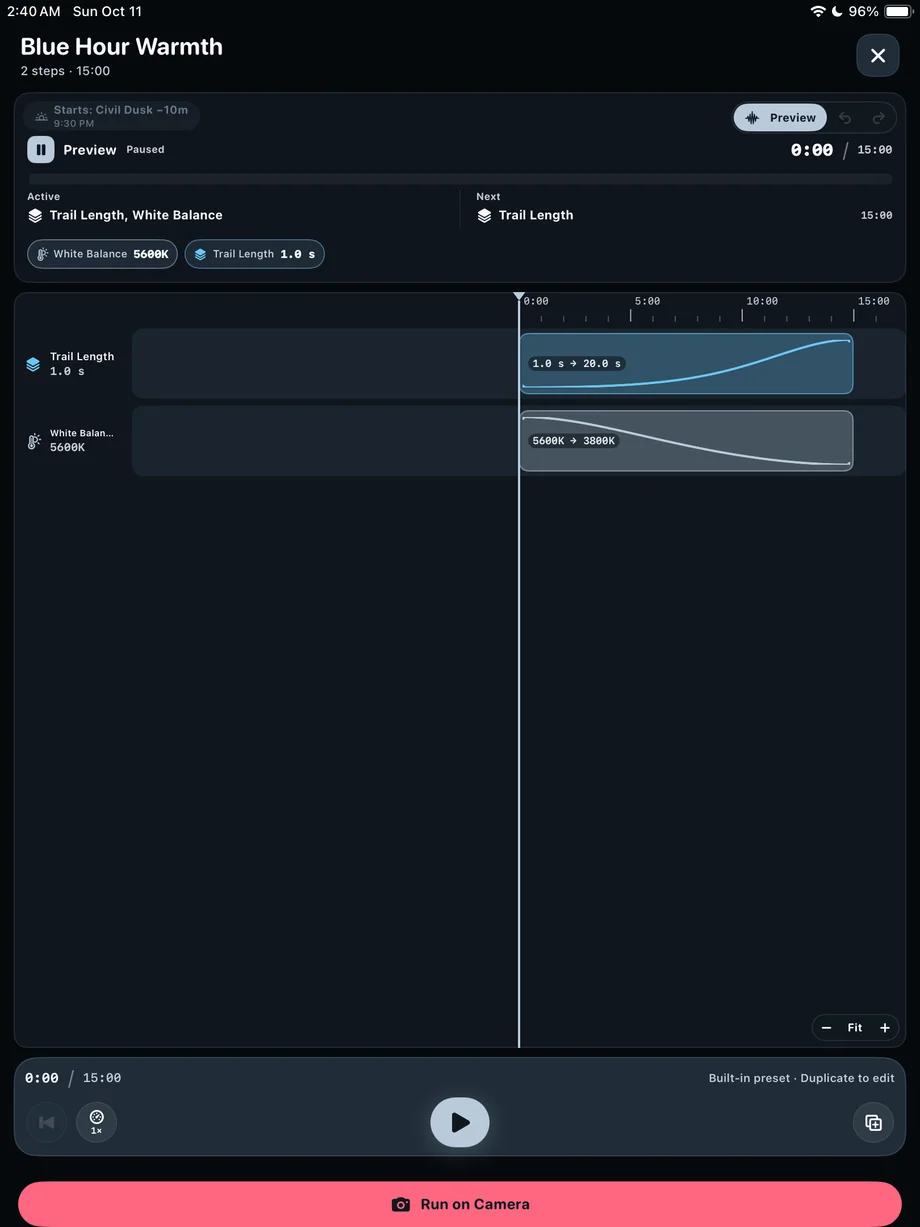
TimeLapsed Blue Hour Warmth automation on iPad
A timed zoom rampBlue Hour Warmth automation on iPad

03 · Camera Actions & Automation

Keep the camera ready for scheduled capture.

A scheduled recording requires the camera to remain open in the foreground. Mount the phone, connect power if needed and review the starting camera state before the scheduled time. Do a short rehearsal when the sequence is unfamiliar. A timeline can repeat your instructions, but you still need to choose settings that fit the light on the day.

Keep the camera ready for scheduled capture.
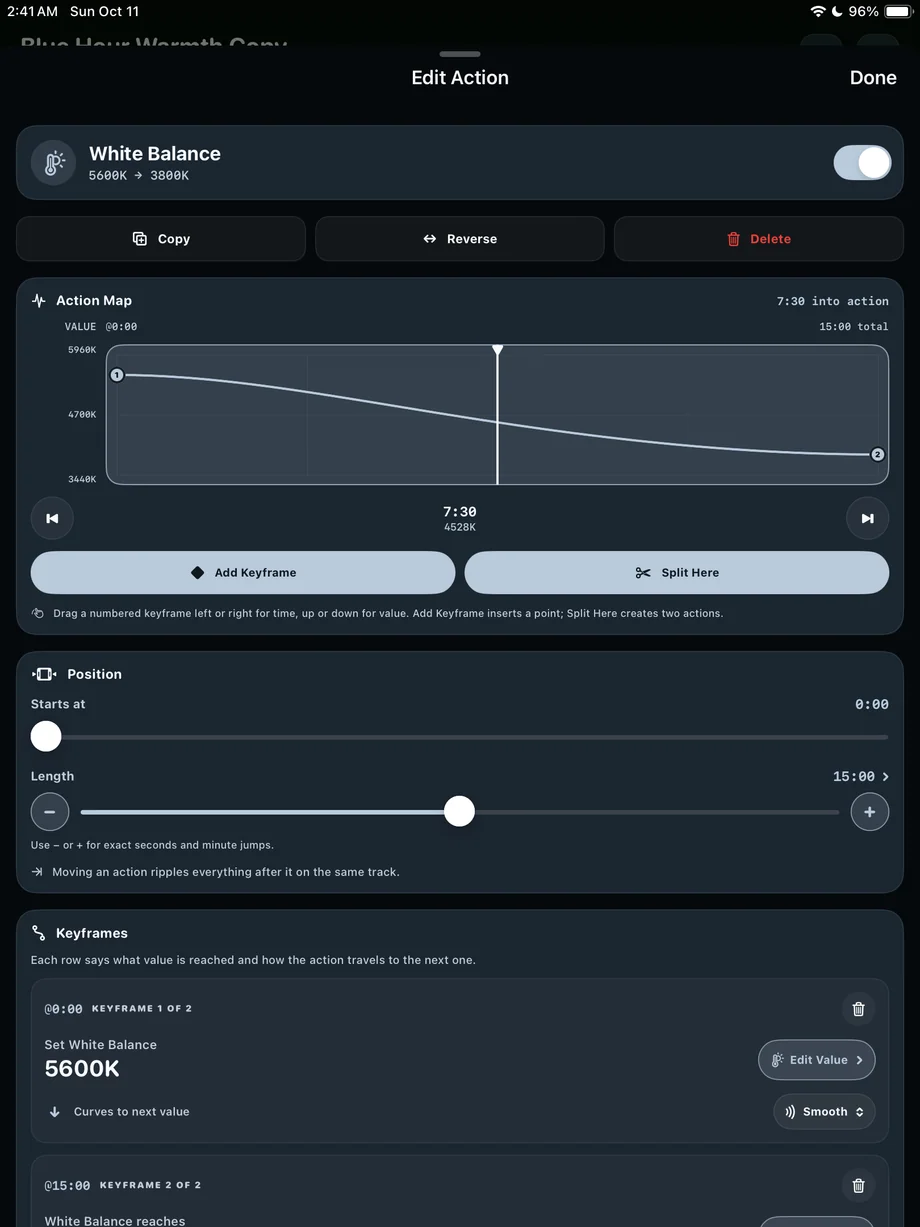
TimeLapsed White balance ramp editing on iPad
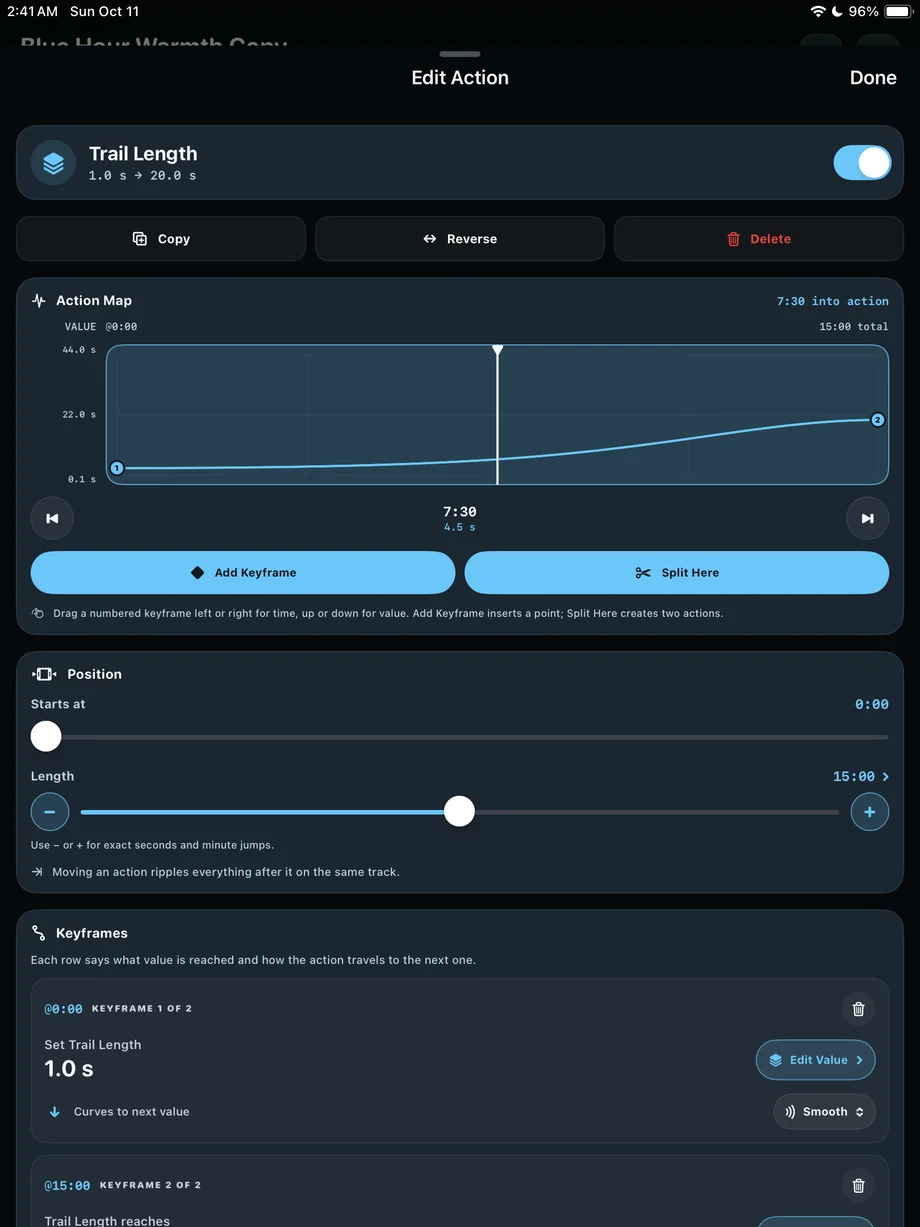
TimeLapsed Trail length ramp editing on iPad
White balance ramp editing on iPadTrail length ramp editing on iPad

A Practical Workflow

  1. 01

    Build the starting profile

    Choose lens, exposure, interval and processing for the beginning of the take.

  2. 02

    Add timed changes

    Place ramps, exact changes and events on the Camera Actions timeline.

  3. 03

    Rehearse and arm

    Review the resolved values, then keep the camera open for capture.

Inside the App

Tap a Screen for a Closer Look

Timed Night Session on the Camera Actions timeline
Edit an ISO ramp and its action map
Rehearse, run or arm a scheduled session
Built-in and saved camera automations
A timed zoom ramp
Blue Hour Warmth automation on iPad
White balance ramp editing on iPad
Trail length ramp editing on iPad

Timed Night Session on the Camera Actions timeline

TimeLapsed Timed Night Session on the Camera Actions timeline

Questions About Camera Actions & Automation

Can TimeLapsed capture on a schedule while closed?

No. Scheduled capture requires the camera to stay open in the foreground.

Can I change more than exposure?

Yes. Supported camera, capture, color and trail controls can be combined on the same automation timeline.

Browse All 33 TimeLapsed Features

English + 11 More Languages

TimeLapsed 2.0 supports 12 languages across the iPhone, iPad and Apple Watch experiences. Use the camera and tools in the language that works for you.

  • English
  • Spanish
  • French
  • German
  • Italian
  • Brazilian Portuguese
  • Japanese
  • Korean
  • Simplified Chinese
  • Hindi
  • Russian
  • Turkish

Take the app with you

Download TimeLapsed.

Capture on iPhone, iPad or a compatible Android phone. Apple Watch controls are available with the iOS app.

Download on the App Store

TimeLapsed for Android

Awaiting Google’s review

We’re awaiting Google’s review. Check back soon, or apply for the beta test by sending us the email address you use on Google Play. We’ll be adding testers every few days.

Apply for the beta test

Android review is in progress. Beta requests are open.

QR code to download TimeLapsed on the App Store

Scan With an iPhone or iPad to Open the App Store.