TimeLapsed 2.0 · Sky, Weather & Field Planning

Look for darker skies close to the place you can reach.

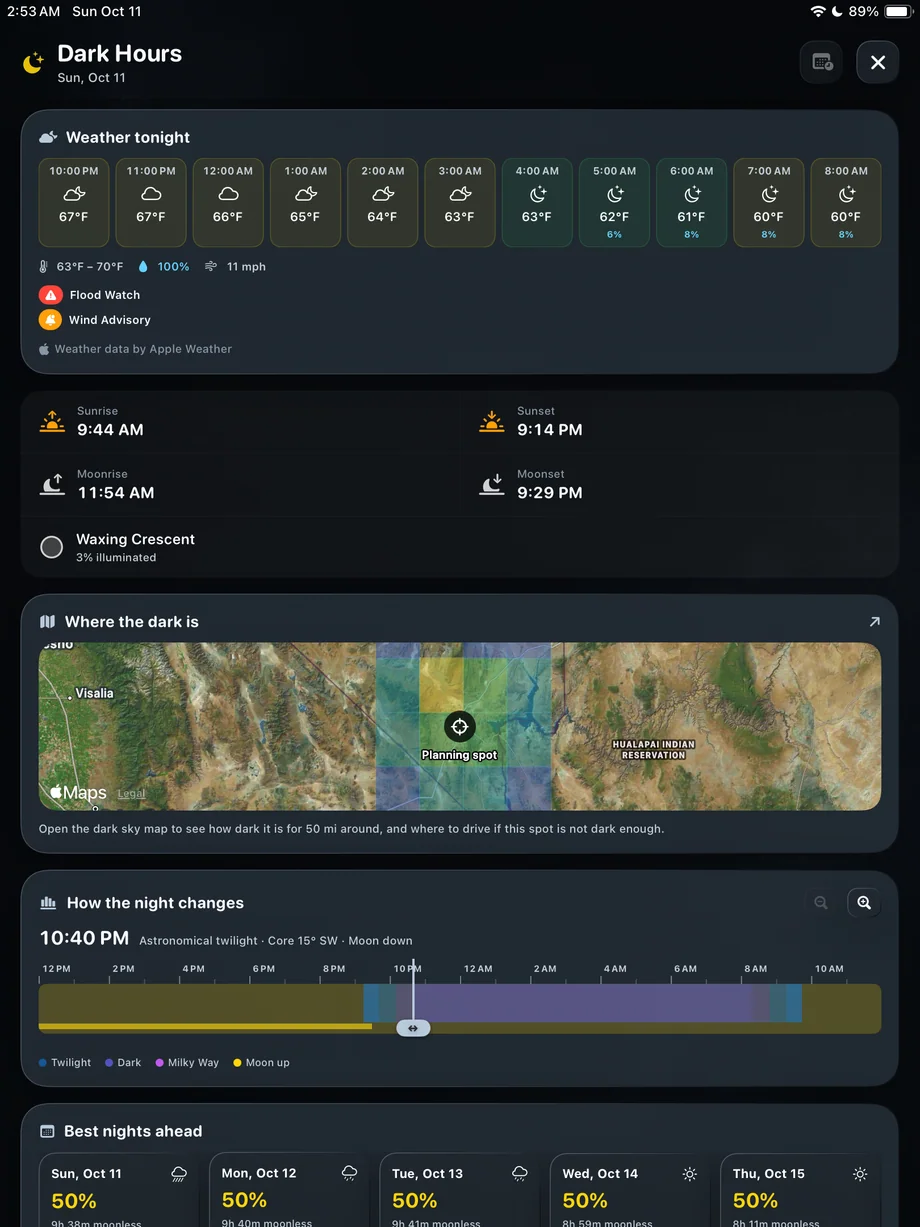
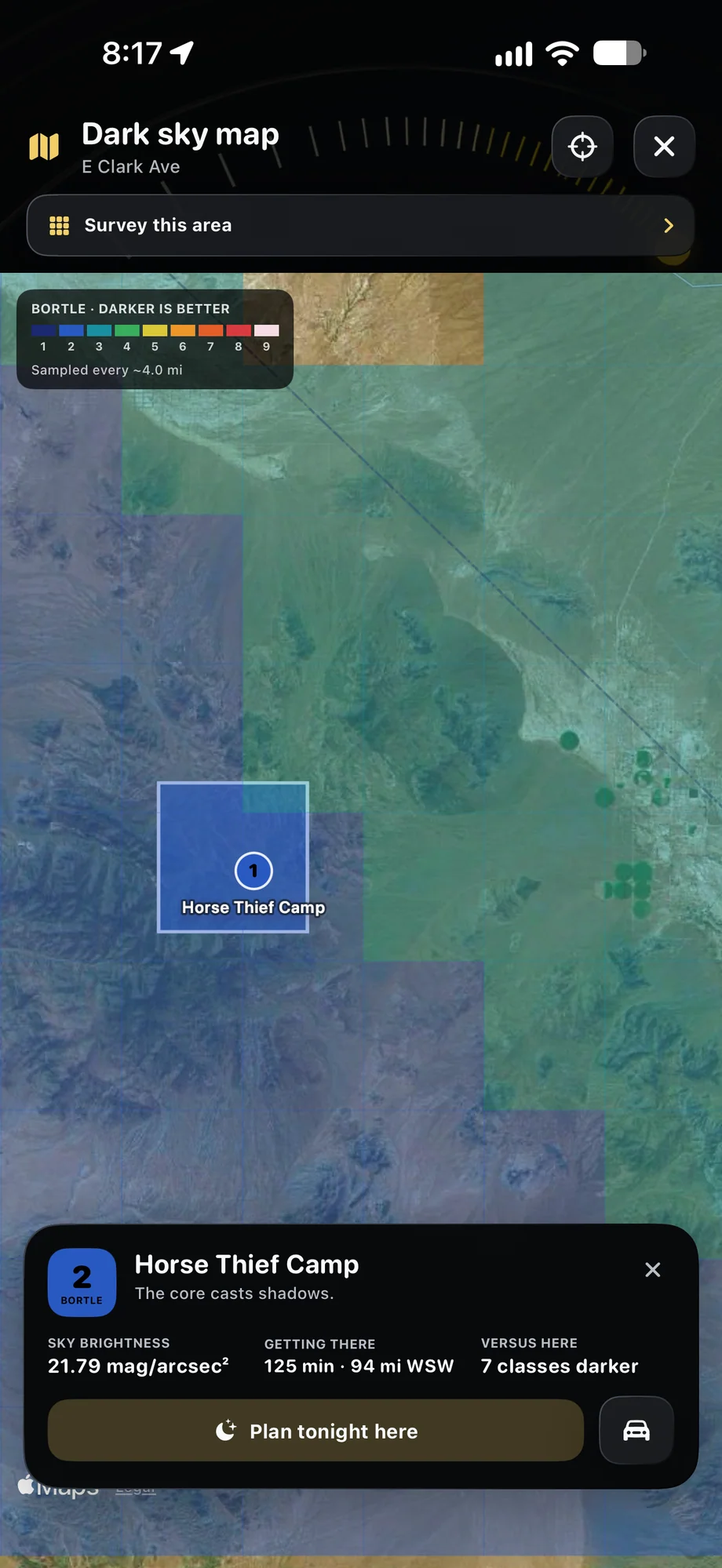
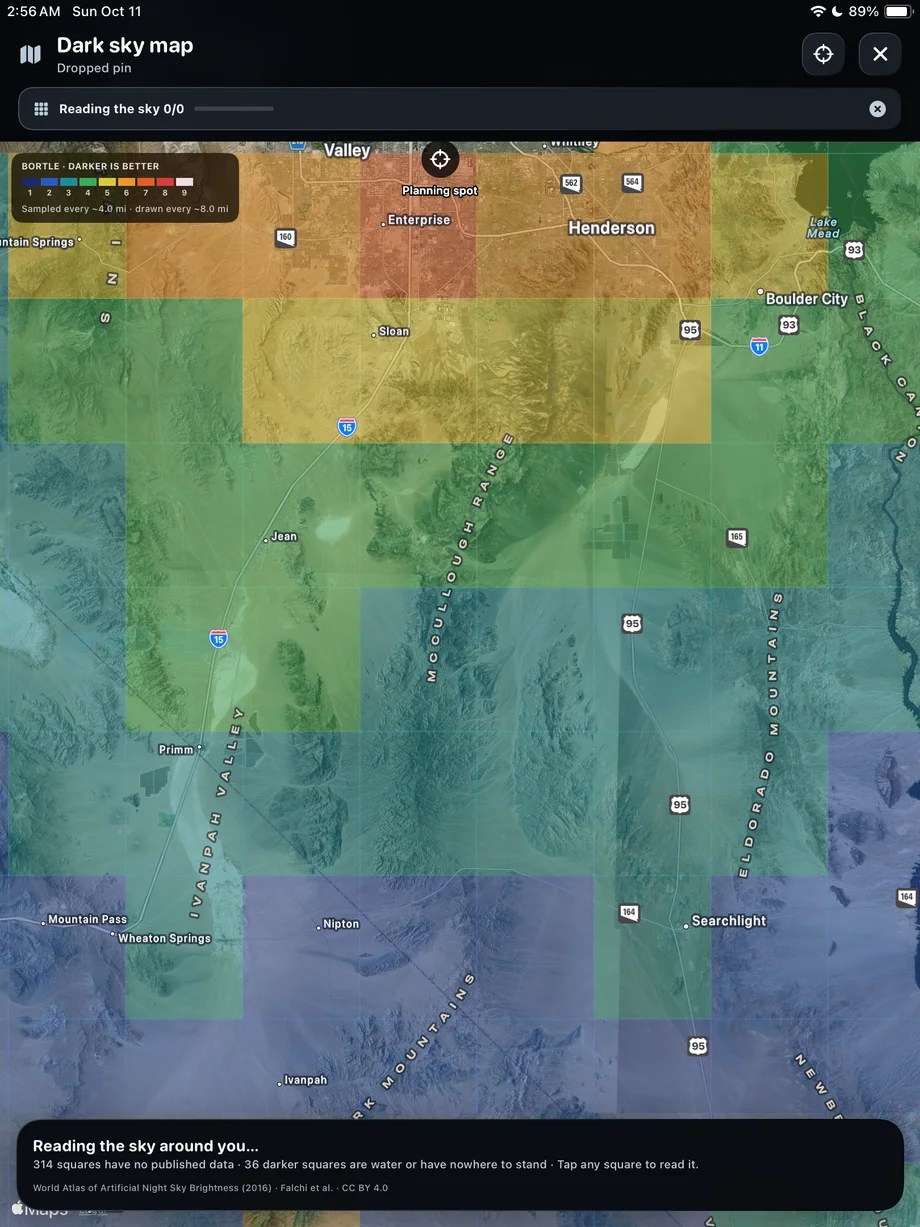
You may not need to drive for hours to improve a night shot. TimeLapsed’s light-pollution map and Bortle panels help you compare the selected location with the surrounding area. Use them to look for a darker direction or a practical place to shoot, then check the night’s timing and conditions before leaving.

iPhone · iPad · Apple Watch · English + 11 Languages

Dark Sky Maps & Bortle

TimeLapsed Light-pollution map and a location details panel
TimeLapsed The dark sky map on iPad
TimeLapsed Nearby darkness and night timing
Light-pollution map and a location details panelThe dark sky map on iPad

01 · Dark Sky Maps & Bortle

Read the location in context.

A Bortle panel gives you a way to think about the sky brightness around a location. The map makes nearby differences easier to see. Compare possible sites instead of treating one class as the entire decision. Foreground lights, access, the direction of your subject and the time of night can all affect the actual picture you will be able to make.

Read the location in context.
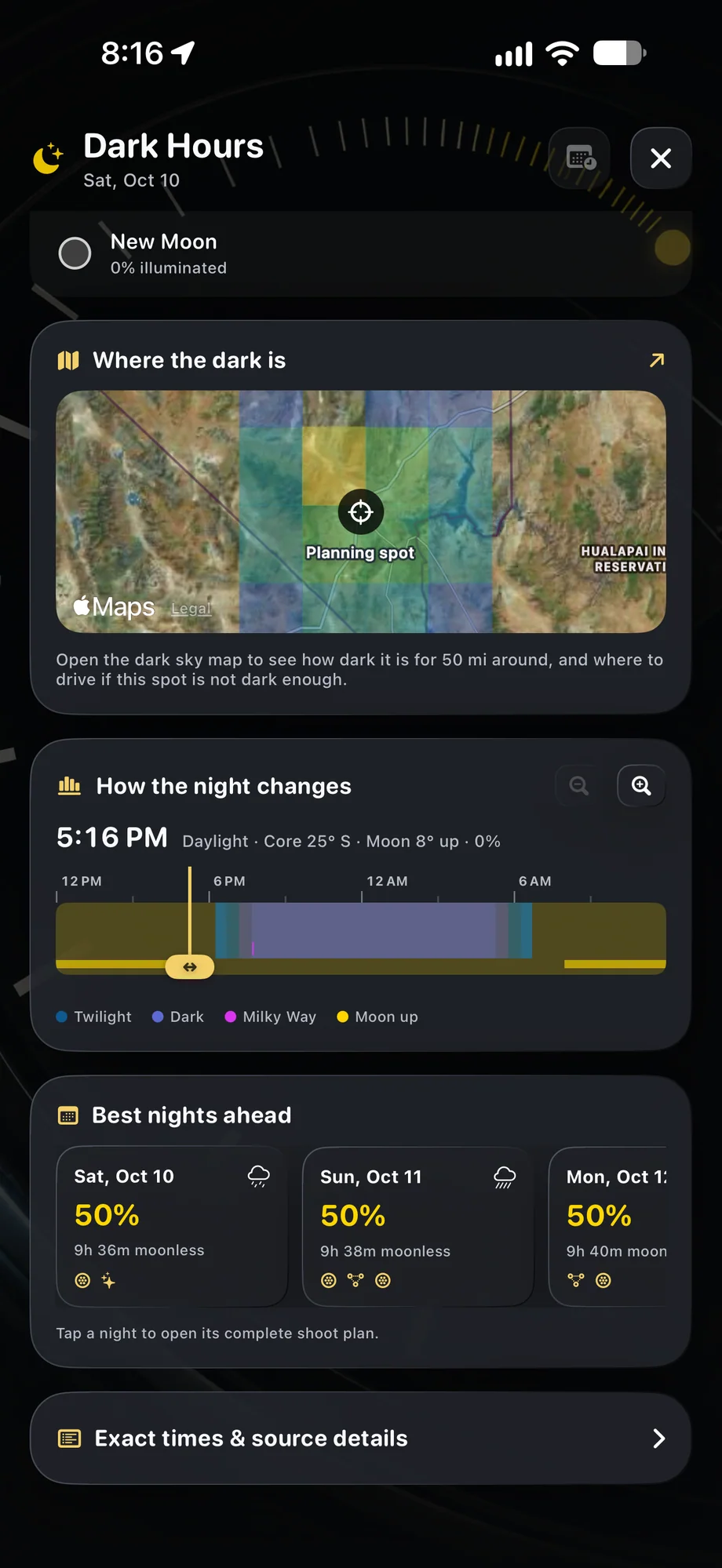
TimeLapsed Nearby darkness and night timing
TimeLapsed Map context inside the Dark Hours plan
Nearby darkness and night timingMap context inside the Dark Hours plan

02 · Dark Sky Maps & Bortle

Use a darker site with a workable night window.

After choosing a candidate location, open Dark Hours for that place and date. Check moonlight and the length of useful darkness, then review weather. A darker location under cloud cover may not suit the shot, and a remote site with a narrow window may require an earlier departure. Keep the map and the timing part of the same plan.

Use a darker site with a workable night window.

TimeLapsed Nearby darkness and night timing
TimeLapsed Map context inside the Dark Hours plan
Nearby darkness and night timingMap context inside the Dark Hours plan

03 · Dark Sky Maps & Bortle

Plan the trip before you follow the directions.

Directions help you reach a location, but check whether it is accessible and appropriate for a night visit. Consider where the phone will be mounted and what foreground belongs in the frame. At the site, inspect direct lights and the horizon before setting the exposure. The map is a planning aid; the camera still records the scene in front of it.

Plan the trip before you follow the directions.

TimeLapsed Nearby darkness and night timing
TimeLapsed Map context inside the Dark Hours plan
Nearby darkness and night timingMap context inside the Dark Hours plan

A Practical Workflow

  1. 01

    Explore nearby areas

    Compare the map and Bortle information around your intended location.

  2. 02

    Check the night

    Review darkness, Moon timing and forecast conditions for a candidate site.

  3. 03

    Plan access and setup

    Get directions and leave room in the schedule for framing and focusing.

Inside the App

Tap a Screen for a Closer Look

Light-pollution map and a location details panel
The dark sky map on iPad
Nearby darkness and night timing
Map context inside the Dark Hours plan

Light-pollution map and a location details panel

TimeLapsed Light-pollution map and a location details panel

Questions About Dark Sky Maps & Bortle

Is a Bortle class a weather forecast?

No. It describes sky brightness. Check forecast conditions and Dark Hours separately when planning a shoot.

Can the app help me get to a darker location?

Yes. TimeLapsed includes directions toward darker skies. Check access and local conditions before traveling.

Browse All 33 TimeLapsed Features

English + 11 More Languages

TimeLapsed 2.0 supports 12 languages across the iPhone, iPad and Apple Watch experiences. Use the camera and tools in the language that works for you.

  • English
  • Spanish
  • French
  • German
  • Italian
  • Brazilian Portuguese
  • Japanese
  • Korean
  • Simplified Chinese
  • Hindi
  • Russian
  • Turkish

Take the app with you

Download TimeLapsed.

Capture on iPhone, iPad or a compatible Android phone. Apple Watch controls are available with the iOS app.

Download on the App Store

TimeLapsed for Android

Awaiting Google’s review

We’re awaiting Google’s review. Check back soon, or apply for the beta test by sending us the email address you use on Google Play. We’ll be adding testers every few days.

Apply for the beta test

Android review is in progress. Beta requests are open.

QR code to download TimeLapsed on the App Store

Scan With an iPhone or iPad to Open the App Store.