TimeLapsed 2.0 · From Take to Finished Film

Choose the treatment while you can still see the scene.

The same scene can feel quiet, bright, small or unfamiliar depending on how you treat it. TimeLapsed puts color and creative effects alongside capture controls, so you can judge the look against the live picture. Explore tilt shift, glow and simulated night-vision or thermal treatments, then refine the footage in the editor.

iPhone · iPad · Apple Watch · English + 11 Languages

Color, Tilt Shift & Creative Effects

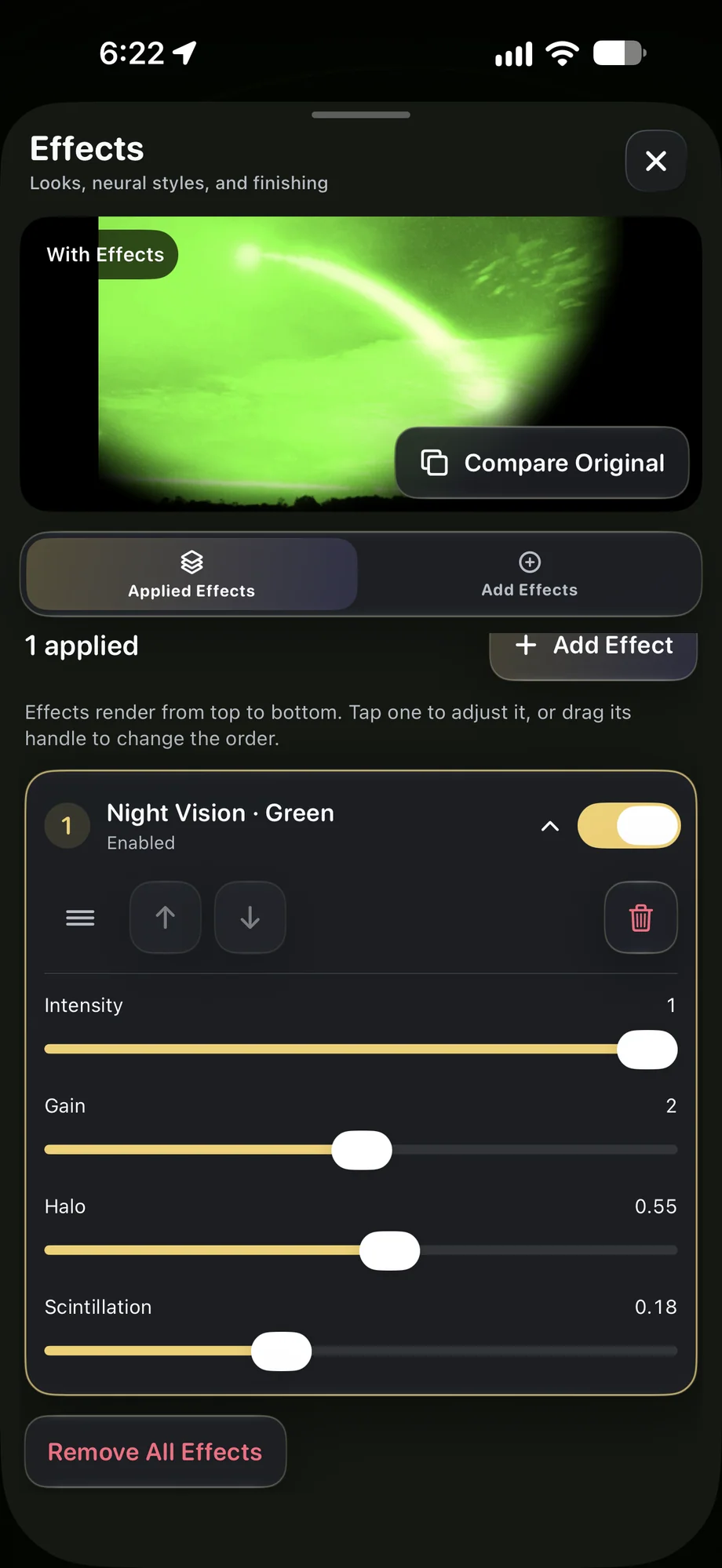
TimeLapsed Simulated night-vision treatment in the editor
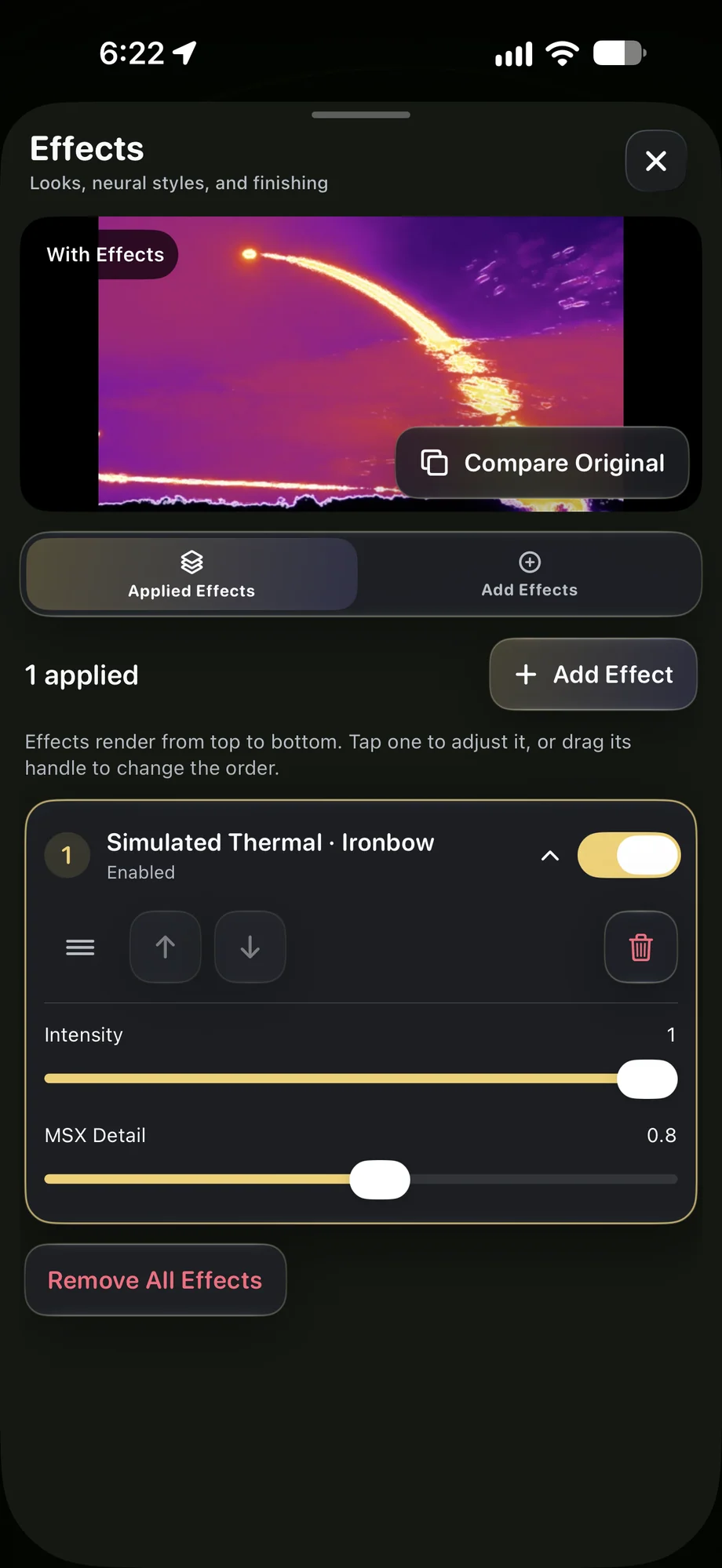
TimeLapsed Simulated thermal color treatment
TimeLapsed Tron-style edges, glow and thresholds
Simulated night-vision treatment in the editorSimulated thermal color treatment

01 · Color, Tilt Shift & Creative Effects

Set the exposure before choosing the look.

Color processing works best when the source retains the detail you need. Check shutter, ISO and white balance first, then adjust color, highlights, shadows, contrast, temperature, tint and sharpening. A LUT can provide a starting treatment. Watch bright lights and darker parts of the scene together so the style does not hide the subject you came to record.

Set the exposure before choosing the look.
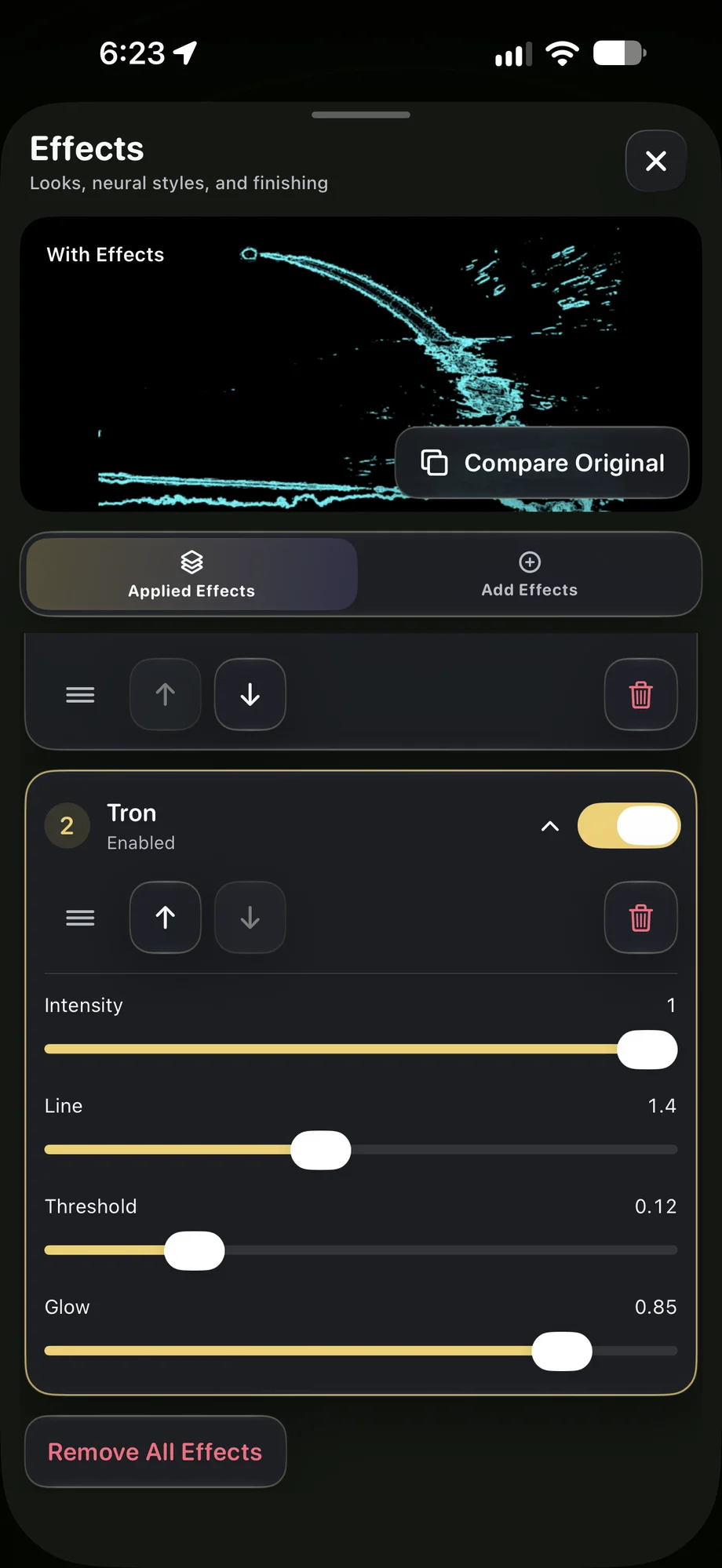
TimeLapsed Tron-style edges, glow and thresholds
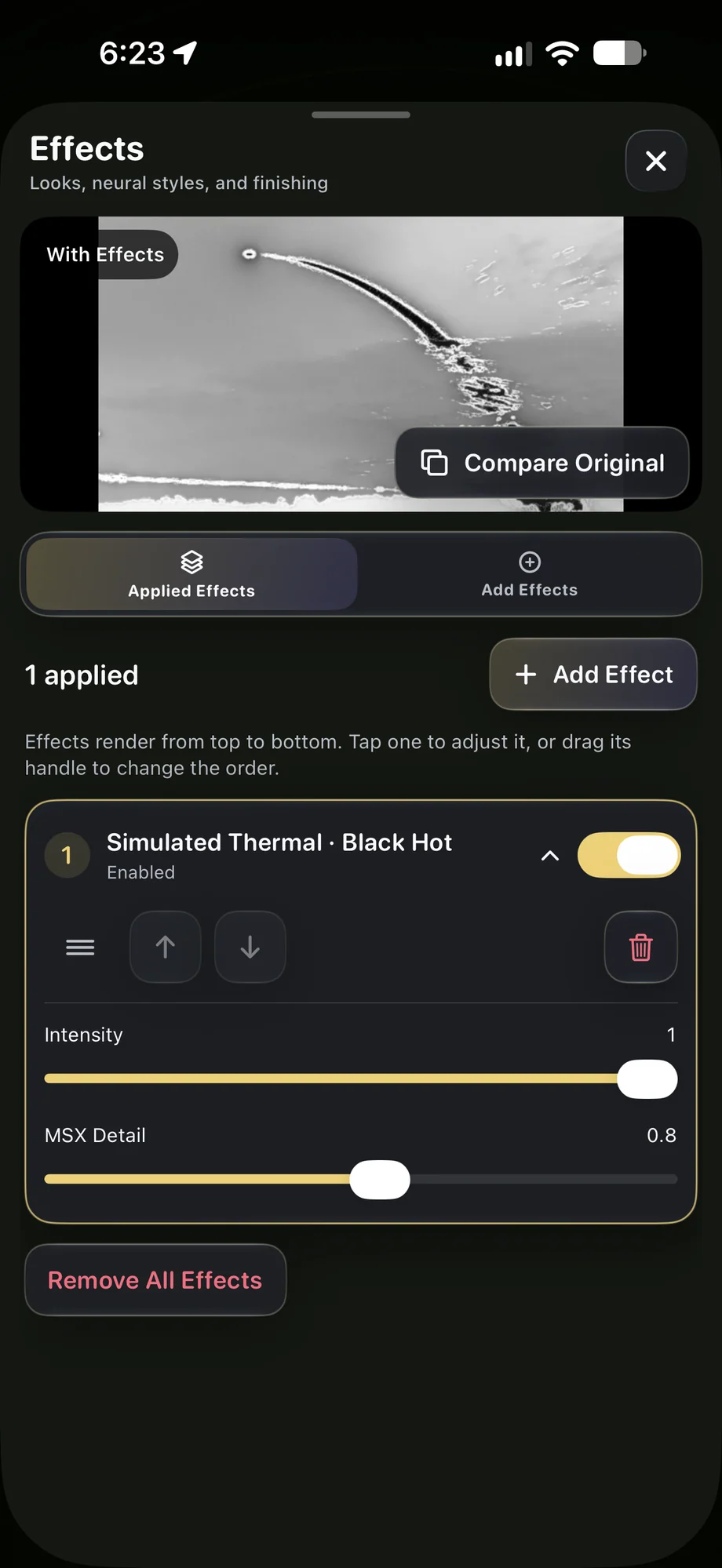
TimeLapsed A simulated thermal black-hot treatment
Tron-style edges, glow and thresholdsA simulated thermal black-hot treatment

02 · Color, Tilt Shift & Creative Effects

Give the effect a reason to be in the shot.

Tilt shift can draw attention to a part of the composition and change how scale is perceived. Simulated night-vision and thermal looks offer other creative treatments. Try them against the scene rather than adding every effect at once. These are visual effects; the camera does not become a thermal sensor or acquire new night-vision hardware.

Give the effect a reason to be in the shot.
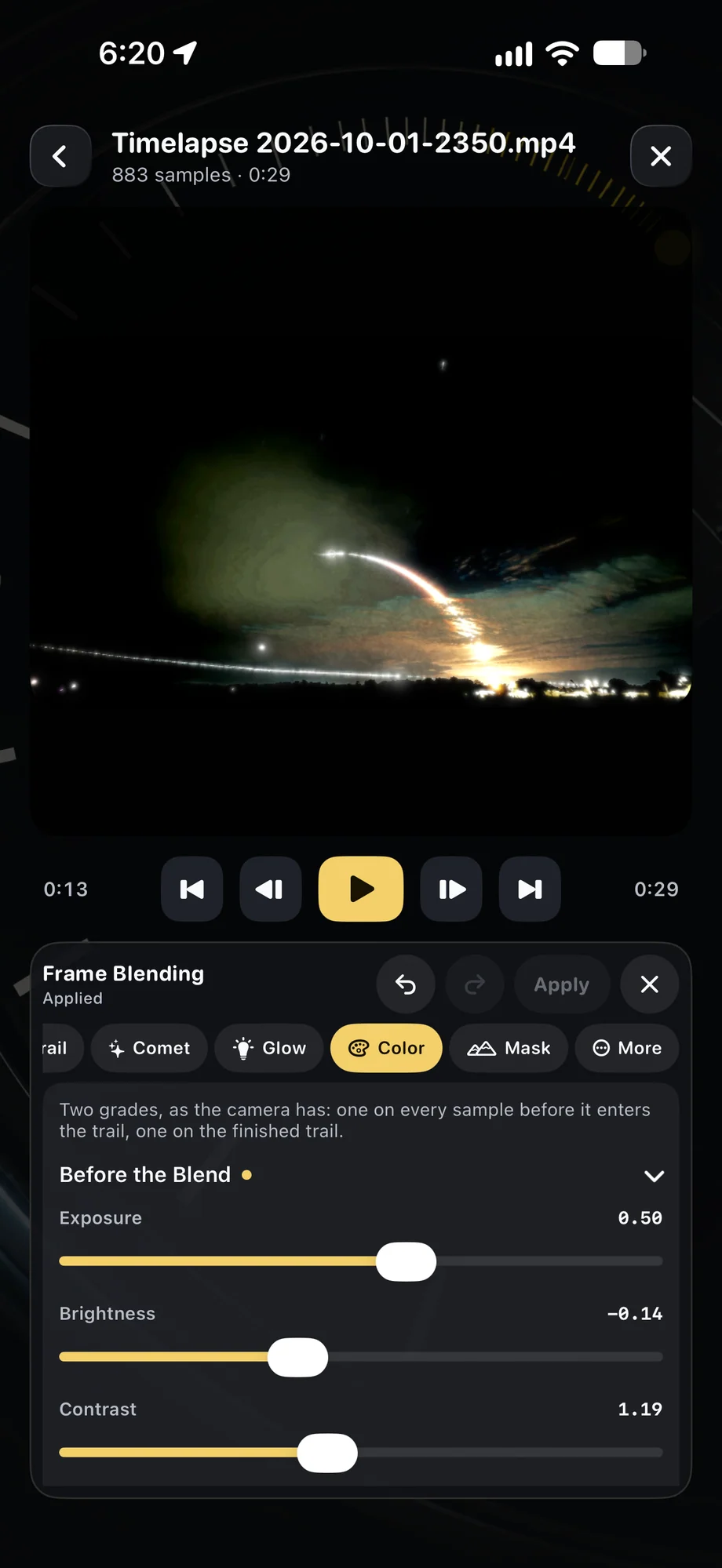
TimeLapsed Color and exposure adjustments before blending
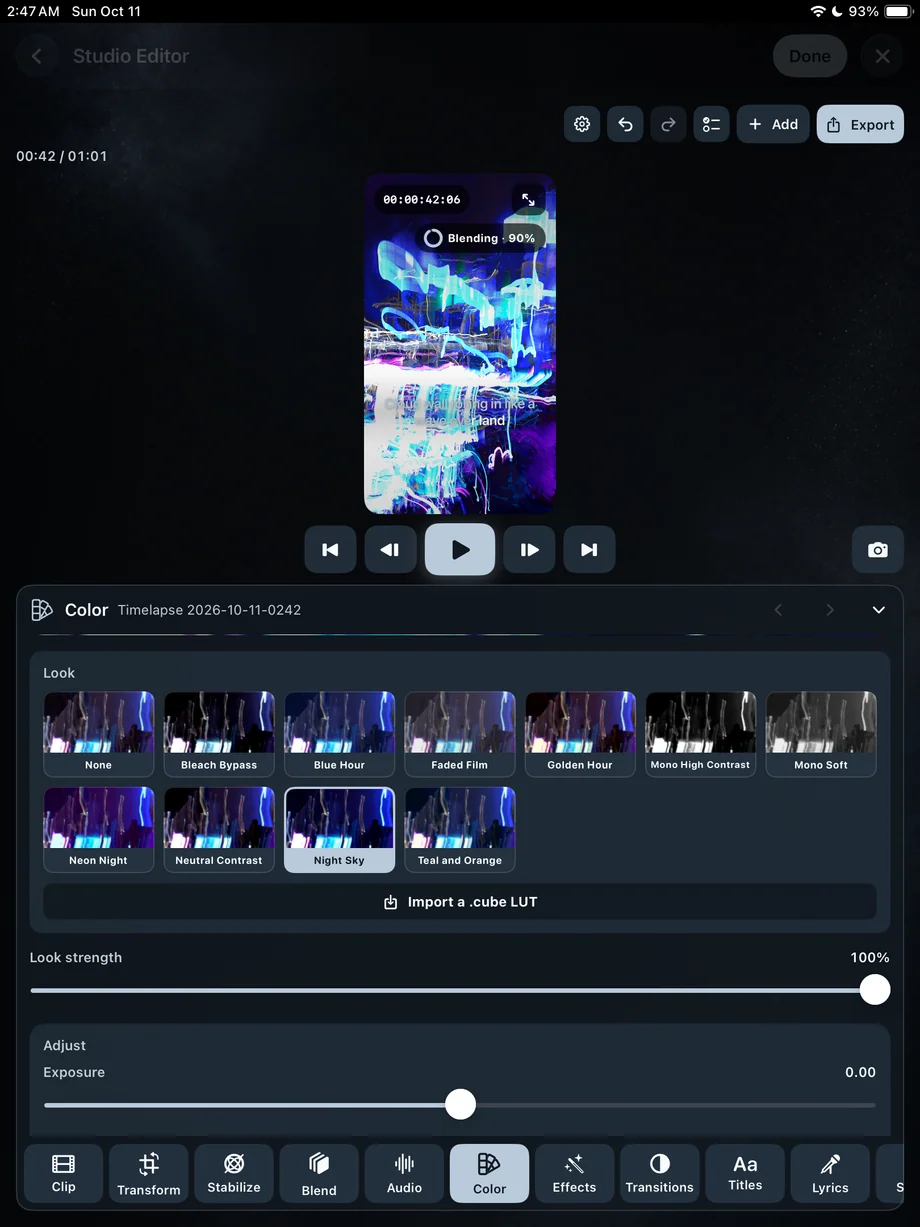
TimeLapsed Color controls and LUT choices on iPad
Color and exposure adjustments before blendingColor controls and LUT choices on iPad

03 · Color, Tilt Shift & Creative Effects

Keep the look consistent through the sequence.

Save a profile when the treatment works. Camera Actions can change supported color and effect controls over time if the transition is part of the film. For a less committed capture, keep effects-free companion footage and revisit the treatment later. The editor lets you make further color and framing decisions alongside titles and audio.

Keep the look consistent through the sequence.

TimeLapsed Color and exposure adjustments before blending
TimeLapsed Color controls and LUT choices on iPad
Color and exposure adjustments before blendingColor controls and LUT choices on iPad

A Practical Workflow

  1. 01

    Check the source picture

    Set exposure and white balance for the subject.

  2. 02

    Choose a treatment

    Preview color, tilt shift or a simulated camera look in context.

  3. 03

    Keep or refine it

    Save a profile, program a change or revisit the movie in the editor.

Inside the App

Tap a Screen for a Closer Look

Simulated night-vision treatment in the editor
Simulated thermal color treatment
Tron-style edges, glow and thresholds
A simulated thermal black-hot treatment
Color and exposure adjustments before blending
Color controls and LUT choices on iPad

Simulated night-vision treatment in the editor

TimeLapsed Simulated night-vision treatment in the editor

Questions About Color, Tilt Shift & Creative Effects

Is the thermal effect a real temperature measurement?

No. Thermal and night-vision effects are simulated visual treatments.

Can the look change during recording?

Camera Actions support timed changes and ramps for supported color and trail-effect controls.

Browse All 33 TimeLapsed Features

English + 11 More Languages

TimeLapsed 2.0 supports 12 languages across the iPhone, iPad and Apple Watch experiences. Use the camera and tools in the language that works for you.

  • English
  • Spanish
  • French
  • German
  • Italian
  • Brazilian Portuguese
  • Japanese
  • Korean
  • Simplified Chinese
  • Hindi
  • Russian
  • Turkish

Take the app with you

Download TimeLapsed.

Capture on iPhone, iPad or a compatible Android phone. Apple Watch controls are available with the iOS app.

Download on the App Store

TimeLapsed for Android

Awaiting Google’s review

We’re awaiting Google’s review. Check back soon, or apply for the beta test by sending us the email address you use on Google Play. We’ll be adding testers every few days.

Apply for the beta test

Android review is in progress. Beta requests are open.

QR code to download TimeLapsed on the App Store

Scan With an iPhone or iPad to Open the App Store.