TimeLapsed 2.0 · Your Progress & Community

See what happened over the whole recording.

A long capture is more than its final movie. The light changes, the battery runs down and the device has work to do. TimeLapsed keeps capture history and session statistics so you can review the conditions and camera behavior behind the result, then use that information when planning a similar recording.

iPhone · iPad · Apple Watch · English + 11 Languages

Capture History & Statistics

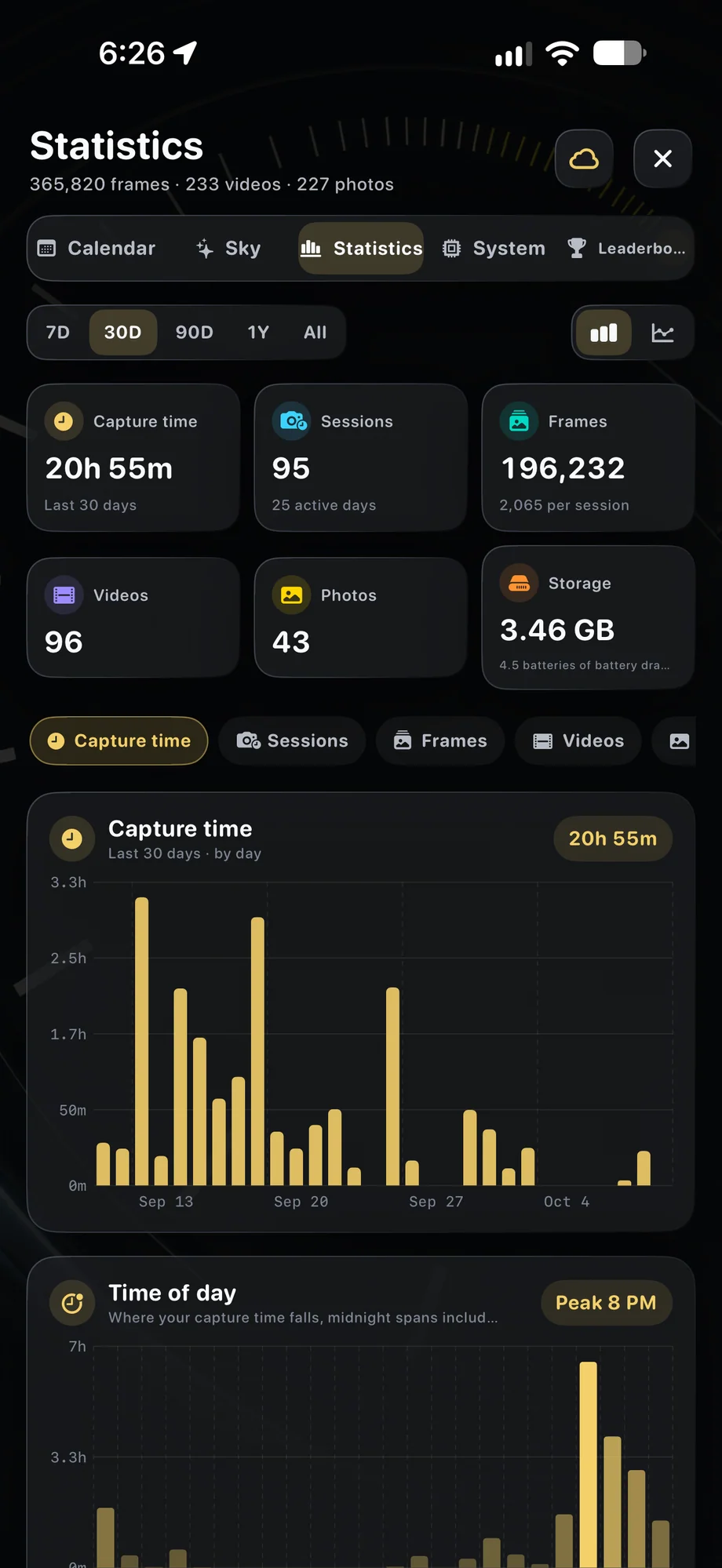
TimeLapsed Capture totals and recording-time charts
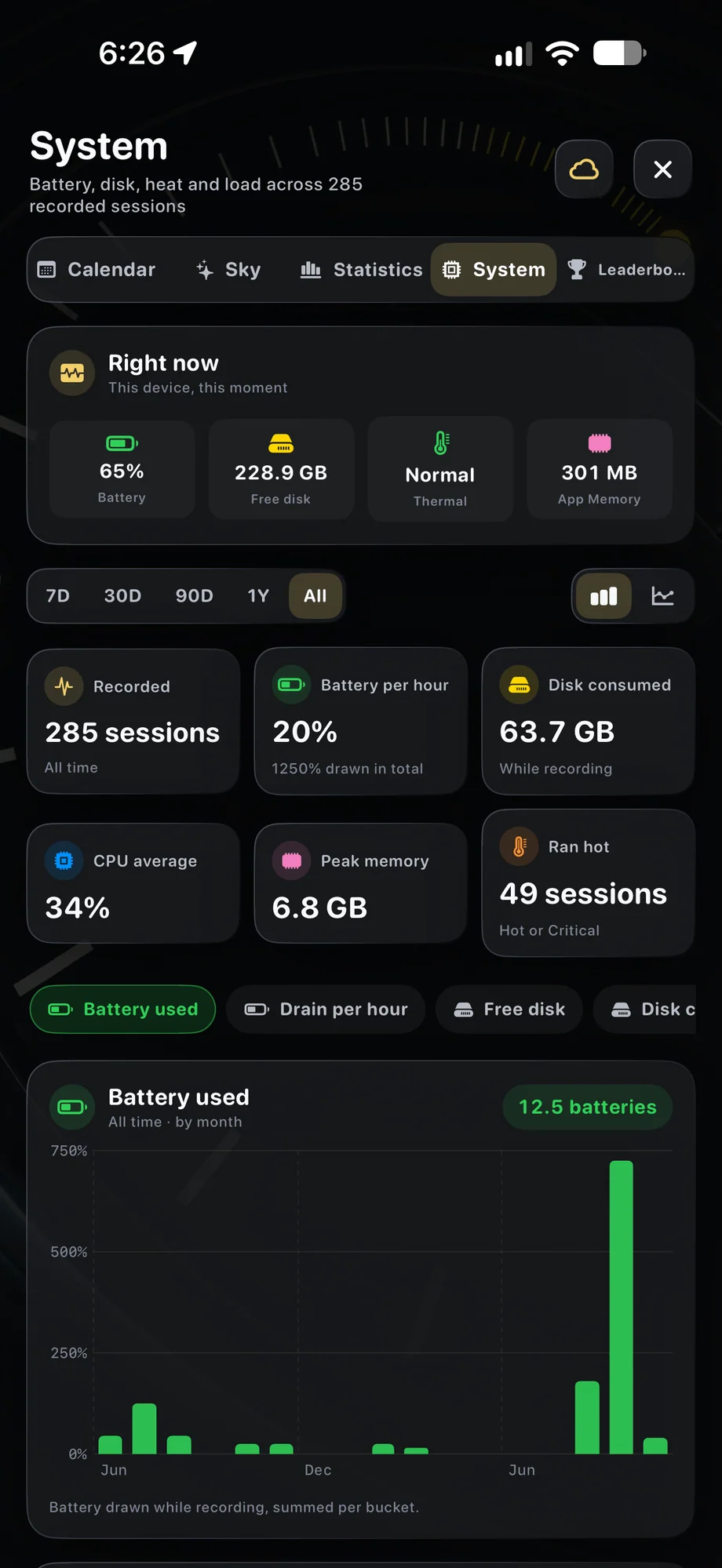
TimeLapsed Battery, memory and thermal-state statistics
TimeLapsed Sessions and timing on the calendar
Capture totals and recording-time chartsBattery, memory and thermal-state statistics

01 · Capture History & Statistics

Read the session alongside the footage.

Review exposure, white balance and weather context with the recording history. A visible change in the film may make more sense when you can compare it with the camera settings and conditions. Use the history to ask specific questions: did the light change, did the planned exposure transition happen, or did this take use a different setup from the last one?

Read the session alongside the footage.
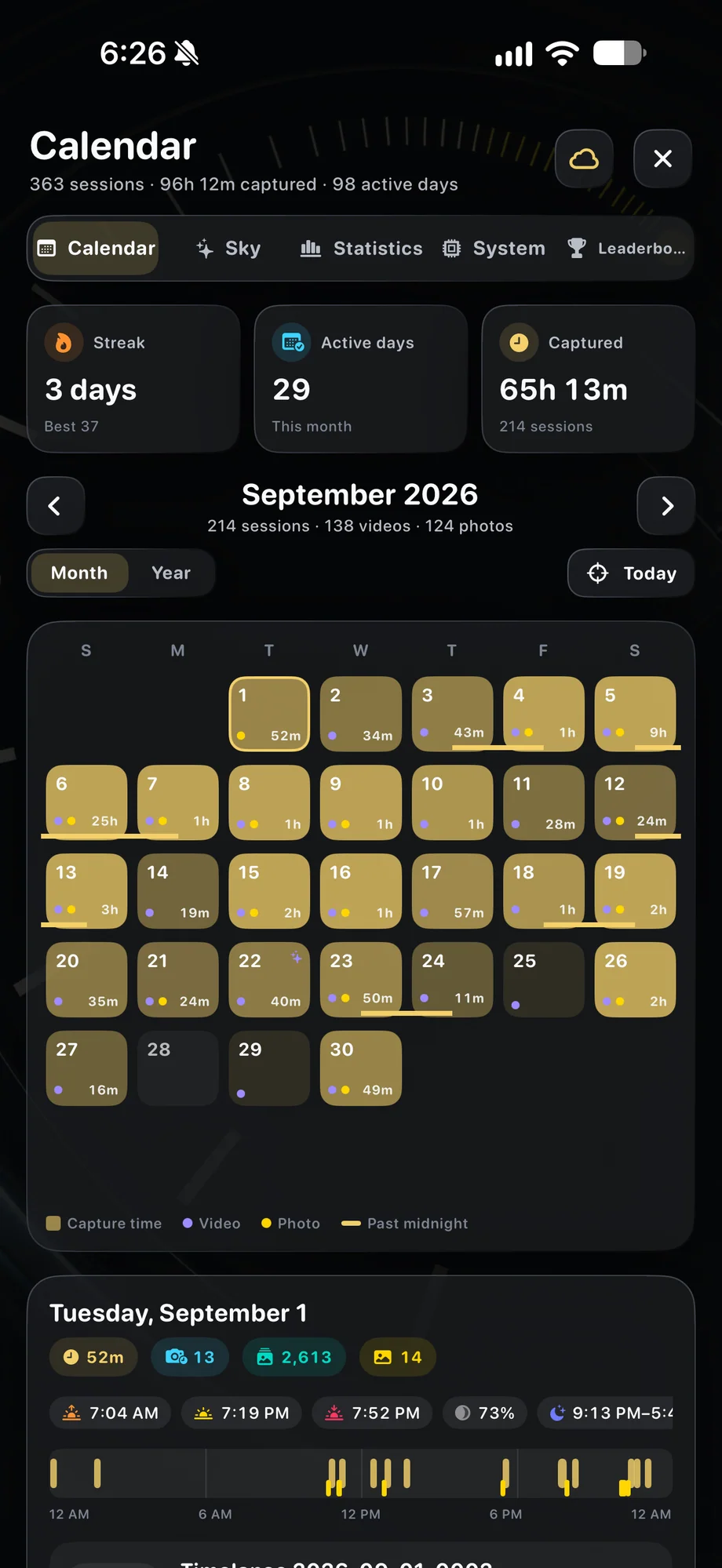
TimeLapsed Sessions and timing on the calendar
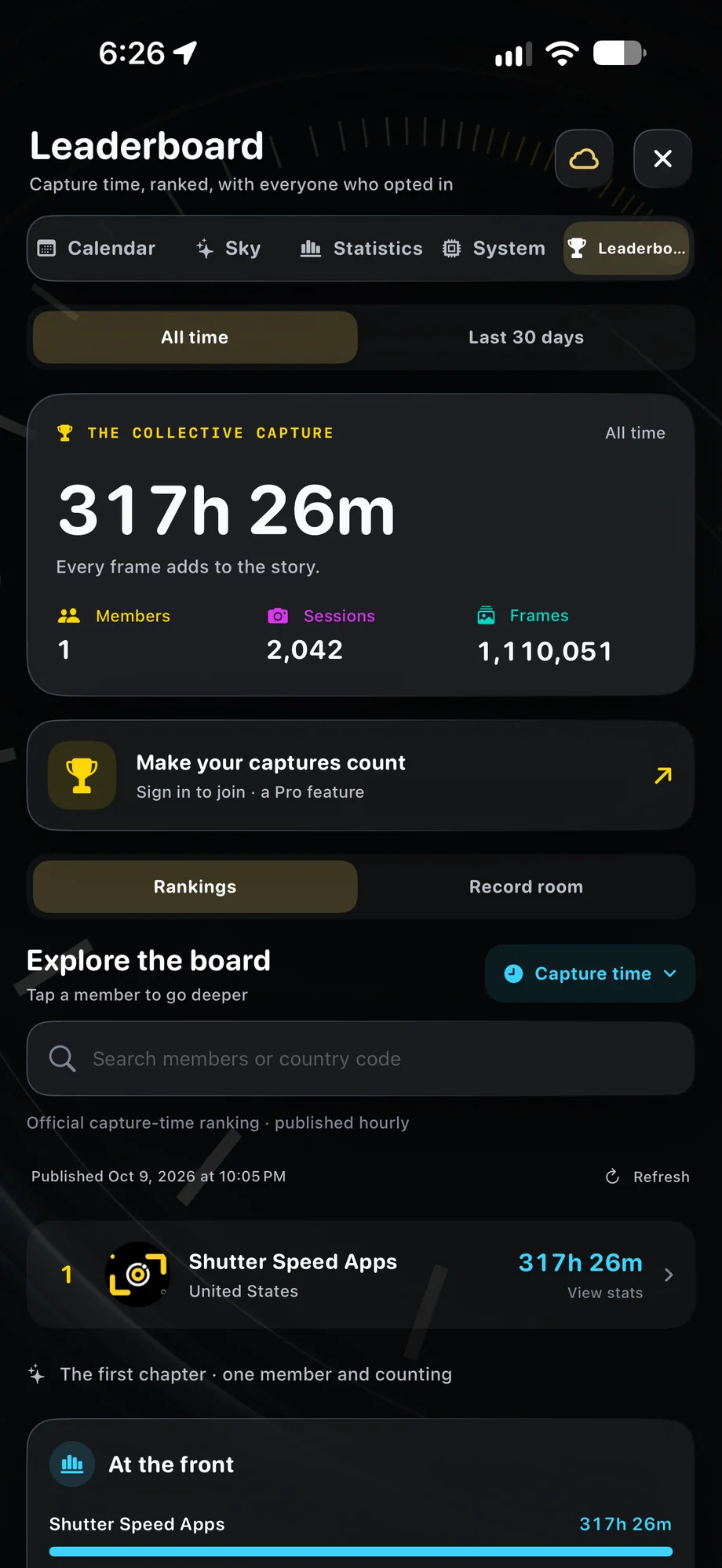
TimeLapsed Optional leaderboard and personal records
Sessions and timing on the calendarOptional leaderboard and personal records

02 · Capture History & Statistics

Understand the device’s part in a long take.

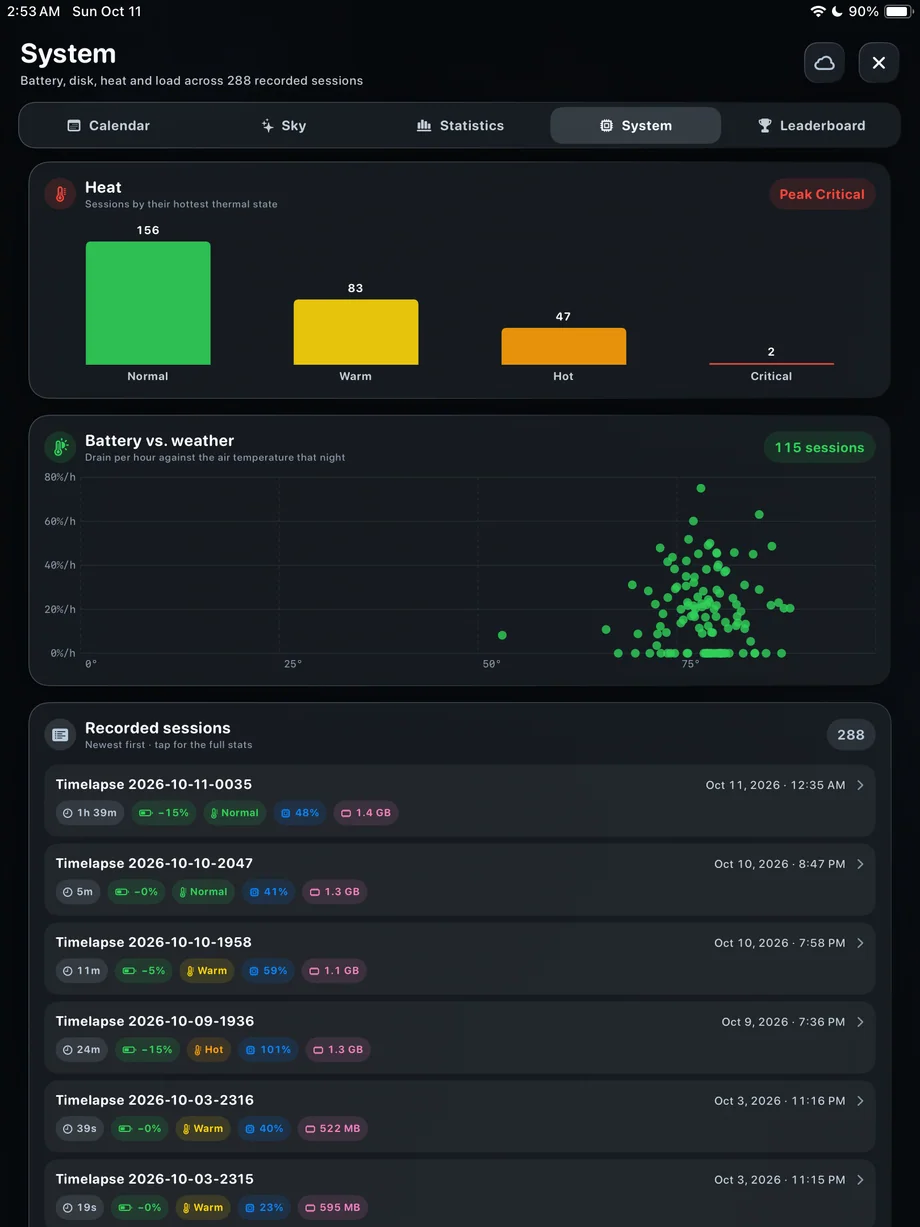
Battery, CPU, memory and thermal-state statistics show another side of the session. They can help you plan power and duration for later captures. Compare like-for-like sessions when evaluating a setup, because a different mode, accessory arrangement or outdoor temperature can change the workload. The statistics provide context rather than a guarantee of performance for the next recording.

Understand the device’s part in a long take.
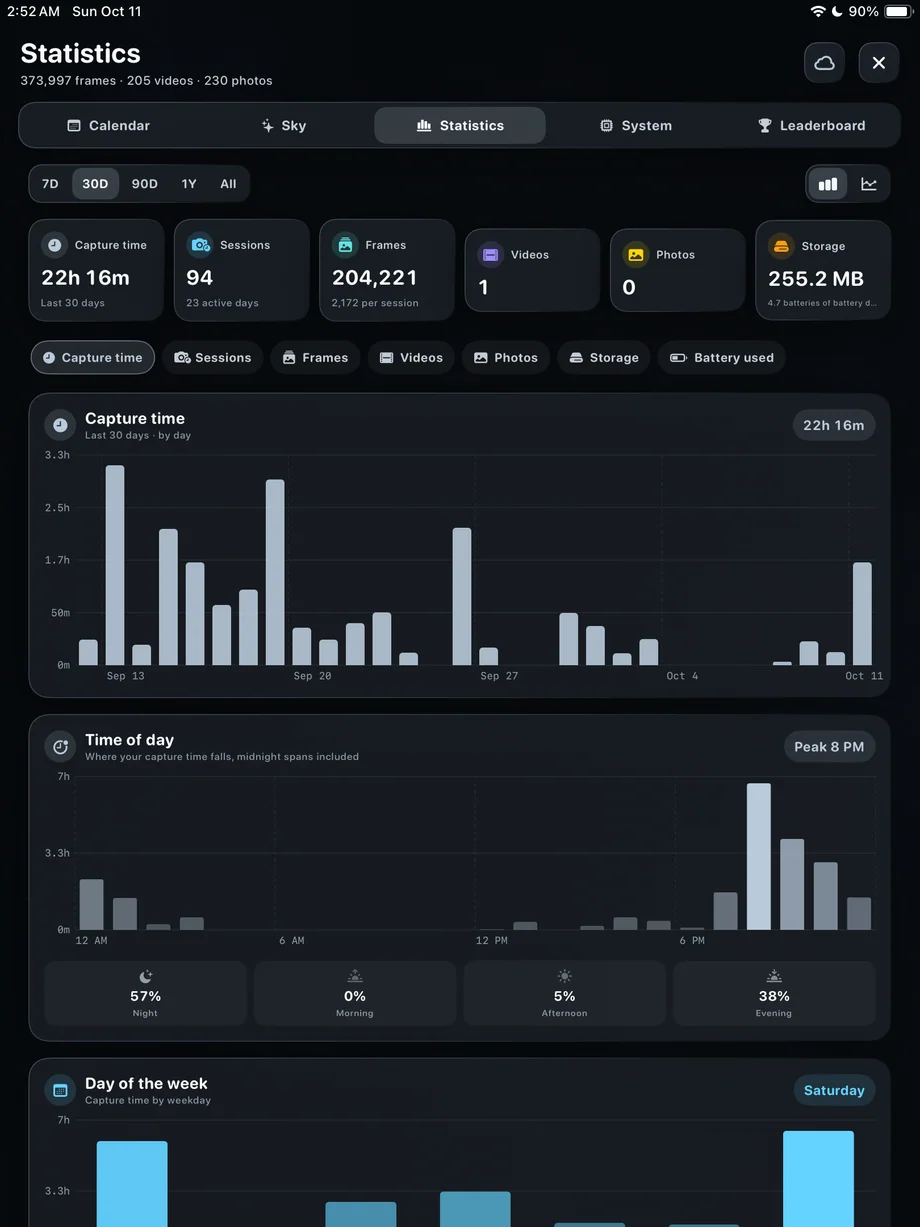
TimeLapsed Capture-time statistics on iPad
TimeLapsed Thermal history and session details on iPad
Capture-time statistics on iPadThermal history and session details on iPad

03 · Capture History & Statistics

Keep records in the way that suits you.

Track personal records when you want a history of your own progress. The leaderboard is optional for people who want to participate. A long session can be satisfying, but length is only one part of a useful capture. Keep the footage, conditions and camera setup together when deciding which experiments you want to repeat.

Keep records in the way that suits you.

TimeLapsed Capture-time statistics on iPad
TimeLapsed Thermal history and session details on iPad
Capture-time statistics on iPadThermal history and session details on iPad

A Practical Workflow

  1. 01

    Record the session

    Capture with the camera and device information visible when you need it.

  2. 02

    Review the history

    Compare exposure, weather and device statistics with the finished footage.

  3. 03

    Plan the next take

    Use the results to refine power, duration and the starting profile.

Inside the App

Tap a Screen for a Closer Look

Capture totals and recording-time charts
Battery, memory and thermal-state statistics
Sessions and timing on the calendar
Optional leaderboard and personal records
Capture-time statistics on iPad
Thermal history and session details on iPad

Capture totals and recording-time charts

TimeLapsed Capture totals and recording-time charts

Questions About Capture History & Statistics

Do I have to join the leaderboard?

No. Participation is optional. You can keep personal records without joining it.

What device statistics are available?

Capture history includes battery, CPU, memory and thermal-state information alongside camera and weather context.

Browse All 33 TimeLapsed Features

English + 11 More Languages

TimeLapsed 2.0 supports 12 languages across the iPhone, iPad and Apple Watch experiences. Use the camera and tools in the language that works for you.

  • English
  • Spanish
  • French
  • German
  • Italian
  • Brazilian Portuguese
  • Japanese
  • Korean
  • Simplified Chinese
  • Hindi
  • Russian
  • Turkish

Take the app with you

Download TimeLapsed.

Capture on iPhone, iPad or a compatible Android phone. Apple Watch controls are available with the iOS app.

Download on the App Store

TimeLapsed for Android

Awaiting Google’s review

We’re awaiting Google’s review. Check back soon, or apply for the beta test by sending us the email address you use on Google Play. We’ll be adding testers every few days.

Apply for the beta test

Android review is in progress. Beta requests are open.

QR code to download TimeLapsed on the App Store

Scan With an iPhone or iPad to Open the App Store.